The Wire is a software library you can access from os8088 over the network.
Launch apps directly from the internet without juggling multiple floppies or
installing them on a hard drive.
A single 360KB boot disk and an NE2000-compatible network card are all you
need. It's a web drive for your IBM XT: browse the os8088 software collection
and load programs straight into memory.
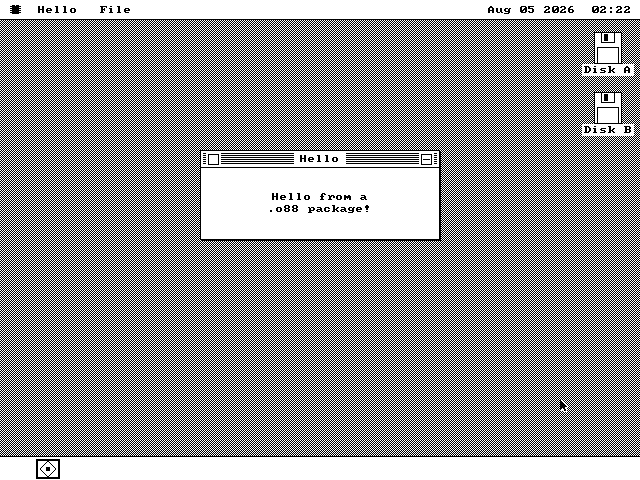
The 747-byte example package opens one window and prints two lines.
8088/80860.6 KB
Details & downloads
A window with two lines of text in it. Hello does nothing else. It ships as the smallest working example for anyone writing a program of their own, and as the one package with no icon of its own -- which is why the Disk window draws it with the generic application icon while every other program shows its own.
639 byte package · 639 bytes with files · Load Program
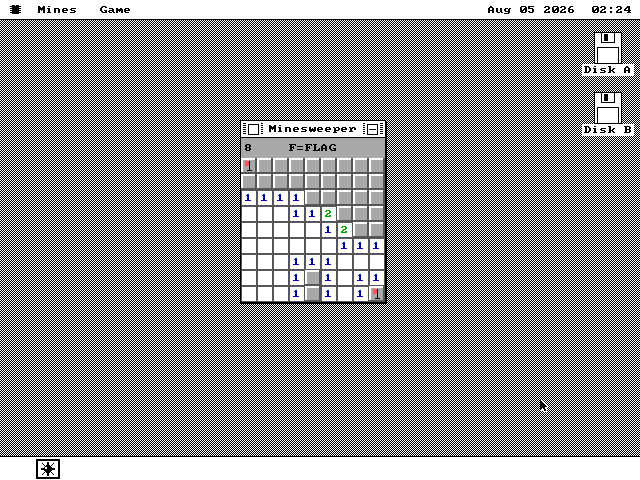
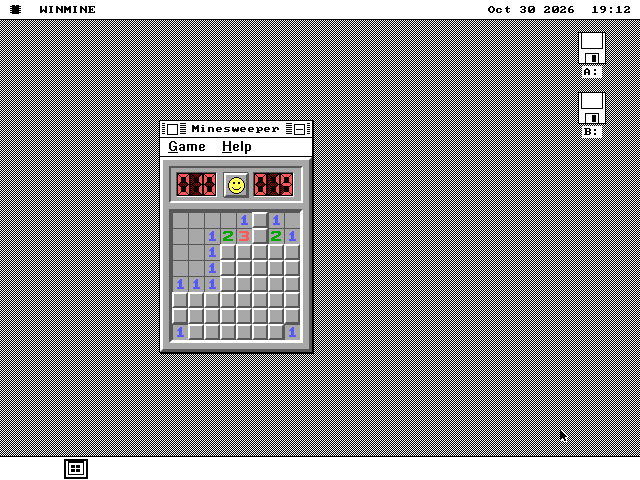
A 9x9 board hides 10 mines, and the first cell opened is always safe.
8088/80861.4 KB
Details & downloads
Minesweeper, on a 9x9 board with ten mines. Click a cell to open it, F for flag mode, N for a new game. Empty regions open in one click, the numbers use the traditional colors, and the first click is always safe -- the mines are laid after you have chosen where to start. It was the first program the loader ever ran.
1,405 byte package · 1,405 bytes with files · Load Program
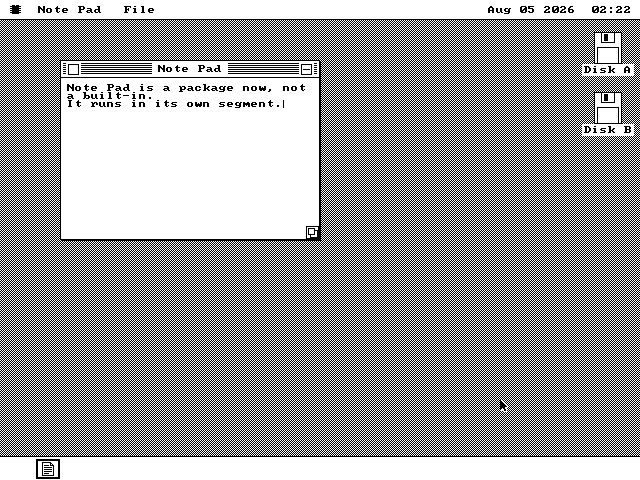
A plain-text editor wraps to the window and reads or writes files through the system dialog.
8088/808614.6 KB
Details & downloads
A plain text editor. Type into it, and it wraps at the window edge. Open, Save and Save As go through the system's file dialog and write ordinary files onto the FAT12 floppy, so a note written here opens on a modern computer and one written there opens here. Open as many at once as memory allows.
14,928 byte package · 14,928 bytes with files · Load Program
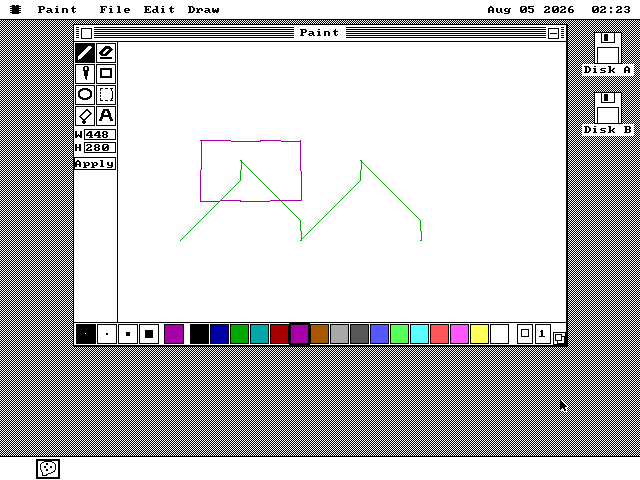
A bitmap editor reads and writes BMP and GIF with 8 tools and a 16-color palette.
8088/808621.5 KB
Details & downloads
A bitmap editor. Pencil, eraser, fill, rectangle, ellipse, selection, eyedropper and text tools down the left edge, a resizable canvas, undo, a clipboard, and sixteen colors along the bottom. It reads and writes BMP and GIF. On a machine with less memory it starts smaller and drops features rather than refusing to open, and on a monochrome display the palette becomes black, white and a dither.
22,013 byte package · 22,013 bytes with files · Load Program
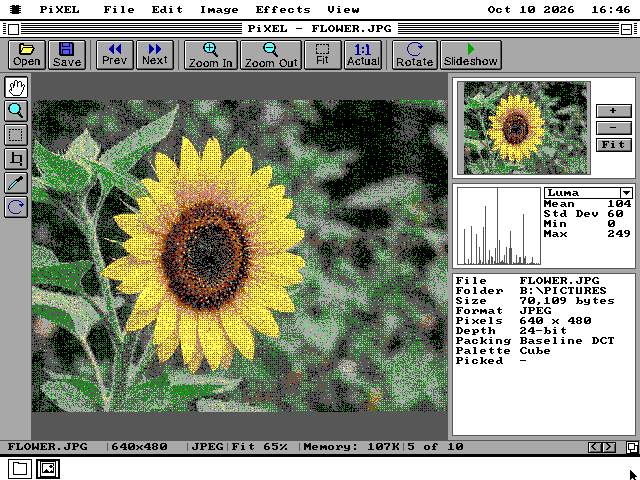
An image viewer and editor that opens JPEG, PNG, GIF and nine more formats, with three sample pictures to open.
8088/8086171.6 KB
Details & downloads
An image viewer and editor. PiXEL opens JPEG, PNG, GIF, BMP, PCX, TIFF, Targa, PNM, Windows icons, Amiga IFF, MacPaint and PIX files and dithers each one to the screen it is on: sixteen colours on a VGA, two on a CGA or Hercules card. F shows the picture full screen, in 256 colours on a VGA. It crops, turns, flips, resizes, adjusts brightness, contrast and colour, runs effects such as blur and pixelate, and saves as PNG, GIF, BMP, PCX or PIX.
The Wire installs it into a PIXEL folder with three sample pictures in PICTURES: a JPEG, a PNG and an animated GIF. PIXEL.O88 is 112KB, too large for a RAM disk, so it comes by Add to Disk and not Load Program. It needs the version of The Wire that ships after v1.0.20261010; an older one says the archive is not understood and writes nothing.
175,572 byte archive · 4 files, 175,767 bytes unpacked · Load Program or Add to Disk
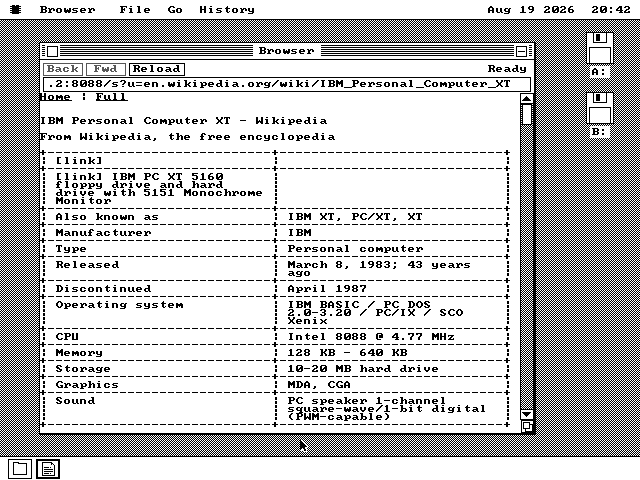
The web browser lays out text and tables over an NE1000, NE2000 or parallel link.
8088/808634.8 KB
Details & downloads
A web browser. It fetches pages over an Ethernet card or a parallel cable and lays them out as text and tables, following links and keeping a history. Encrypted sites go through a helper program on another computer; the arithmetic is minutes of work at 4.77 MHz. There is a page about it.
35,638 byte package · 35,638 bytes with files · Load Program
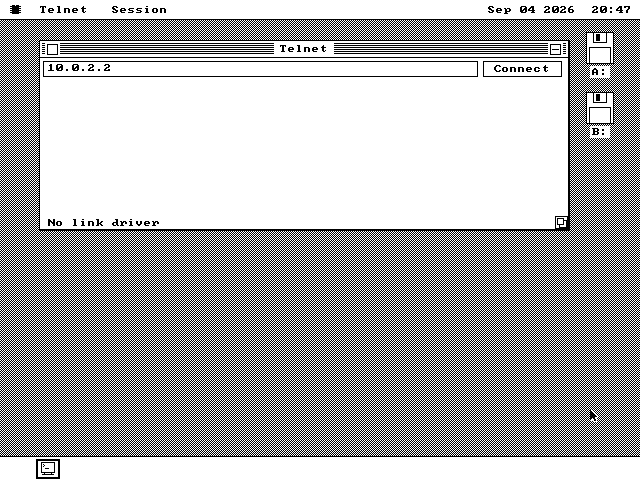
A bulletin-board terminal: sixteen colours, an 80x25 screen and Zmodem downloads.
8088/808610.4 KB
Details & downloads
A terminal for bulletin boards. It logs in to another machine over the network and acts on the codes a board sends: sixteen colours, the line-drawing and block characters its art is made of, and the 80-column by 25-row screen it draws for. Ctrl+] gives the session the whole screen, at the size the board intended.
It downloads as well. Pick Receive File from the Session menu, or let the board start the transfer itself -- the terminal notices, reads the file's name off the wire and asks which disk to write it to. Sending files up is not implemented.
10,640 byte package · 10,640 bytes with files · Load Program
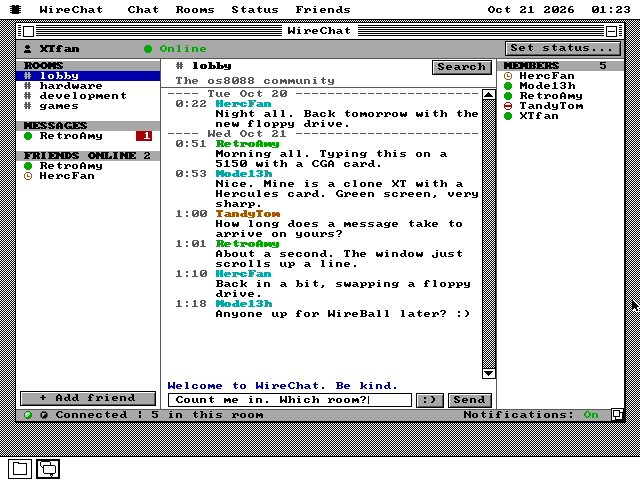
Chat rooms and private messages over an Ethernet card: four public rooms, friends, and @mentions that reach you in any room.
8088/808616.6 KB
Details & downloads
Chat rooms for os8088. Choose a nick and you land in the lobby, one of four public rooms. Click a room to read and write there, or click a name to send that person a private message. Typing @ and someone's nick gets their attention in any room, and Tab completes the nick. Each message shows when it was sent, with a line at each new day. A right press on a member adds a friend, and the list on the left shows which friends are online.
It needs an Ethernet card, an NE1000 or NE2000, with the Ethernet driver ticked in the Control Panel. It talks to the chat server at os8088.com over plain HTTP, so messages are not encrypted. Messages are short lines of plain ASCII, up to 200 characters. On VGA and EGA it has a colour face, and on CGA and Hercules a black and white one. It needs v1.0.20261020 of os8088 or later. WireChat has a page of its own.
16,973 byte package · 16,973 bytes with files · Load Program
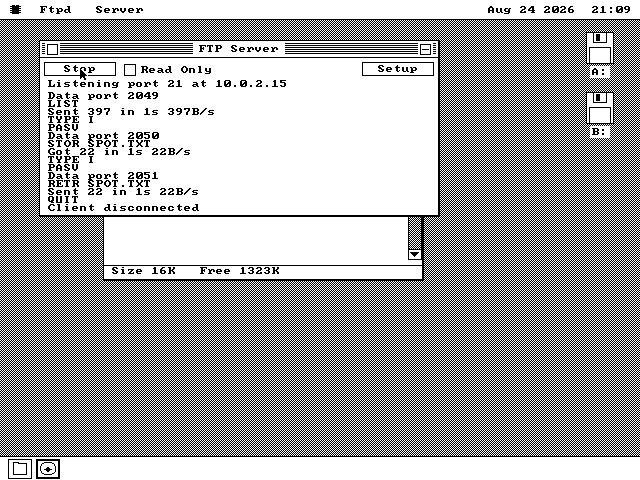
The FTP server lets another machine list, upload, download, rename and delete files.
8088/808611.5 KB
Details & downloads
The FTP Server is the first program here that answers an incoming connection instead of making one, so a laptop on the same network can drop a file onto the machine while it is running. There is a page about that one.
11,810 byte package · 11,810 bytes with files · Load Program
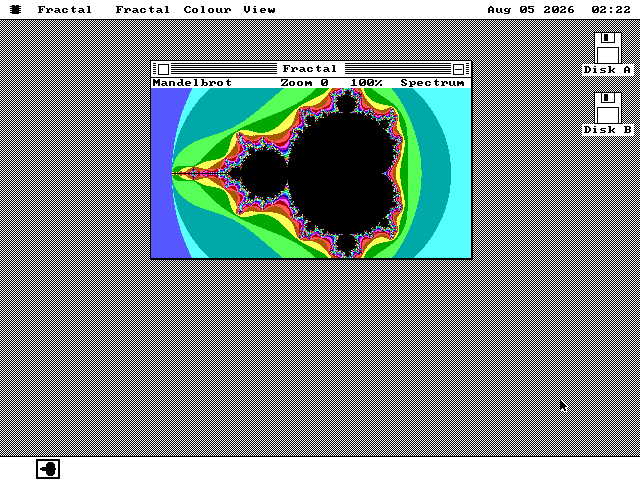
A background task draws the Mandelbrot set in 3 passes while the desktop keeps running.
8088/80862.7 KB
Details & downloads
A Mandelbrot explorer. Zoom into the set, choose a color scheme, and watch the picture sharpen through three passes. It draws in the background, so the desktop stays usable the whole time, and you can move or cover the window mid-render without losing the work already done.
2,724 byte package · 2,724 bytes with files · Load Program
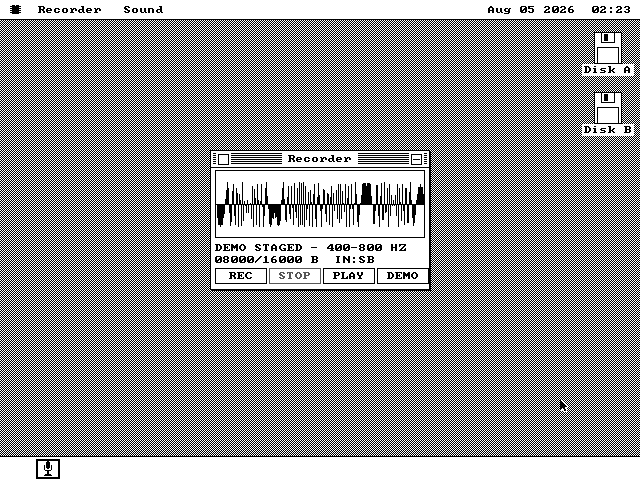
Recorder captures through a Sound Blaster and plays through that card or the PC speaker.
8088/80862.7 KB
Details & downloads
A sound recorder. Record, stop and play, with a waveform display of whatever is in the buffer and a built-in demo tone to try it with. It records through a Sound Blaster where the machine has one and plays through the PC speaker where it does not; the status line says which it got.
2,739 byte package · 2,739 bytes with files · Load Program
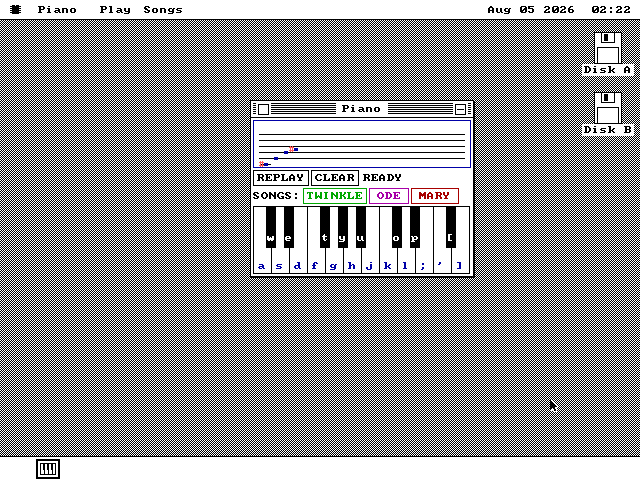
A 2-octave keyboard writes played notes to a staff and plays them back.
8088/80863.0 KB
Details & downloads
A two-octave keyboard. Play it with the mouse or with the computer keys lettered onto the keys themselves. Every note you play is written onto the staff above, and the staff plays back. Three built-in songs come with it. On a machine with a sound card the notes come out of the card's FM chip instead of the PC speaker.
3,046 byte package · 3,046 bytes with files · Load Program
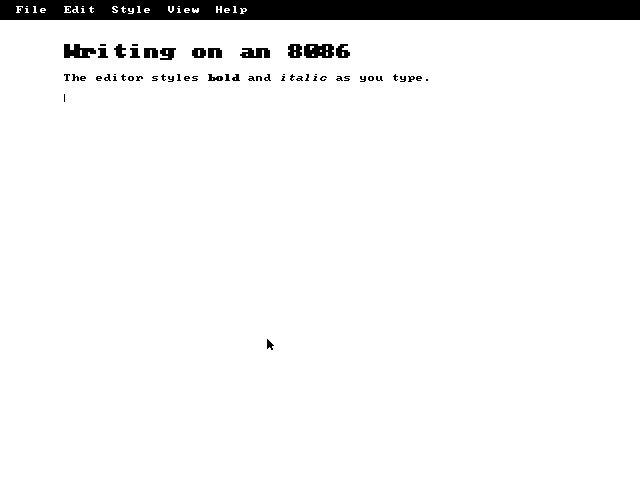
ActionRetro's Markdown writer has a full-screen mode and styles text while you type.
8088/808613.0 KB
Details & downloads
A Markdown writer, ported from the Macintosh. ArtfulType is ActionRetro's writing app for classic 68k Macs, rebuilt for the 8086. Writer mode takes the whole screen and gives the program its own menu bar. It styles as you type: bold, italic, headings at three sizes and underlined links, with the Markdown markup hidden until you put the caret back in that paragraph. Documents are plain Markdown files, so they open anywhere else.
13,355 byte package · 13,355 bytes with files · Load Program
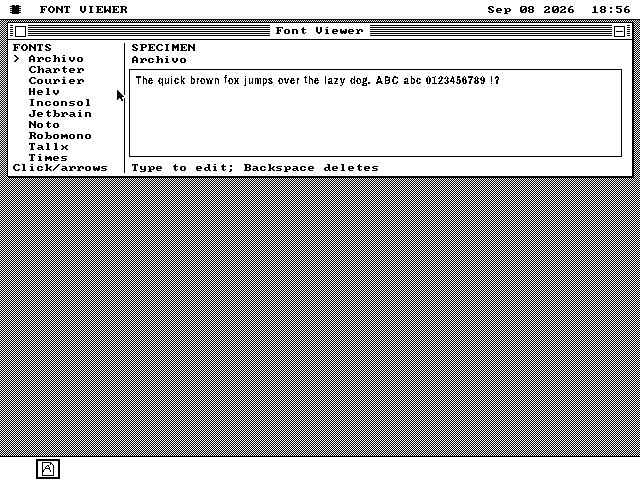
Browse every typeface the system has installed, and type your own specimen line in it.
8088/80863.4 KB
Details & downloads
The system's typeface browser. Every .F88 face the machine has installed is listed down the left; pick one and the panel beside it sets a specimen in that face. The specimen is editable -- type over it and the line is reset as you go -- so a face can be judged on the words it is actually going to carry rather than on a pangram somebody else chose.
It is a small program on purpose. It does nothing the proportional-type engine does not already do for every other package, and it exists so that what that engine can do is visible in one window.
3,504 byte package · 3,504 bytes with files · Load Program
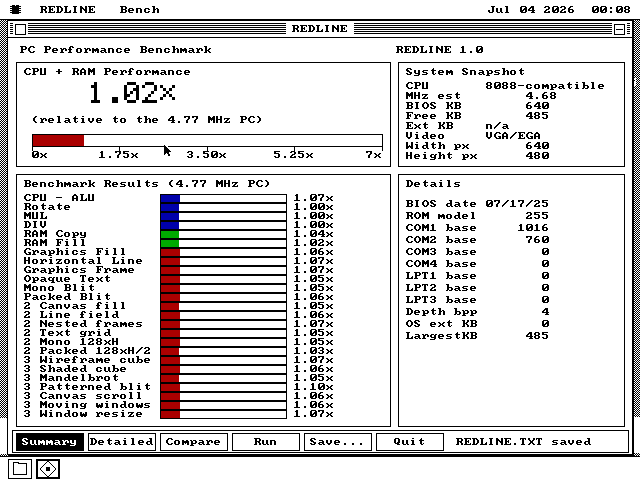
A CPU and graphics benchmark that times 25 fixed workloads and scores each as a multiple of an IBM PC at 4.77 MHz.
8088/808627.4 KB
Details & downloads
How fast is this machine, measured the same way on every machine? REDLINE times 25 fixed jobs: arithmetic, shifts, multiplies and divides; copying and filling memory; then drawing through the system's own calls, from rectangles, lines and text up to a Mandelbrot set, spinning wireframe and shaded cubes, scrolling, and a window resized and repainted. Every machine does exactly the same work, and each score is how many times faster that job ran than on an IBM PC with a 4.77 MHz 8088, which scores 1.00x.
The reference PC was measured, not estimated: three trials of three complete runs each on MartyPC, an emulator that reproduces the original PC's timing cycle by cycle, with a separate graphics reference for CGA, Hercules and VGA. A benchmark here averages three runs. The drawing happens in a second window, the Graphics Lab, so you can watch each job while it is timed.
Summary shows the combined processor and memory score, separate averages for the processor, the memory and the drawing, a snapshot of the machine (processor, clock, memory, video) and a bar for every job. Compare gives the bars the whole window, and Detailed is the full report, with every sample and how each one was timed. Save writes that report to REDLINE.TXT. REDLINE has a page of its own.
28,062 byte package · 28,062 bytes with files · Load Program
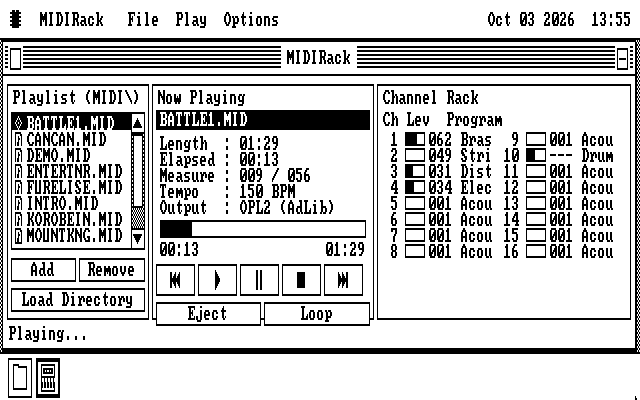
A MIDI music player with a playlist, a Now Playing display and a level meter for each of the sixteen MIDI channels, and ten songs to play.
8088/808652.5 KB
Details & downloads
A player for MIDI files, the format most PC game music and a great deal of other music was written in. A MIDI file holds no recorded sound. It is a list of notes and instruments, so it is small, and how it sounds depends on what plays it. MIDIRack plays one through whatever this machine has: the FM chip on an AdLib or a Sound Blaster, a synthesizer that runs on the computer and plays through a Sound Blaster, a MIDI port for an external sound module, or the PC speaker. Automatic picks the FM chip first, because it costs the computer almost nothing while it plays.
The window is a rack: the playlist, a Now Playing display with the song's length, its position in measures and its tempo, and a row for each of the sixteen MIDI channels with its instrument and a level meter. MIDI Info lists a file's format, its length, how many notes it plays and the title stored inside it. Settings shows every output and greys the ones the machine does not have. On the PC speaker, Play in Background plays just the melody and leaves the desktop free.
It comes with ten songs: four written for it and six public-domain classics, from Joplin's The Entertainer to Grieg's In the Hall of the Mountain King. On a Sound Blaster it can also play recorded instrument sounds from a 210KB sound bank. The bank is 210KB, so it is a second download below, MIDIRack Sound Bank, which lands beside the player; without it, that one output is greyed. MIDIRack has a page of its own.
53,787 byte archive · 11 files, 53,740 bytes unpacked · Load Program or Add to Disk
The recorded instruments MIDIRack's wavetable output plays on a Sound Blaster, landing in the MIDIRACK folder beside the player.
8088/8086205.5 KB
Details & downloads
The sound bank for MIDIRack's wavetable output: one recorded sample for each instrument, made from S. Christian Collins's GeneralUser GS sound bank, which a Sound Blaster plays at the pitch of each note. Without it MIDIRack still plays every song on the FM chip, the PC speaker or a MIDI port, and only the wavetable output is greyed. It is a second record rather than part of MIDIRack because it is 210KB, four times the player and its songs together: it carries no program of its own, so fetch MIDIRack first and this afterwards, and it lands in the same MIDIRACK folder. A file this size goes to a disk with Add to Disk, and it needs the system disk from v1.0.20261012 or later.
210,481 byte archive · 1 files, 210,385 bytes unpacked · Add to Disk, or Load Program to unpack it
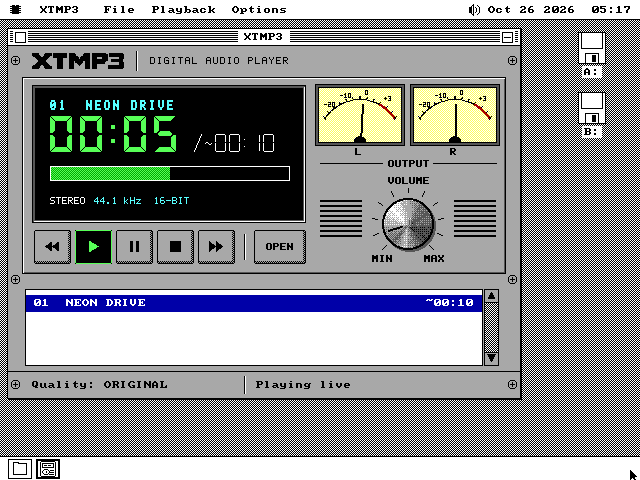
An MP3 player that plays each song at the best quality the PC and its sound card can keep up with, and says which quality that is. Three demo songs come with it.
8088/8086245.2 KB
Details & downloads
An MP3 player for every PC from the 4.77 MHz IBM PC up. MP3 squeezes music to about a tenth of its size by throwing away what the ear will not miss, and getting the sound back takes a great deal of arithmetic. XTMP3 measures how fast the machine is and picks the best quality it can sustain: the full decoder at the song's own rate on a fast PC, half or a quarter of the detail on a slower one, and three lighter decoders written for the 8088.
On a 4.77 MHz IBM PC even the lightest is far slower than the music, so XTMP3 converts the whole song to a WAV file on the hard disk first and then plays that. It shows its progress while it works, and it remembers finished tracks so the conversion happens once. On a faster machine the song plays straight from the file, held in memory so the disk never interrupts it.
It plays through a Sound Blaster, in 16-bit stereo where the card has it, and its face is a hi-fi in colour on VGA and EGA and in black and white on CGA and Hercules. Three songs come with it beside the program, in the same folder.
251,363 byte archive · 4 files, 251,075 bytes unpacked · Load Program or Add to Disk
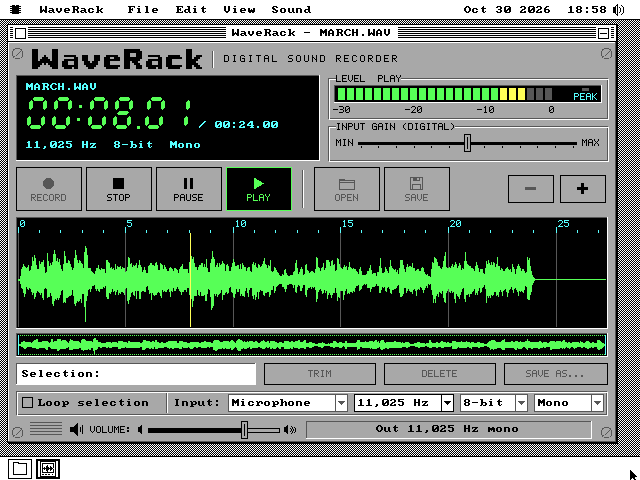
A sound recorder and WAV editor with the face of an 80s digital recorder. It records from a Sound Blaster straight onto the disk, plays WAV files and edits them as a waveform. Four clips of public-domain and CC0 music come with it.
8088/8086595.8 KB
Details & downloads
A sound recorder, WAV player and waveform editor for every PC from the 4.77 MHz IBM PC up. A WAV file is sound written down as numbers, thousands of them a second. WaveRack draws them as a waveform you can zoom into down to the single sample, select by dragging, and trim, cut, copy and paste. It reads the file from the disk as it needs it rather than loading it, so with a document open it uses 31 to 38KB of memory however long the file is. Edits change nothing on the disk until you save, and Save writes a whole new file before it replaces the old one.
Press Record and the take goes straight onto the disk as a WAV file, while the card captures into a ring of memory that keeps running through every disk write. On an XT's hard disk it records at 8,000, 11,025 or 15,000 samples a second using under a quarter of the processor; on a floppy, 8,000. If the machine stops in the middle of a take, File, Recover Take opens what reached the disk.
It plays and records through a Sound Blaster; without one it still opens, edits and saves. Four clips come with it beside the program, in the same folder: Beethoven, Joplin, Chopin and Bach, one in each format it shows. WaveRack has a page of its own.
609,444 byte archive · 6 files, 610,075 bytes unpacked · Load Program or Add to Disk
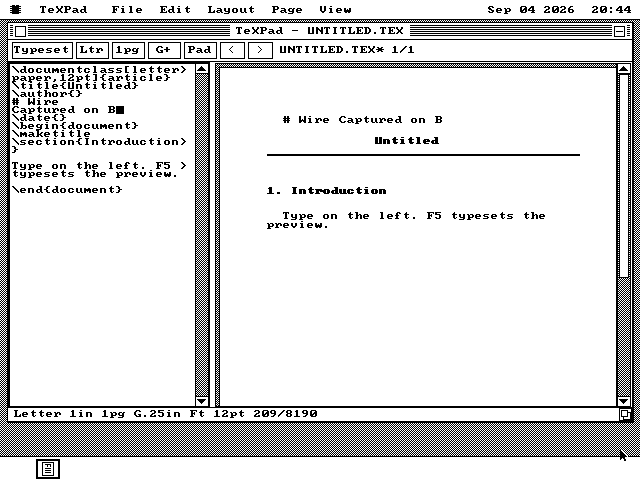
A 2-pane TeX editor exports its paper-oriented subset as PDF 1.4 or PostScript Level 1.
8088/808614.9 KB
Details & downloads
TeXPad is a two-pane editor for a paper-oriented subset of TeX, with source on the left and the typeset page on the right. File > Export writes PDF 1.4 or PostScript Level 1. It handles text, sections, quotes, lists and ruled tables; it has no math engine, figures or color.
15,283 byte package · 15,283 bytes with files · Load Program
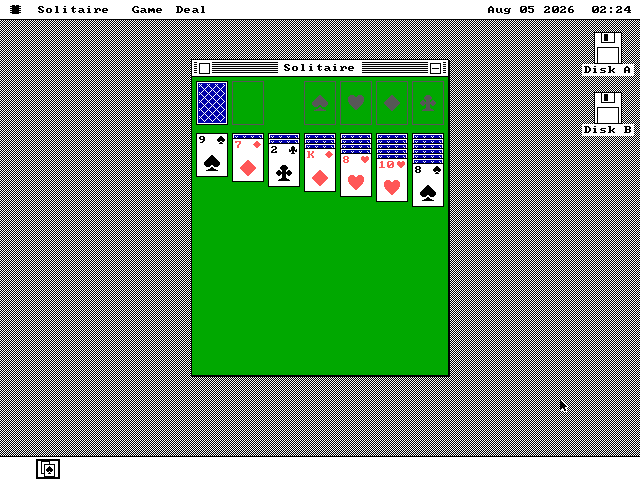
Klondike uses mouse-dragged cards, 7 tableau columns and 4 foundations.
8088/80863.7 KB
Details & downloads
Klondike solitaire. Deal from the stock, drag cards and runs between the seven columns with the mouse, and build the four foundations up from the aces. Dragging shows an outline and drops the cards when you let go, the same way windows move. On a monochrome machine the red suits are drawn hollow instead of red, so they stay tellable apart.
3,739 byte package · 3,739 bytes with files · Load Program
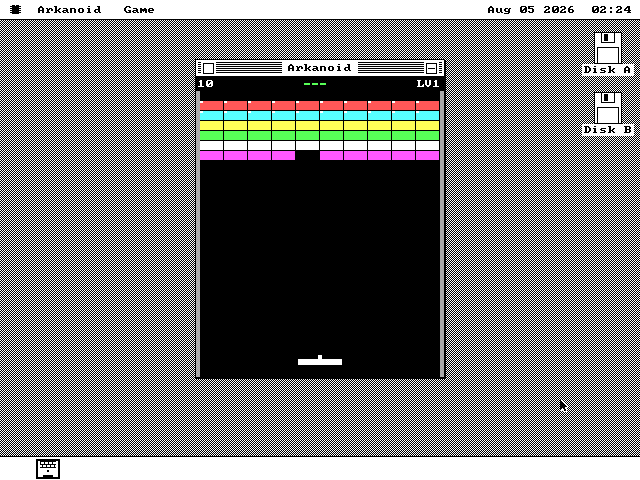
A keyboard-controlled paddle clears 6 rows of bricks while a timer moves the ball.
8088/80864.9 KB
Details & downloads
A brick-breaker. Move the paddle with the arrow keys, clear six rows of colored bricks, and keep the score across levels. The ball runs on its own timer rather than on your keystrokes, so it keeps a steady speed whatever else the machine is doing.
5,031 byte package · 5,031 bytes with files · Load Program
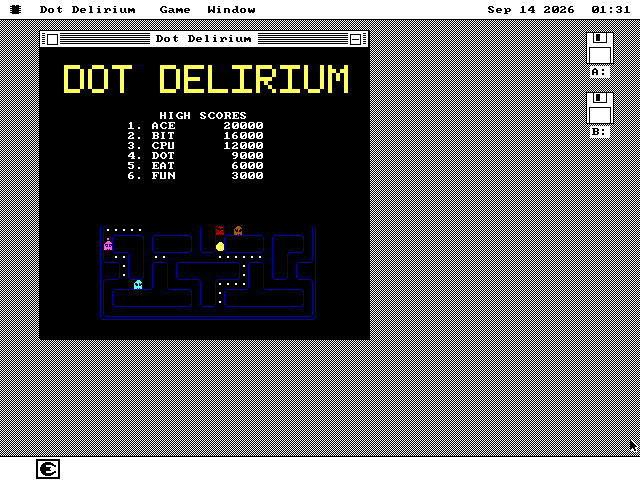
A maze chase with three boards, four ghosts that chase by sight, and high scores saved to disk.
8088/808613.8 KB
Details & downloads
Guide Smiles through three boards while four ghosts chase him by sight. Eat the dots, eat the ghosts after a power pellet, and save your high score with three initials. Dot Delirium was written from scratch for os8088 and runs on an 8088, including a 128KB machine with CGA or Hercules graphics.
Arrows or WASD steer, Enter or Space starts, P pauses and F switches full screen. Esc leaves full screen or ends the game. Dot Delirium has a page of its own.
14,150 byte package · 14,150 bytes with files · Load Program
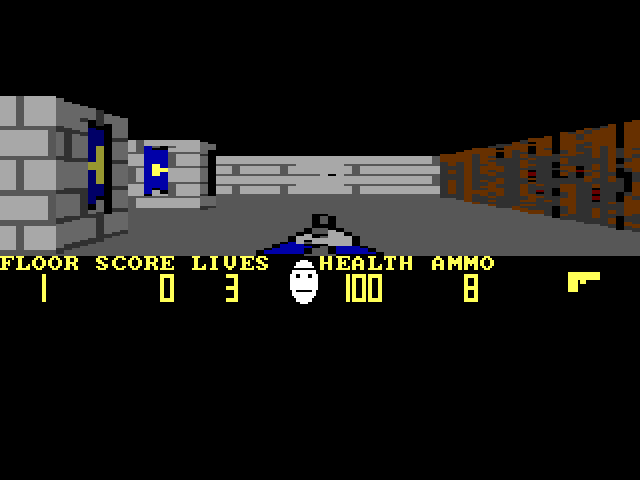
A first-person shooter in the style of 1992's Wolfenstein 3D: eight floors of stone, wood and brick, with doors, keys, guards and dogs.
8088/808645.7 KB
Details & downloads
A first-person shooter in the style of Wolfenstein 3D. You walk a castle of grey and blue stone, wood and brick, open doors, pick up keys, ammunition and treasure, and fight helmeted guards and dogs across eight floors. The walls are drawn by casting one ray per column of the view, the way the 1992 game drew them. All of the art is new -- nothing of Wolfenstein's own is used.
It runs in a window or full screen. On a 4.77 MHz IBM PC with CGA graphics it draws 8.5 frames a second full screen, with textured walls at the default low resolution. In a window on a VGA desktop it can use 16 colours on a 286 or faster. Full screen it uses Mode X on VGA (320x240, up to 256 colours), CGA's 320x200 four-colour mode, or Hercules. The Detail menu trades picture for speed: Textured, Flat or Wire walls, full or low resolution, or Auto to choose from the frame rate.
Arrows move and turn, Space opens doors, Ctrl fires, Tab shows the map of what you have seen, F switches full screen and V changes the view size there. The textured game needs about 262KB free; a 256KB machine plays it with flat walls and plain boxes for sprites. Pixelstein 3D has a page of its own.
46,778 byte package · 46,778 bytes with files · Load Program
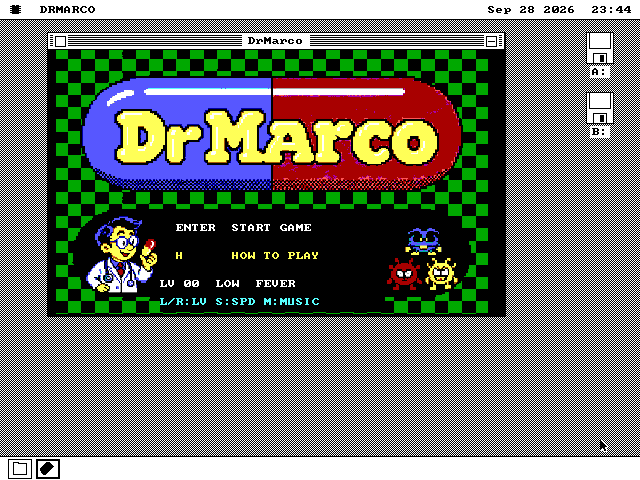
A capsule puzzle after Nintendo's Dr. Mario of 1990: drop two-coloured capsules into a bottle and line up four of a colour to clear the viruses.
8088/808647.0 KB
Details & downloads
A falling-capsule puzzle after Nintendo's Dr. Mario. A bottle holds red, yellow and blue viruses. Capsules with two coloured halves fall into it one at a time; move and turn each one as it drops. Four or more of one colour in a row or a column, capsule halves and viruses together, disappear. Halves left hanging fall, and can set off another clear. Clear every virus to finish the level. Levels run from 0 to 20, with 4 viruses at level 0 and 84 at level 20, at three speeds.
It is a new program in 8086 assembly, not an emulated NES. Its rules, capsule order and speeds follow a disassembly of the NES game, and so do the capsule and virus pictures and the music. The doctor, the laboratory and the title screen are new artwork. Full screen it uses VGA at 320x240 or CGA's four colours; Hercules shows the title and help pages, but the game itself needs VGA or CGA. Music plays on an AdLib or Sound Blaster, or the tune alone on the PC speaker.
Left and Right move, Z and X turn, Down drops faster, P pauses and M changes the music. DrMarco has a page of its own.
48,156 byte package · 48,156 bytes with files · Load Program
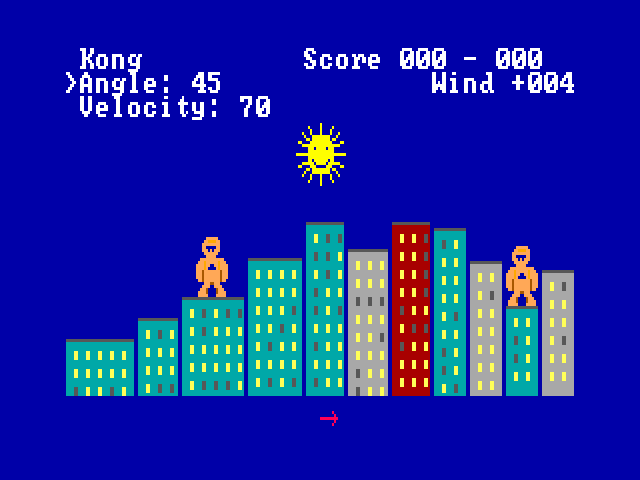
Two gorillas on a city skyline throw exploding bananas at each other, after the QBasic game that came with MS-DOS 5.
8088/808611.7 KB
Details & downloads
The banana-throwing game from QBasic, rewritten for this machine. Two gorillas stand on the roofs of a random city. Each turn you type an angle and a speed, and the banana flies under gravity and the wind, which an arrow under the city shows. Hit the other gorilla to score; miss and the banana blasts a hole in a building. Play against a friend at the same keyboard or against the computer, which the original did not offer. You choose the winning score, from 1 to 99, and the gravity.
It is written in 8086 assembly rather than run through BASIC, and keeps the original's rules, tunes and victory dance. It plays in a window or full screen, on VGA, CGA and Hercules; full screen on VGA uses the original's colours. The tunes and effects play on the PC speaker. With an AdLib or Sound Blaster card, three short tunes of its own play during a match, one per skyline, and M turns them off. Gorillas has a page of its own.
11,943 byte package · 11,943 bytes with files · Load Program
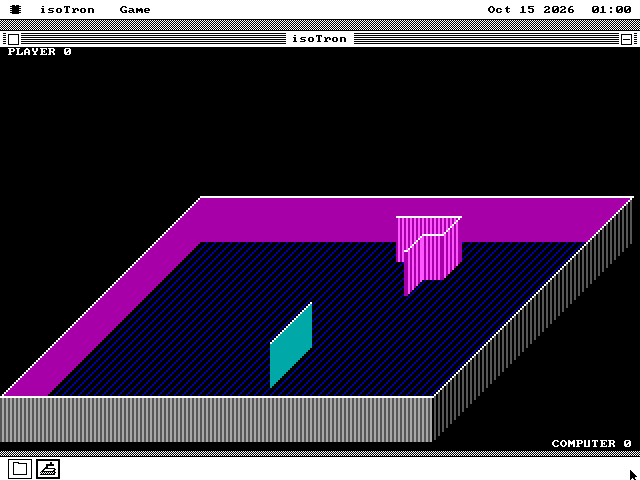
A light-wall duel on a raised 3D slab, remade from Novatron, a 1982 IBM PC game: you against the computer, each trailing a wall the other cannot cross.
8088/808616.6 KB
Details & downloads
A light-wall duel in three dimensions. You and the computer ride across a raised slab, each leaving a wall behind. Run into any wall or off the slab's edge and the round is lost. Win two rounds in a row and the next arena is stacked one slab higher, with one more computer rider to beat, up to a tower of four. Three losses in a row end the game. There are three skill levels: Rookie, Veteran and Lunatic.
It is a new program in 8086 assembly, written from the rules seen in Novatron, a 1982 IBM PC game, with no code from it; every picture is drawn by the program. It plays in a window on VGA, EGA, CGA and Hercules, and F or Alt+Enter switches to full screen in colour where the card has colour: the original's four CGA colours, or 16 on EGA and VGA. It keeps the original's pace on any PC. On a 4.77 MHz IBM PC a step of the game costs about half a millisecond, because each wall grows by one column of the picture and nothing already drawn is drawn again.
Left and Right turn, Up goes faster, P pauses and M turns the PC speaker sounds off. It needs about 118KB free, which a 256KB machine has. isoTron has a page of its own.
16,951 byte package · 16,951 bytes with files · Load Program
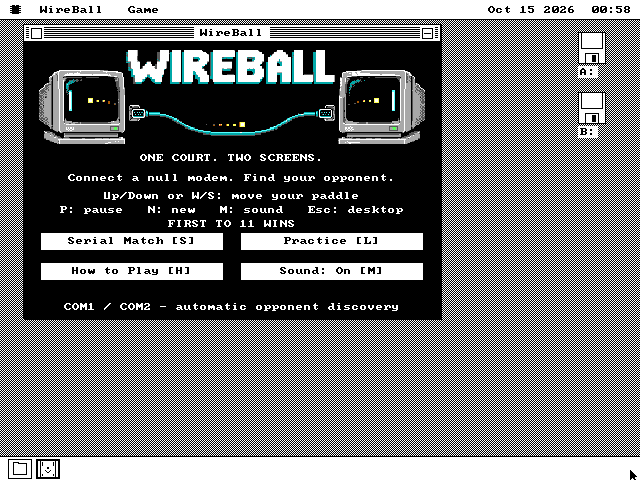
Pong played across two PCs joined by a null modem cable: the ball leaves one screen and arrives on the other.
8088/808614.8 KB
Details & downloads
One Pong court stretched across two computers. Join two PCs with a null modem cable, a serial cable with its send and receive wires crossed, open WireBall on both and choose Serial Match. The games find each other on COM1 or COM2, decide who plays left and who plays right, and the ball leaves one screen and comes in on the other. Each player has a paddle at the outside edge of their own screen, and the first to 11 wins. Pull the cable out and play stops; plug it back in and a fresh match starts by itself. Practice plays against the computer on one PC.
It is written in 8086 assembly and draws the court in pixels on VGA, EGA, CGA and Hercules. On an emulated 4.77 MHz IBM PC it shows 46 to 59 frames a second, with the ball and paddles moving 73 times a second. Where a hit lands on the paddle sets the angle, and moving the paddle as it hits adds spin. Sound comes from the PC speaker or a sound card.
Up and Down or W and S move the paddle, P pauses, N starts a new match and Esc returns to the desktop. Both PCs need the same WireBall, from the v1.0.20261014 release or later. WIREBALL.TXT explains the cable. WireBall has a page of its own.
11,468 byte package · 15,194 bytes with files · Add to Disk
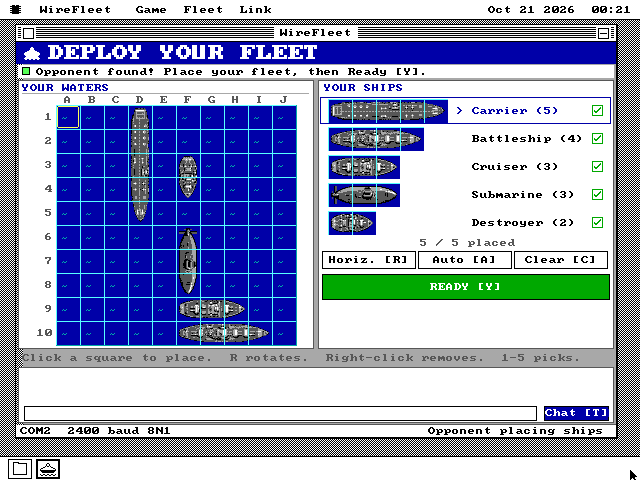
A naval battle game for two PCs joined by a null modem cable: place five ships, then take turns firing at the other fleet.
8088/808649.7 KB
Details & downloads
Two PCs, two fleets, one winner. Join two PCs with a null modem cable, a serial cable with its send and receive wires crossed, and open WireFleet on both. Each PC looks for the other on COM1 and COM2 by itself, so a serial mouse can stay on the other port. Place five ships on a 10 by 10 grid, or press A to place them for you, then press Y when you are ready. The captains take turns firing one shot at the other's waters. A hit is a red cross, a miss is a dot, and the first to sink all five ships wins.
Your fleet never crosses the cable: each PC judges the shots fired at it, so neither screen can see the other's ships. Press T to type a short message to your opponent. If the cable comes out, the game pauses and carries on when it is plugged back in. S saves the match on each PC and O loads it, so a battle can be finished another day.
It is written in 8086 assembly and runs at 2400 baud, slow enough for an original IBM PC's serial chip. It draws in colour on VGA and EGA, in four colours full screen on CGA, and in black and white on CGA and Hercules desktops. Sound comes from the PC speaker or a sound card. Both PCs need this release of os8088 or later. WIREFLET.TXT explains the cable and the keys. WireFleet has a page of its own.
47,943 byte package · 50,886 bytes with files · Add to Disk
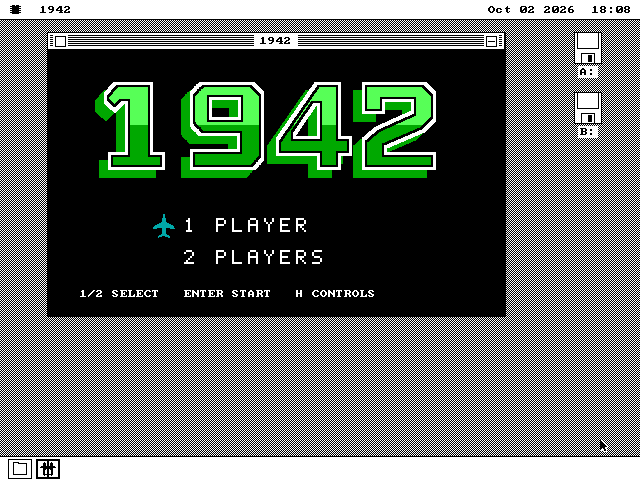
A scrolling air-combat game after the 1942 arcade game: 32 stages over the Pacific, one or two players, with music on an AdLib or Sound Blaster.
8088/8086233.6 KB
Details & downloads
An air-combat game after the 1942 arcade game. You fly a twin-engined fighter up a scrolling sea of islands and reefs, and fighters, bombers and formations come at you from every side. Shoot down a whole orange formation to earn a power-up: stronger guns, two wingmen, a screen clear, an extra roll or an extra life. A roll makes you untouchable for a moment, three per stage. Clear 32 stages to finish. Two players can take turns.
It is a new program in 8086 assembly, with artwork made for it, and it scrolls the screen with the graphics card's own hardware so that a 4.77 MHz IBM PC keeps up. Full screen it uses VGA at 320x240 or CGA's four colours; Hercules shows the title and controls, but the game itself needs VGA or CGA. Music plays on an AdLib or Sound Blaster, or as tones on the PC speaker.
Arrows move, Space or Z fires, X rolls, P pauses and M turns the sound off. The pictures and the recorded gunfire and explosions a Sound Blaster plays are all inside 1942.O88, which makes it 233KB: too large for a RAM disk, so it comes by Add to Disk and not Load Program, into a 1942 folder with its README. 1942 has a page of its own.
237,174 byte archive · 2 files, 239,176 bytes unpacked · Load Program or Add to Disk
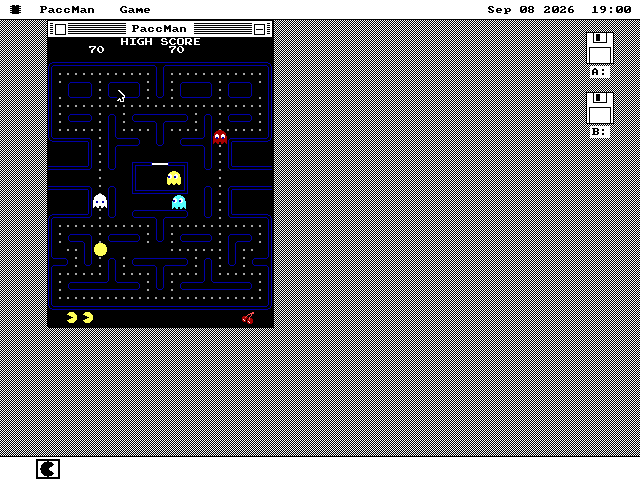
The Namco arcade Pac-Man, written in C: the 28x36 field, four ghosts and the attract reveal.
38618.4 KB
Details & downloads
A second Pac-Man, and it shares nothing with the first. This one is a port of Andre Weissflog's arcade-faithful pacman.c and follows the Namco original: the tall 28x36 field, the arcade ROM's own tile, sprite and colour tables, the four ghosts with their real personalities, the attract screen that reveals SHADOW / SPEEDY / BASHFUL / POKEY one at a time, and three voices reduced to the PC speaker.
os8088 once shipped two Pac-Men. PACMAN was the Roklan/Atari disk version, hand-written in 8086 assembly, on a wide 40x22 field. It has since been retired and is no longer available. PACCMAN is this one, written in C. The assembly version ran roughly twice as fast on a 4.77 MHz XT. This one's lower frame rate is why it asks for a 386.
18,866 byte package · 18,866 bytes with files · Load Program
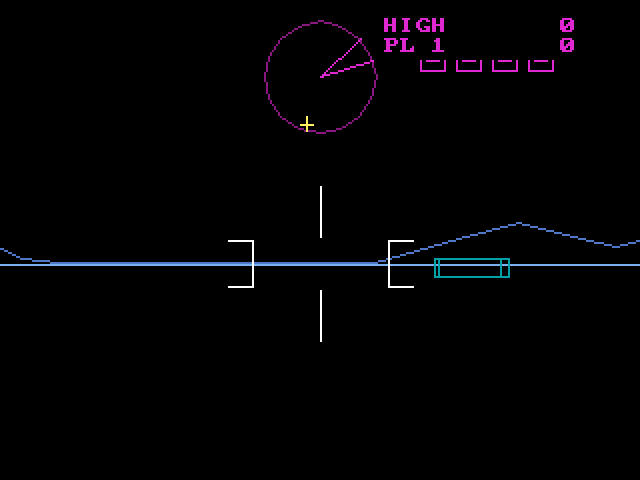
A first-person wireframe tank duel draws about 100 lines per frame and takes over the display.
8088/808611.7 KB
Details & downloads
Tank Attack is a first-person wireframe tank duel that takes over the whole screen rather than running in a window, and has a page of its own. Drive across a flat plain, dodge cubes and pyramids, and shoot enemy tanks. The same package draws VGA, Hercules and CGA.
11,996 byte package · 11,996 bytes with files · Load Program
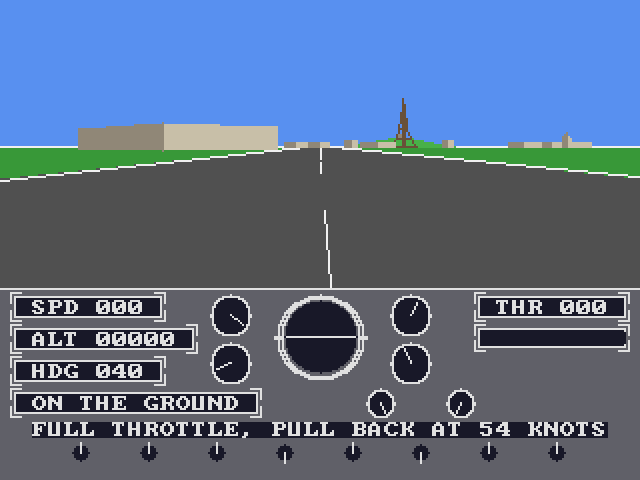
A filled-polygon flight simulator: take off from Paris-Issy, fly over the city, and land.
8088/808644.1 KB
Details & downloads
A three-dimensional flight simulator. Take off from Paris-Issy, the city's first aerodrome, fly over Paris with the Eiffel Tower on the horizon, and land -- or crash, and be put back on the runway. The view is filled polygons rather than wireframe: each one is drawn by walking its edges into a left and a right bound and filling each row as a single masked run, which is how every flight simulator of the period did it, and why an 8088 can fill a building face in the time it takes to walk one of its edges.
It is built against one number: twelve frames a second on a 4.77 MHz 8088 with a Hercules card, the machine in the tree that can least afford a filled picture. The view is sized to that budget rather than to the screen, and the instrument panel below it costs nothing while it holds still. The aeroplane and the airport are each a record in a table, so a second of either is a row and not a rewrite.
45,129 byte package · 45,129 bytes with files · Load Program
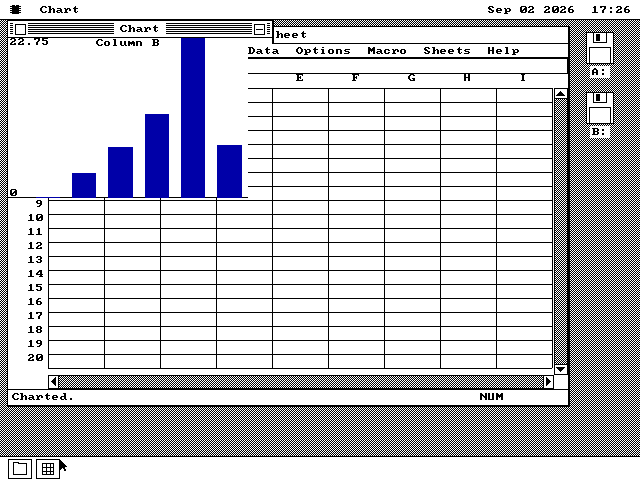
Chart opens spreadsheet data and draws columns, bars, lines, areas, pies and scatter plots.
8088/80868.0 KB
Details & downloads
Chart draws the numbers in a Sheet file. It is a program in its own right, with column, bar, line, area, pie and scatter views rendered into an offscreen picture before they reach the window.
8,243 byte package · 8,243 bytes with files · Load Program
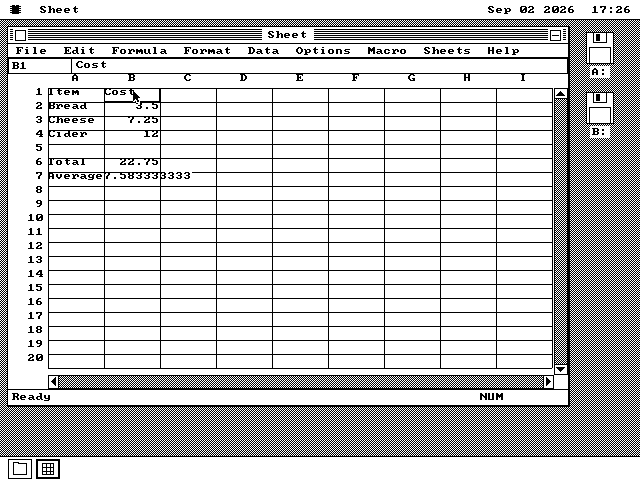
A workbook holds 4 worksheets with formulas, 131 functions, charts, sorting and macros.
8088/808689.0 KB
Details & downloads
Sheet is a spreadsheet of four worksheets with formulas, formats, sorting and a macro language, and Chart draws the numbers in it -- both built to look and behave like Microsoft Excel 2.1, and they share a page. Cells use software decimal arithmetic and the workbook reads and writes SYLK, DIF and BIFF.
91,220 byte archive · 1 files, 91,124 bytes unpacked · Load Program or Add to Disk
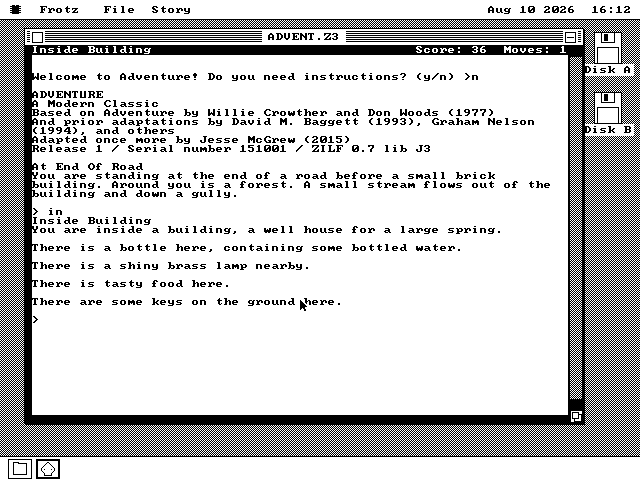
An independent Z-machine interpreter runs Infocom-format stories from version 1 through 8.
8088/808619.7 KB
Details & downloads
Frotz plays Infocom text adventures and needs story files as well, so it too has a page of its own. It is an independent implementation of Z-Machine Standard 1.1 in 8086 assembly, with v1-v8 stories, scrollback, sound and pictures. No story file is included.
20,139 byte package · 20,139 bytes with files · Load Program
A native Word 1.1a reimplementation reads and writes Word for Windows 1.x and 2.x DOC files.
8088/808647.4 KB
Details & downloads
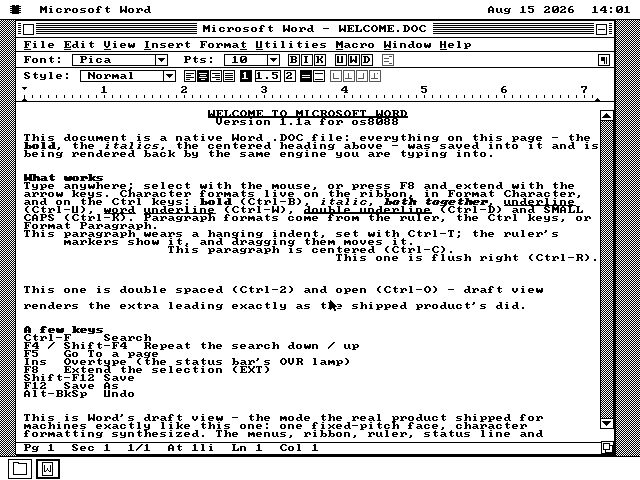
Microsoft Word 1.1a is a word processor that reads and writes genuine Word .DOC files -- there is a page about it in Spotlight, and its disk is in every release. Draft and Page views, the 2-row ruler, RTF import and export, Search, Sort, Renumber and Table of Contents are present. This is a native os8088 program, not Windows or the original Word binary.
45,328 byte package · 48,521 bytes with files · Add to Disk
A fork of the Word package that can insert a picture into a document and save it.
8088/808643.3 KB
Details & downloads
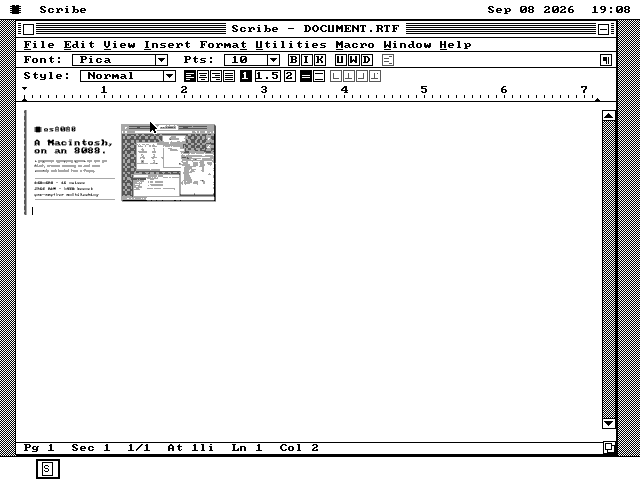
A word processor that takes pictures. Scribe is a fork of the Microsoft Word package with one behavioural difference: Insert ▸ Picture. Choose a .PIX, .BMP or .PCX file and it is decoded to sixteen colours, placed in the text as a character of its own, and drawn in the document with a single blit.
A picture survives a save, which is the harder half. Scribe writes RTF by default, where a picture is carried losslessly as a \pict group at four bits per pixel; saving as a native Word .DOC instead converts it down to a real one-bit PICF record, because every embedded picture in a Word 1.1a file that has been measured is one bit deep. Either file opens again with the picture in it.
It does not claim the .DOC double-click -- an extension has one owner, and that owner is Word. Scribe opens and saves the same bytes from File ▸ Open and Save As. Its file formats live in a second segment carried inside SCRIBE.O88 itself, so the program is one file.
44,350 byte package · 44,350 bytes with files · Load Program
The C version of Word 1.1a saves RTF and uses the same menus, ruler and 2 editing views.
8088/808634.5 KB
Details & downloads
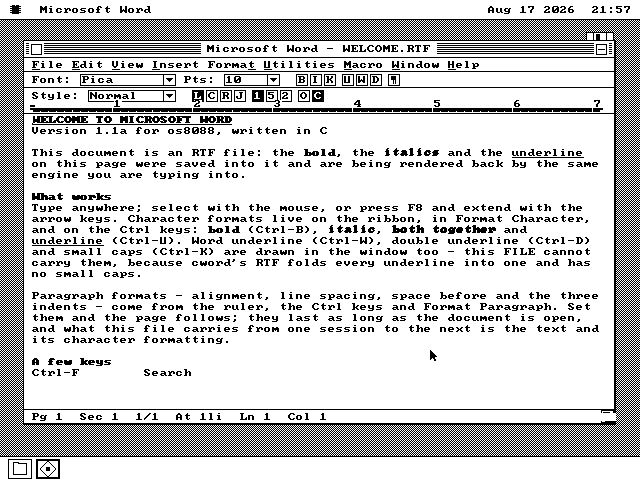
CWORD is a second version of the same program written in C rather than assembly, which saves RTF instead, and has a page too. It carries the 1990 menus, the 2-row ruler and Draft and Page views in a native package.
33,043 byte package · 35,322 bytes with files · Add to Disk
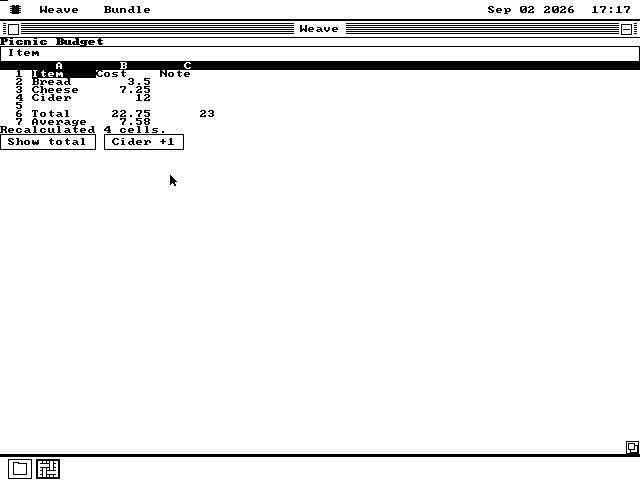
Weave runs applications packed from markup, JavaScript-like handlers and spreadsheet formulas.
8088/808644.2 KB
Details & downloads
Weave and Loom are the newest: Weave runs a program written as markup, script and formulas, and Loom is the editor that builds one on the machine itself, so they share a disk and a page. The markup lists the window controls, the script holds event handlers and the optional formula file fills a grid. The three examples are Form, Sheet and Pong; Pong is 1,008 bytes.
42,687 byte package · 45,279 bytes with files · Add to Disk
A four-channel MOD player with an LCD display, a transport row, a visualiser and a playlist, and a pattern screen one key away.
28626.0 KB
Details & downloads
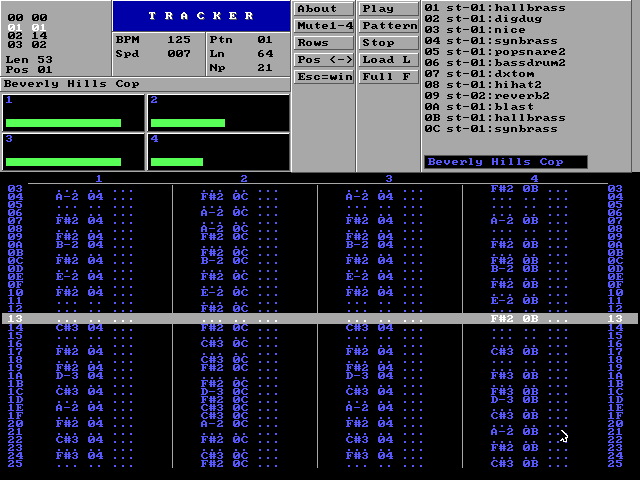
A four-channel Amiga MOD player. In a window it has a green LCD display with the song's name and time, Play, Pause and Stop buttons, a volume slider, a position slider you can drag, and a visualiser that shows levels, a spectrum or a waveform. A playlist window holds the songs to play next. Press F and it switches to the full-screen pattern view shown here, in the style of FastTracker II: the pattern scrolls under the playing row and four channel meters move with the music.
It needs a Sound Blaster. An IBM PC/XT plays at 11 kHz with the desktop still usable. It replaces ModPlug Player, which was a second MOD player and is no longer shipped.
26,605 byte package · 26,605 bytes with files · Load Program
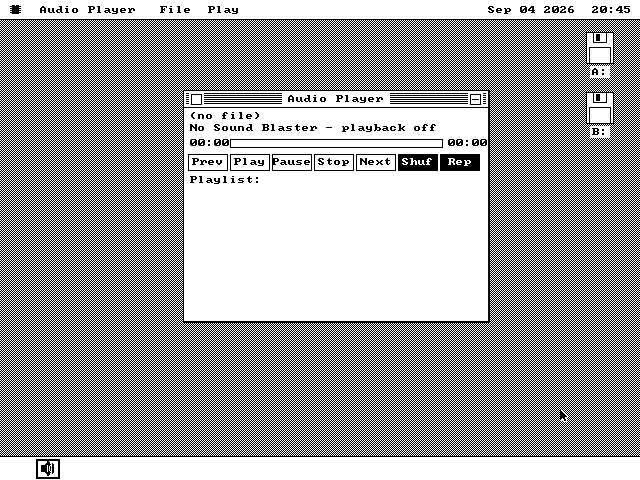
Audio Player streams WAV files through a 16KB look-ahead buffer and a Sound Blaster.
2869.0 KB
Details & downloads
Audio Player reads WAV files into a 16KB look-ahead buffer while a Sound Blaster consumes the preceding block. Its playlist can keep playing while other windows run.
9,221 byte package · 9,221 bytes with files · Load Program
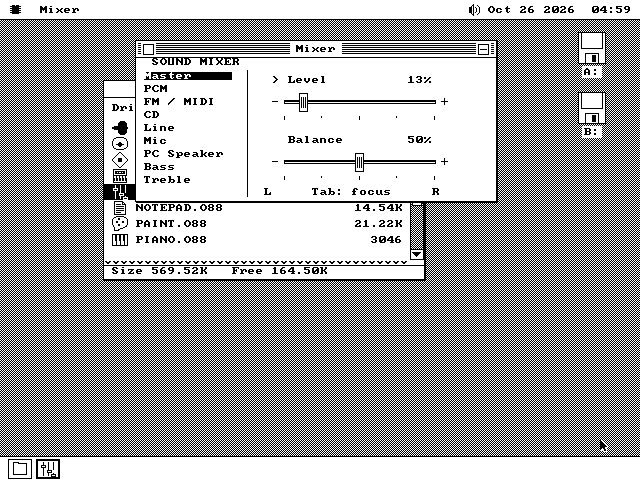
Sets the sound card's levels one source at a time -- digital sound, FM music, CD, line in, microphone and the speaker -- with stereo balance, bass and treble where the card has them.
8088/80862.9 KB
Details & downloads
A Sound Blaster Pro or 16 has a mixer chip: a set of volume controls, one for each thing that can make a sound -- the card's digital audio, its FM music chip, a CD drive's audio cable, the line and microphone inputs and the PC speaker. The Mixer shows each one as a slider, with left-right balance, and bass and treble on the cards that have them.
It needs the Sound driver to be loaded and a card whose mixer can be read back. The menu bar's speaker, beside the clock, already sets the master volume on such a card; the Mixer is for the rest. On a machine with no such card it says so in its window rather than showing sliders that do nothing.
2,967 byte package · 2,967 bytes with files · Load Program
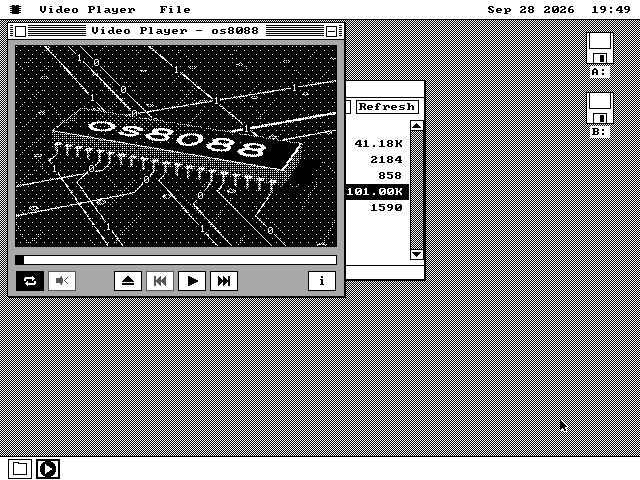
Plays full-motion video, with sound on a Sound Blaster or the PC speaker, on anything from a 4.77 MHz IBM PC up.
8088/808646.2 KB
Details & downloads
Full-motion video on an 8088. The Video Player plays .V88 files: videos turned, on a modern computer, into a list of the screen bytes that change from one frame to the next, laid out for the one display card they will be shown on. The machine only copies those bytes into place, so a 4.77 MHz IBM PC can keep up with 30 frames a second. Sound plays on a Sound Blaster, which also keeps the time, or on the PC speaker.
A video plays in its window or full screen, and one short enough to hold in memory can play straight on the desktop while other programs keep running. There is a scrub bar, keyframe skipping, Repeat and Mute. The os8088 logo animation is in the MEDIA folder of the software disk; to make your own .V88 files you need the encoder, which runs on a modern computer. The Video Player has a page of its own.
47,333 byte package · 47,333 bytes with files · Load Program
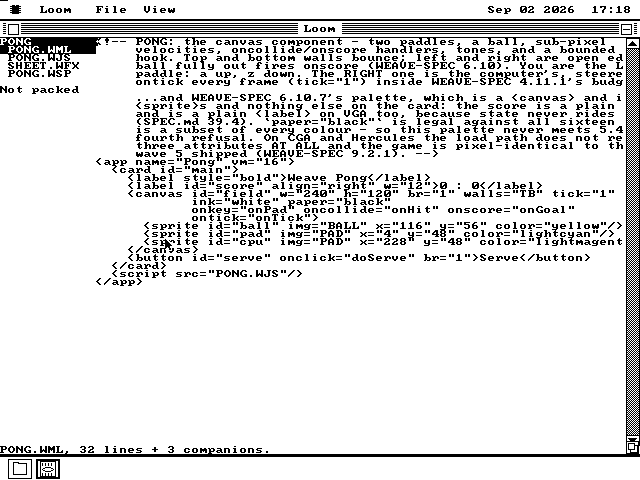
Loom edits, checks, previews and packs a Weave project on the machine itself.
28693.4 KB
Details & downloads
Loom is the editor that builds a Weave program on the machine itself. Open any project file, edit the markup, script, formulas or sprites, then pack the result into one WAB bundle. The Wire adds the Weave runtime beside it so a packed program can run from the same disk.
52,970 byte package · 95,657 bytes with files · Add to Disk
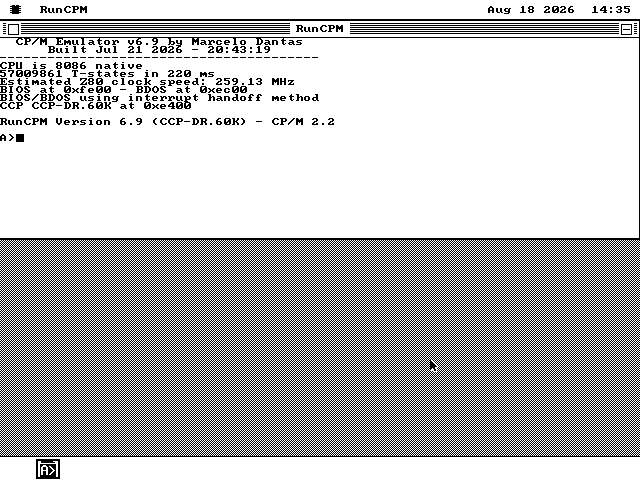
A Z80 emulator runs CP/M 2.2 in a window, and its drive A arrives as a folder tree in one stream.
386107.1 KB
Details & downloads
RunCPM is a CP/M 2.2 machine in a window -- it emulates a Z80 processor and comes with a disk of CP/M software, and there is a page on it. CP/M drives are folder trees rather than single files, so this one is published as an archive: the whole tree in one compressed stream, which the Wire unpacks into a RAM disk and runs, or adds to a disk as a folder. Drive A arrives with the command processor, the editor, the assembler, the debugger, MBASIC and the submit files, which is what leaves a 640KB machine the memory to run any of them. The rest of the master disk is a second archive below.
91,463 byte archive · 37 files, 109,662 bytes unpacked · Load Program or Add to Disk
The rest of RunCPM's master disk lands in drive A beside the emulator: assemblers, an editor and the archive tools.
386186.3 KB
Details & downloads
The rest of RunCPM's master disk, as a second archive that lands in the same RUNCPM folder and the same CP/M drive A. It carries no program of its own, so fetch RunCPM first and this afterwards: the Z80 assemblers, a full-screen editor, the Microsoft utilities, the squeeze and archive tools and the two processor test suites. Splitting it in two is a memory decision rather than a tidiness one -- the whole master disk in a RAM disk leaves a 640KB machine too little heap to start the emulator that reads it.
141,166 byte archive · 19 files, 190,812 bytes unpacked · Add to Disk, or Load Program to unpack it
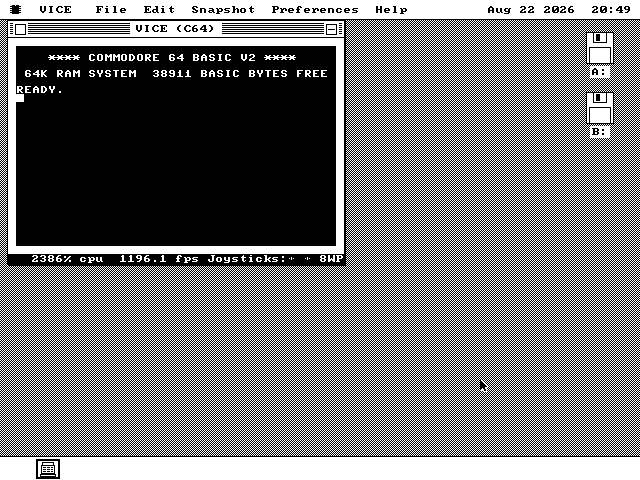
VICE 3.10 runs a 6510, VIC-II, SID and 64KB Commodore 64 in an os8088 window.
486+61.2 KB
Details & downloads
VICE 3.10 puts Commodore BASIC and VIC-II graphics in an IBM PC window. The package runs the Commodore ROMs as embedded parts, one 6510 instruction at a time, and the SID produces three-voice sound. A 486+ is recommended; an XT or 286 can start it but does not run it at a useful speed.
40,936 byte package · 62,638 bytes with files · Add to Disk
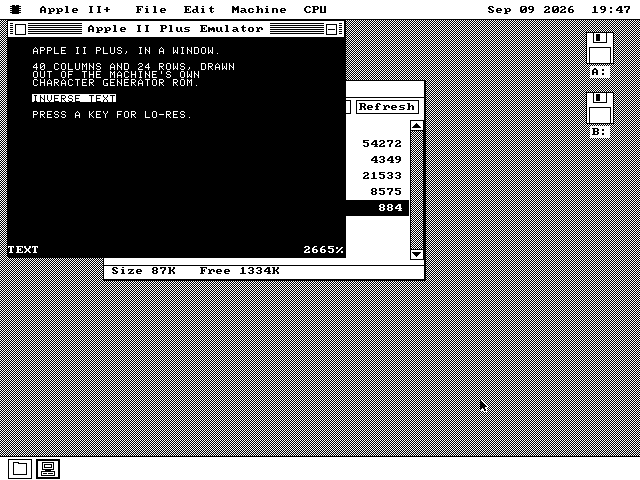
A 48K Apple II Plus runs Applesoft, lo-res and hi-res in an os8088 window, with the Apple ROMs inside the package.
486+67.9 KB
Details & downloads
A windowed Apple II Plus: a 6502 in a 64K address space with 48K of RAM, Applesoft BASIC and the Autostart Monitor running out of the real Apple ROMs, and the machine's 280x192 screen composed into the window seven pixels to the character cell. The text page with inverse and flashing text, lo-res, hi-res, MIXED and PAGE2 all draw; the keyboard is the II Plus's own; and the speaker plays what a program toggles.
The window is monochrome, which is what an Apple II on a composite monitor looked like. Machine > Color NTSC takes the whole screen instead and puts the sixteen lo-res colours and hi-res's artifact colours back -- that is a VGA feature, and the menu row greys itself on CGA and Hercules with the measurement that cut the monochrome full-screen writers.
The speed is measured rather than claimed, and the status row prints it every second. On a 4.77 MHz XT the emulated Apple runs at 0.54% of its own 1.02 MHz at the prompt and 0.64% inside a BASIC loop, so the row reads 0%: the prompt answers, a keystroke arrives, and that is a machine to look at rather than to use. WELCOME.BAS's lo-res and hi-res screens each take well over a minute to draw there -- measured on the machine, and the program says so in its own README. A 386 runs it usefully and a 486 comfortably, which is why this is a 486+ listing.
There is no Disk II yet, so no .DSK images: a program gets in through File > Load Program, through Edit > Paste, or by double-clicking a .BAS file. WELCOME.BAS ships beside the package and opens that way -- type RUN. The Apple II+ ROMs are Apple Computer's, fetched at pinned checksums when the package is built and carried inside APPLE2.O88 as an embedded part rather than as a file anyone can lose; the port is GPL-2-or-later by way of VICE's 6502 core, and COPYING travels with the binary.
37,778 byte package · 69,537 bytes with files · Add to Disk
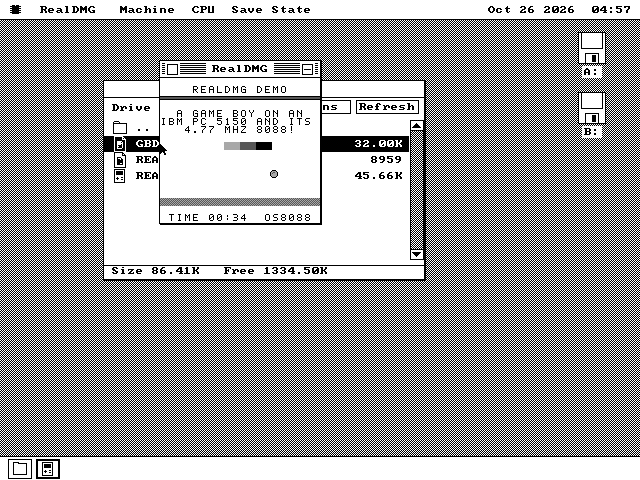
A Game Boy emulator: your own .GB cartridges in a window or on the whole screen, with battery saves, save states and replays, and a demo cartridge written for it.
28693.7 KB
Details & downloads
RealDMG runs the original Game Boy's cartridges -- the grey 1989 handheld, whose board was called the DMG. Open a .GB file and it plays in a window or, with Alt+Enter, on the whole screen. Games that keep a battery save keep it, and six save-state slots and a replay recorder sit in their own menu.
On a 286 or later it translates the game's code into the PC's own as it runs, and a 12 MHz 286 runs most games near full speed. A 4.77 MHz IBM PC has to interpret every instruction instead, and a busy game runs slowly there. No commercial game comes with it. GBDEMO.GB is the project's own: a bouncing ball and a clock, written to run at full speed even on the IBM PC, and it runs on a real Game Boy too. REALDMG.TXT lists the keys.
53,555 byte package · 95,902 bytes with files · Add to Disk
Runs original Windows 3.0 and 3.1 programs, such as Minesweeper, Calculator, Clock and Reversi, in os8088 windows. Bring your own.
8088/808685.8 KB
Details & downloads
WIN16 runs the original Windows 3.0 and 3.1 program files in os8088 windows, with no copy of Windows on the machine: it answers each program's calls to Windows itself and runs the program's own 8086 code unchanged, and there is a page on it. No Windows programs come with it. Copy your own .EXE files onto a disk and double-click them. Windows 3.0's Calculator, Clock and Reversi run on a stock 4.77 MHz 8088; Minesweeper and Windows 3.1's Calculator need a V20 or better, and an 8088 refuses them with that reason. Not yet: program files over 64 KB, protected-mode programs, and DLLs. A program's settings are kept in SYSTEM\APPDATA\WIN16 on the disk WIN16 runs from; on a disk without that folder they last until the program closes. WIN16 takes code from Wine and winevdm, so it is GPL-2.0-or-later, and its licence (COPYING.W16) and notes (WIN16.TXT) arrive beside it.
77,173 byte archive · 3 files, 87,814 bytes unpacked · Load Program or Add to Disk
Try another search or reset the filters to explore the full library.
Access the Wire
Download the os8088 boot disk image that matches your floppy drive. Each image includes The Wire and the Ethernet driver, ready to connect your machine to the software library.
Write the image to a floppy or mount it in your emulator, then boot os8088. With your NE2000-compatible card connected to the network, open Control Panel, go to Drivers, and attach ETHER.DRV. Open the Wire icon on the desktop to browse programs and load them into memory.
A program that is a folder tree, like RunCPM with its CP/M drive, travels as an archive: the whole tree in one compressed stream. Load Program unpacks it into a RAM disk and starts it there, so a machine with one 360KB floppy never has to fit it on the disk; Add to Disk... writes the same tree onto a floppy as a folder. Attach RAMDISK.DRV in Drivers for the first of those.
Need help getting started? See Running os8088 for disk-writing and emulator instructions.