Spotlight › Scribe
A word processor that takes pictures
The word processor, forked into a program of its own so that one thing could be added to it: a picture in a document. It reads three picture formats, and a plain save keeps the picture at sixteen colours.
- reads
- .BMP, .PCX, .PIX
- picture depth
- 16 colours, kept
- saves
- RTF by default, .DOC on request
Where a picture sits in a line of text is unfinished. The known cases are listed further down, and they are worth reading before you type a paragraph around one.
Why a second word processor
Adding to a reimplementation of a 1985 program changes what it is.
os8088 already has a word processor: a reimplementation of Microsoft Word 1.1a from 1985, with its ruler, its ribbon of formatting buttons, its Draft and Page views, and real binary .DOC files that Word itself opens.
That program is a reimplementation of something specific, and adding to it changes what it is. So it was copied into a program of its own. Scribe is that copy, free to drift: the same document formats, two separate programs, and a disk can carry either, both or neither.
The cost is real and is not hidden. A fix made to one is no longer a fix to the other; it has to be carried across by hand, and the list of what Word has gained since the fork is written down rather than left to be discovered by whoever diffs them next.
Word keeps the .DOC double-click. A file extension has one owner, and that owner is the program that shipped first. Scribe opens and saves the same bytes through its own File menu.
Three formats, one picture
However a picture arrived, there is one thing in memory and one way to draw it.
Scribe reads three kinds of picture file, which between them cover what a paint program of the era wrote. A .BMP is a Windows bitmap, at four bits or one bit per pixel, stored either way up. A .PCX is ZSoft's format, in all three of its sixteen-colour arrangements. A .PIX is what this system's own programs write.
All three are decoded into one shape in memory: sixteen colours, two pixels to the byte. That is exactly what the operating system's picture-drawing call takes, so a picture goes onto the screen as one copy rather than a pixel at a time, and the program has one drawing path instead of three.
The three PCX arrangements are worth a sentence because two of them get skipped by readers that assume the popular one. A PCX can hold four bits in one layer, or one bit in one layer, or one bit in each of four layers. Four one-bit layers are a four-bit number -- that is how EGA cards arranged colour -- so every arrangement is exact and nothing is approximated on the way in.
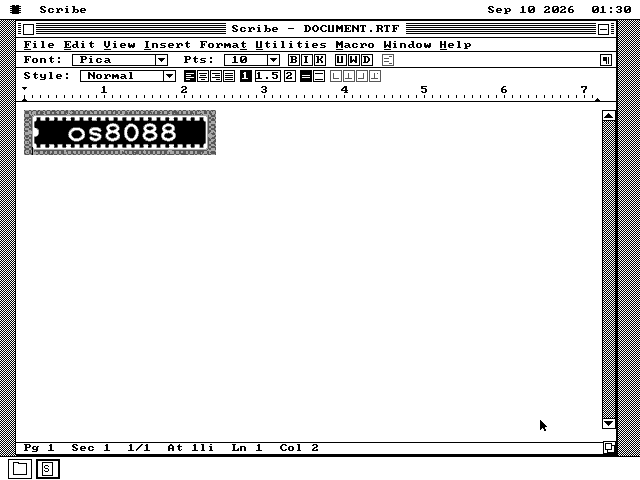
In the document the picture is a character. It sits in the text, moves with it, and is saved with it.
See it running
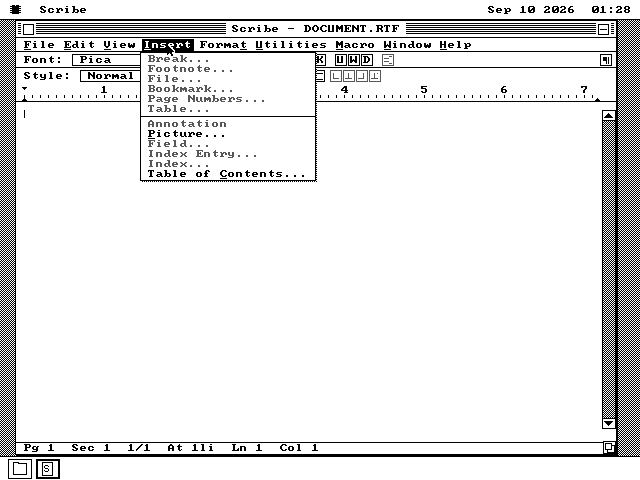
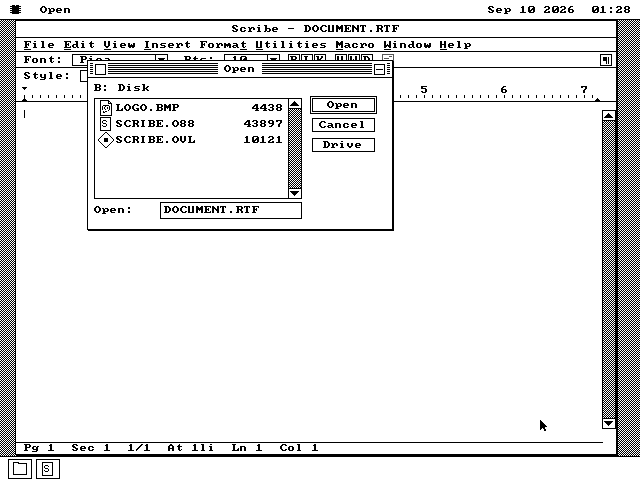
The menu the fork exists for, and the dialog behind it.
Where a picture goes when you save
One changed default file name is the whole mechanism.
A plain save in Scribe writes RTF, where Word writes .DOC. The format is chosen by the extension, so changing the default name changes the default format and nothing else had to be told.
The reason is pictures. RTF carries one inside the document at four bits per pixel, which is the form the picture is already in, so saving is a copy and not a conversion. RTF is also text, and its own rule is that a reader skips a part it does not understand -- so the worst another program can do with a picture from here is drop it and keep the words.
A .DOC can carry a picture too, and Scribe writes one when you ask. But every embedded picture in a real Word 1.1a file that anyone has examined is one bit deep, so a picture saved there is converted down to black and white. Save As onto a .DOC name still writes a file Word opens.
What is not finished
Pictures save and reopen. Where they sit in a line of text does not work yet.
One thing is wrong underneath, and most of the symptoms fall out of it: the part of the program that moves the cursor along a line believes a picture is eight pixels wide, whatever it actually is.
So text typed after a small picture on the same line does not appear until Enter is pressed. Two pictures next to each other draw only the first. A centred picture can be drawn past the right margin. Clicking anywhere on a wide picture puts the cursor at its left edge rather than where you clicked.
None of that touches the file. A picture saves and reopens with the document, in either format. What is unfinished is the layout around it, and the cases are written down in the project's own notes rather than left to be met on the screen.
Putting a picture in a document
One floppy, and a picture file beside the program.
-
Take scribe.img from the release, or the live USB image, which carries every program. Scribe is not on the everything disks. The program and the second file next to it hold the file formats between them and have to stay in the same folder.
-
Put a .BMP, .PCX or .PIX file on that disk. Anything a paint program of the era wrote will do, at sixteen colours or fewer.
-
Boot os8088 with the disk in the second drive, double-click Disk B, and double-click SCRIBE.O88. Then Insert, then Picture, and pick the file.
-
Save with File then Save. The name it offers ends in .RTF, and that is the format that keeps the picture as it is.