Spotlight › XTMP3
XTMP3, an MP3 player that fits itself to the PC
XTMP3 plays MP3 files at the best quality the PC can keep up with, and the status bar says which quality that is. An original 4.77 MHz IBM PC cannot decode MP3 as fast as it plays, so there XTMP3 turns the song into a WAV file on the hard disk first, then plays the WAV.
- qualities
- 7
- 10 seconds of music, on an XT
- 107 s to decode
- memory on an XT
- under 400,000 bytes
What an MP3 is
A song with the parts you would not hear thrown away, and why putting them back is hard work.
A CD stores sound as 44,100 numbers a second for each ear. Each number, called a sample, is how far the speaker cone should be pushed at that instant. A minute of CD sound is about 10 megabytes.
MP3, agreed as part of the MPEG standards in the early 1990s, makes that ten times smaller or more. The encoder splits the sound into 32 bands of pitch and works out which parts the ear would not notice: a quiet sound right next to a loud one, or sound too high for most ears. It stores the rest roughly and packs it tightly. The three demo songs on XTMP3's disk are ten seconds each and take 30KB to 69KB.
Playing an MP3 means rebuilding every sample from that description, and the rebuilding is mostly multiplication. Each output sample is the sum of many multiplied pairs of numbers. A 1980s PC was not built for that. The IBM PC's 8088 processor runs at 4.77 MHz and takes over 100 of its clock cycles for one multiplication. Measured on an emulated IBM PC that keeps the original's timing to the cycle, XTMP3's full-quality decoder makes 0.045 seconds of music per second on that processor, for a song at 11,025 samples a second in mono. That is 22 times too slow to play as it decodes.
So XTMP3 has two decoders. The full one does the arithmetic properly, with whole numbers only, since these PCs have no maths chip unless one was added. The second one, built for slow PCs, replaces most of the multiplications with lookups in tables of answers worked out in advance. Each one's output is checked, sample for sample, against a reference program written for it on a modern computer.
Seven qualities
XTMP3 measures the PC before the first song plays, and picks the best quality that keeps up.
Original
The full decoder at the song's own rate, in 16-bit stereo where the sound card can play it. Against LAME, a widely used MP3 encoder and decoder, its output differs by at most 19 steps in 65,536.
Half and Quarter
The same decoder making a half or a quarter of the samples. It skips the work for the highest pitches, which the lower rate could not carry anyway. The treble goes; Quarter sounds like a radio.
XT Standard and XT Fast
The table decoder, in 8-bit mono at about 11,000 samples a second. Its error is 30.7 to 33.7 decibels quieter than the music. Rounding a perfect decode to 8 bits, which is what any 8-bit sound card plays, gives 34.4 to 39.2. XT Fast is a little rougher and a little quicker.
XT Turbo and XT Speech
Only when you choose them. XT Turbo is quicker again but whistles on pure tones. XT Speech keeps about 2.7 kHz of the sound, enough for a voice, and decodes in a little over half the time of XT Standard.
Before a song plays for the first time, XTMP3 decodes the start of it with the qualities it might use, for up to about a second each, and times them. A quality passes if it makes 1.25 seconds of music per second of real time, so there is room to spare. Automatic picks the best one that passes and never drops below 8,000 samples a second on its own. It remembers the answer for that song until XTMP3 is closed. If a song falls behind while it plays, XTMP3 steps down one quality and carries on from the same place after a short gap. It never steps back up during a song.
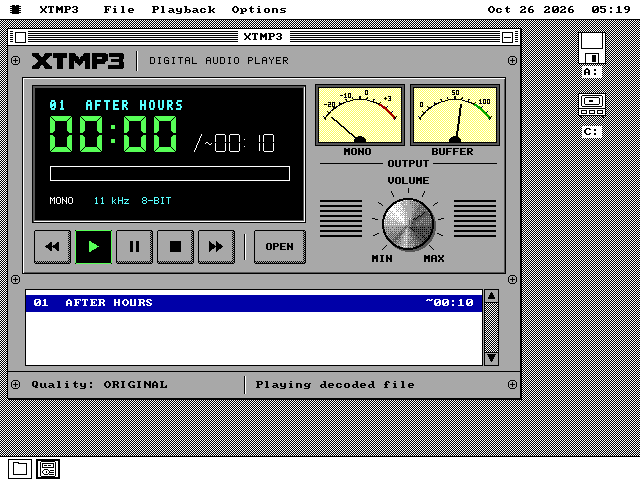
The window does not claim more than it plays. The status bar names the quality running. A limit of the sound card is shown as the card's: an 8-bit card plays 8-bit sound, and the LCD adds the word DEVICE. With mono sound the right meter stops being a second level meter and becomes BUFFER, how far ahead of the music the decoder is.
Before a song plays, XTMP3 reads the whole MP3 into memory when there is room for it, so a floppy drive spinning up cannot interrupt the music. An 8088 PC keeps its memory for the decoder and reads as it plays.
See it running
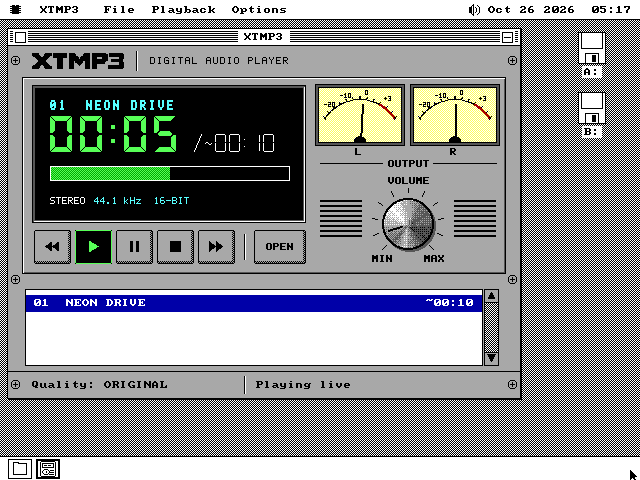
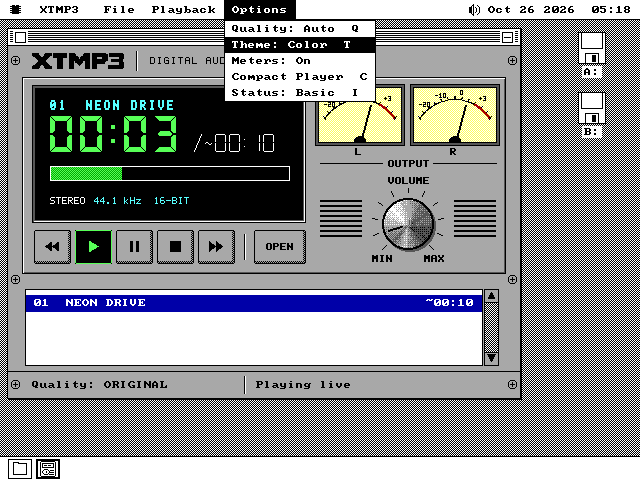
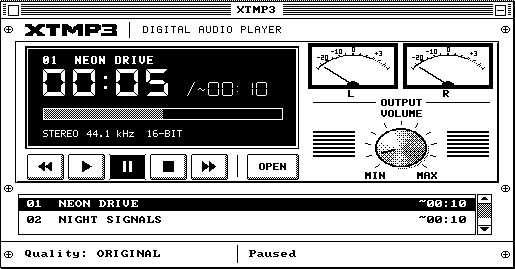
The face is an 80s hi-fi component, drawn in colour on VGA and in black and white on the older cards.
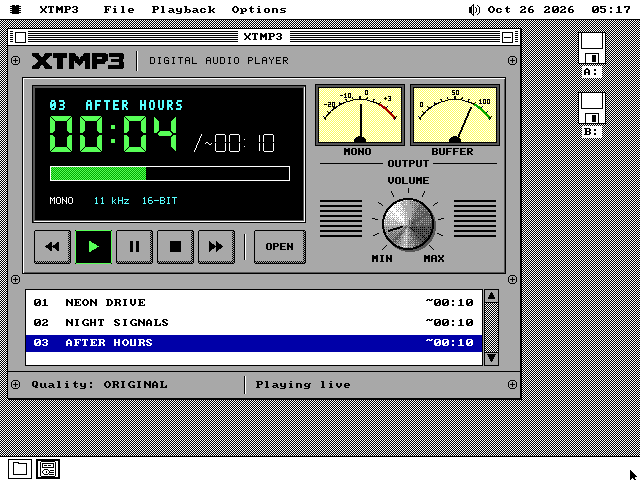
~ before a length means it is an estimate, because the file does not say exactly. This is QEMU on a modern Mac.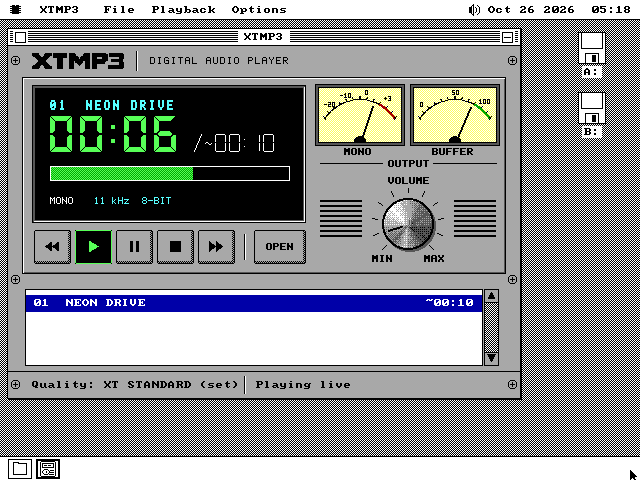
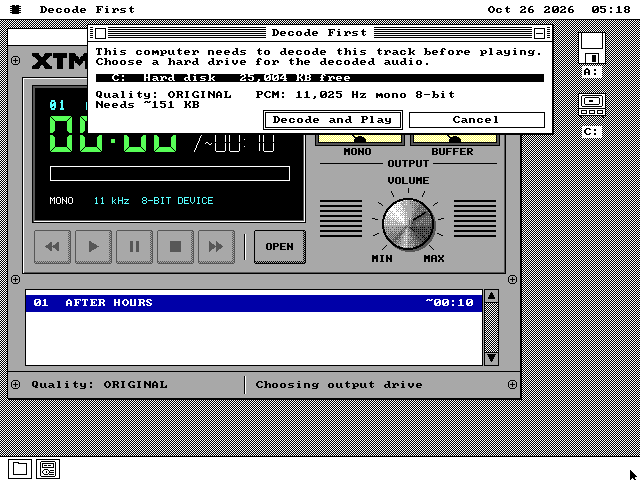
Decode first
What a PC too slow to play an MP3 does instead: convert it once, then play it as often as you like.
A WAV file is the plain form of the sound, every sample written out, so playing one takes almost no work. When no quality keeps up, or when you press D, XTMP3 asks for a hard disk. It decodes the whole song into a WAV file there, checks the finished file, and only then plays it. It never plays a half-made file, and it never decodes to a floppy.
On a 4.77 MHz IBM XT, measured on the emulated one, the ten seconds of AFTER HOURS take 106.6 seconds to convert with XT Standard. That puts a three-minute song at 11,025 samples a second at about 32 minutes. A three-minute CD-rate stereo song, on an XT whose sound card cannot play that rate, converts with Quarter and takes about 4.3 hours. Checking the PC before the first song takes 6.4 seconds.
XTMP3 remembers each WAV it makes. The next play of the same song uses the WAV straight away, and File, Decoded Files lists them and deletes only the ones XTMP3 made. Without a sound card, the WAV plays through the PC speaker or a Covox, a sound device that plugs into the printer port.
From an XT to a Pentium
What Automatic chose on five emulated PCs, each with a Sound Blaster.
Two test songs: AFTER HOURS, 11,025 samples a second in mono, and a short chord stored like a CD, 44,100 samples a second in stereo at 128 kbps.
| PC | AFTER HOURS | CD-rate stereo |
|---|---|---|
| IBM XT, 8088 at 4.77 MHz | decode first, XT Standard | decode first, Quarter |
| 286 at 12.5 MHz | decode first | decode first |
| 386DX at 25 MHz | live, XT Standard | decode first |
| 486DX2 at 66 MHz | live, Original | live, XT Standard at 11 kHz |
| Pentium at 133 MHz | live, Original | live, Quarter, 16-bit stereo |
Every live play in the table ran to the end with no gap. The XT figures come from MartyPC, which keeps an IBM XT's timing to the cycle. The others come from 86Box, an emulator of period PCs whose timing is close but not exact. The 286's best quality made 0.78 seconds of music a second, short of the 1.25 Automatic asks for.
On the XT, XT Standard uses at most 396,288 bytes, checking and converting included, inside a limit of 400,000, so it fits a 640KB PC with the system beside it. Its tables are 228,672 bytes. They are not on the disk: XTMP3 builds them when the decoder opens, from 5,578 bytes of starting values, in about 3 seconds on the XT, then checks them. Reading 128KB of tables from a floppy would take that PC over ten seconds.
What it does not do
Left out on purpose, and what has not been checked yet.
No real PC has run XTMP3 yet. Every number on this page comes from emulators, and the quality figures are measurements against reference decoders, not listening notes.
An 8088 PC never plays an MP3 as it decodes it. It always converts the whole song first. XTMP3 also never decodes an MP3 straight into the PC speaker: without a sound card, every song is converted first.
It plays MPEG Layer III, the ordinary .MP3, from 8 to 320 kbps. It refuses Layer I and Layer II files and "free format" MP3s by name. It reads the error-check codes some MP3s carry but does not check them.
A hard-disk partition of 1 to 2GB stores files in 32KB pieces, and XTMP3 cannot play an MP3 from one. It can play a WAV from one.
It needs more memory than the smallest os8088 machine has: XT Standard needs 390KB, and the full decoder 220KB. A PC with too little is told the figures, such as Needs 390 KB, has 300 KB.
Running it
A disk of its own in every size, with three demo songs.
-
Take xtmp3.img from the release zip, in the size your machine uses. It holds XTMP3 and the three demo songs in MEDIA: NEON DRIVE at the CD's rate in stereo, NIGHT SIGNALS at half that, and AFTER HOURS at a quarter of it in mono, the one an XT is for. XTMP3 is also in APPS on the 1.44MB software disk with all three songs, at the root of the 360KB music disk, media360.img, with AFTER HOURS, and on the live USB image and CD. The 1.2MB and 720KB software disks do not carry it.
-
To play as it decodes, it needs a Sound Blaster. os8088 finds one at the first boot by its FM music chip. If the speaker icon is not in the menu bar, open Control Panel, Drivers, and tick Sound. A Sound Blaster Pro adds stereo, and a Sound Blaster 16 adds 16-bit sound.
-
Boot os8088 with the disk in the second drive, open Disk B and MEDIA, and double-click a song. XTMP3 opens, queues it and plays it. With XTMP3 open, O opens another song, Q steps through the qualities, and D decodes the song to the hard disk before playing it.
-
For Decode First the PC needs a hard disk with room for the WAV. AFTER HOURS needs about 151KB.