Spotlight › REDLINE
REDLINE, a benchmark measured against a 4.77 MHz PC
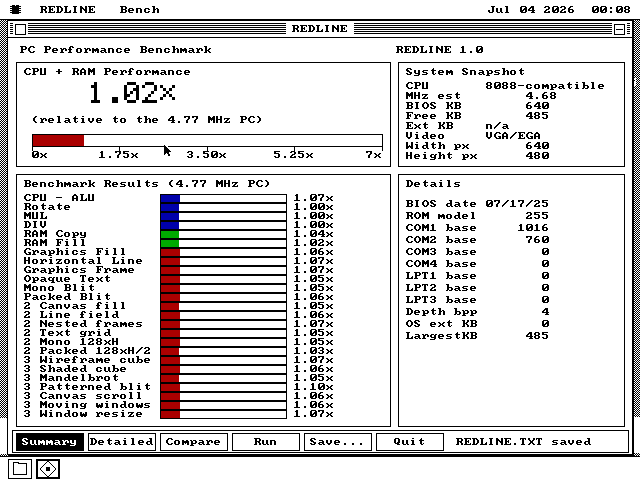
REDLINE gives the processor, the memory and the drawing the same 25 jobs on every machine and times each one. Every score is a multiple of the first IBM PC, so the machine in the picture -- that PC, emulated cycle by cycle -- scores about 1x.
- jobs timed
- 25
- the IBM PC scores
- 1.00x
- size
- one 13.5KB file
What a benchmark is
A fixed amount of work, a stopwatch, and a machine to compare against.
A benchmark is a program that gives a computer a fixed job and measures how long it takes. One timing on its own says little. What makes it useful is a second machine that did the same job, so the answer can be "three times as fast as that one" rather than a number of milliseconds nobody can picture.
DOS had several well-known ones. Norton's System Information, Landmark and CheckIt each put a hardware summary, a score and a row of comparison bars on one screen, scored against some reference PC. Under Windows 3.1, WinTach and WinBench timed the graphics system itself: lines, fills, text and copies of rectangles of pixels. REDLINE takes its layout from those programs and its reference from the machine os8088 is written for.
That reference is the IBM PC of 1981, with an Intel 8088 at 4.77 MHz. Every score is a multiple of it: 2.00x means a job ran in half the time it took that PC, and 1.00x is that PC exactly.
The 25 jobs
The same work on every machine, in three passes, averaged.
Processor and memory
Six jobs: chains of additions, rotations of a register, 16-bit multiplies, 32-by-16-bit divides, and copying and filling 2KB of memory. The large number at the top of Summary is the average of these six.
Basic drawing
Six more: a filled rectangle, a 256-pixel line, a rectangle's outline, a line of 31 characters, and two kinds of picture copied onto the screen. All of it goes through os8088's own drawing calls, the same ones every program uses.
Larger drawing
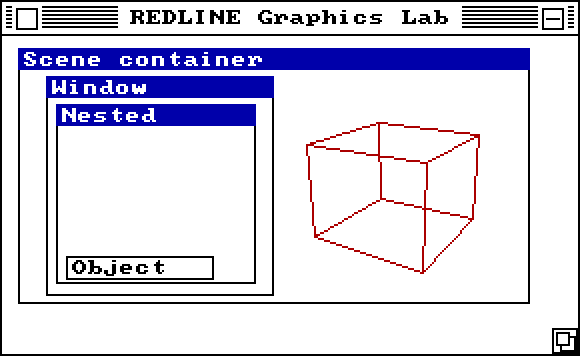
The same six again on a field up to 256 by 128 pixels: a full fill, a field of lines, nested frames, a grid of text and two larger pictures.
The hard ones
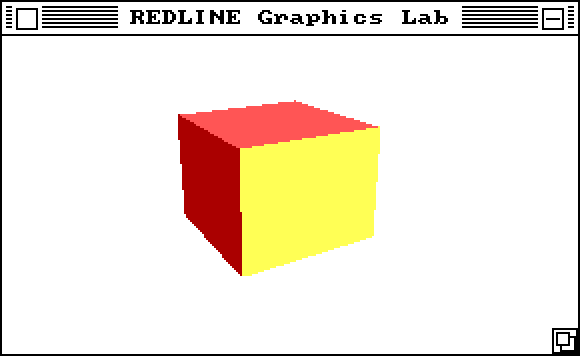
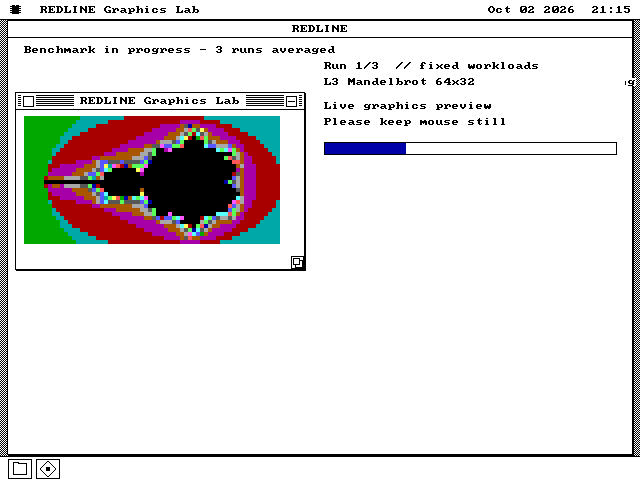
Seven: a wireframe cube and a shaded one, each turned through four full revolutions; a Mandelbrot set of 64 by 32 points; a patterned picture; a scroll; windows inside windows sliding about; and the window itself resized and repainted.
The drawing happens in a second window, the Graphics Lab, which opens for the run and closes when it ends, so you can watch each job while it is timed. A run goes through all 25 jobs three times and each score comes from the average of the three. The bars are drawn after the last job, outside the timing, so they cost the result nothing.
The timer is the PC's own clock chip, read directly, so each job is timed to under a millionth of a second. A job too long for that falls back to the system's tick of 18.2 a second, and the report marks every timing with which of the two it used.
See it running
The Graphics Lab at 4.77 MHz, and the same program on a modern computer.
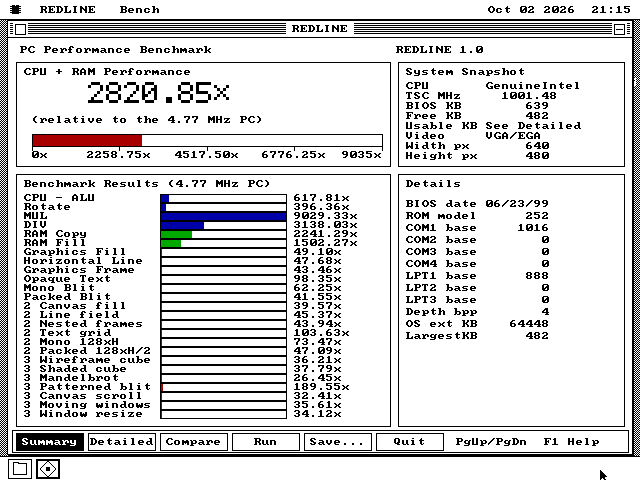
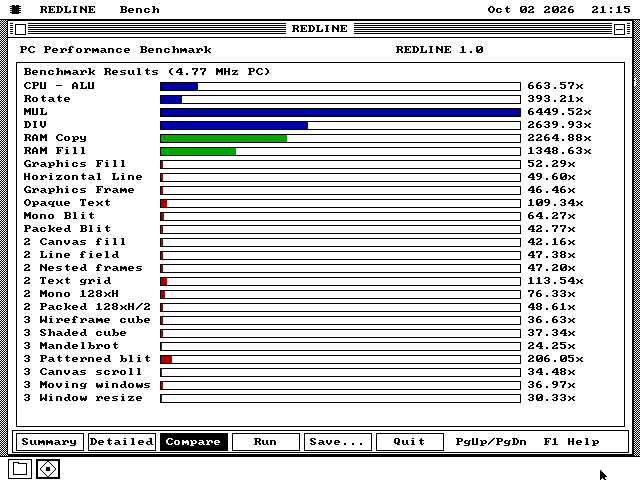
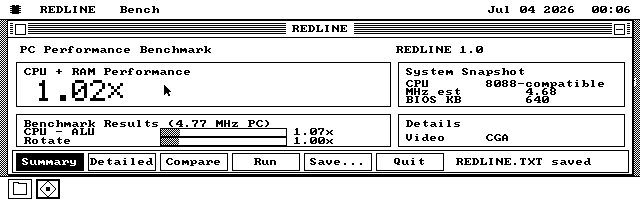
The reference PC
Measured on an emulator that keeps the original's timing, and committed with every number.
The 1.00x machine is an IBM PC model 5150: an Intel 8088 at 4.772727 MHz, 640KB of memory, two 360KB floppy drives and no turbo. It runs on MartyPC, an emulator that models the 8088 down to the cycle -- the queue it fetches instructions into, the bus, the time each instruction takes -- and is checked against tests taken on real 8088 chips.
The reference is three trials, each the average of three complete runs, and each job's figure is the middle of the three trials. The drawing has its own reference for each kind of screen: CGA at 640 by 200, Hercules at 720 by 348 and VGA at 640 by 480, all on the same PC. A screen that matches none of the three still gets its timings, but no drawing score, because comparing it with a different screen's figure would not mean anything.
Every sample, every trial and the exact versions of the program, the operating system and the emulator that produced them are saved in the source tree, along with the script that measures them again.
What it does not claim
The numbers it can stand behind, and the ones it leaves blank.
There is no single score for the whole machine. The large number is the processor and memory alone, and it says so. The drawing scores sit beside it, each against the reference for that screen.
It does not time the disk or a maths coprocessor. It reports whether a coprocessor is present and nothing more.
A processor's clock speed is reported in three different ways, and each is labelled with where it came from: the speed a modern processor states for itself, a speed measured from its own cycle counter, or an estimate for an old processor worked out from how long a multiply and a divide take. For a processor it cannot identify it shows no clock speed at all rather than guess. Memory is reported as the BIOS describes it, which is not always how much is fitted.
The reference comes from an emulator, and an emulator that keeps exact time is still not the same as the real machine. REDLINE has not yet been run against a real 4.77 MHz PC.
Running it
One file, one key, and a still mouse.
-
Take redline.img from the release, in the size your machine uses: 1.44MB, 1.2MB, 720KB or 360KB. It is also on the everything disks, on the live USB image and CD, and on The Wire under Utilities.
-
Boot os8088 with it in the second drive, double-click Disk B, and double-click REDLINE.O88.
-
Close any other programs, press R or click Run, and leave the mouse alone until it finishes. Anything else the machine does during a run counts against it.
-
U, D and C switch between Summary, Detailed and Compare, and Tab cycles them. S saves the whole report as REDLINE.TXT beside the program, with every sample and how it was timed.