Spotlight › First impressions
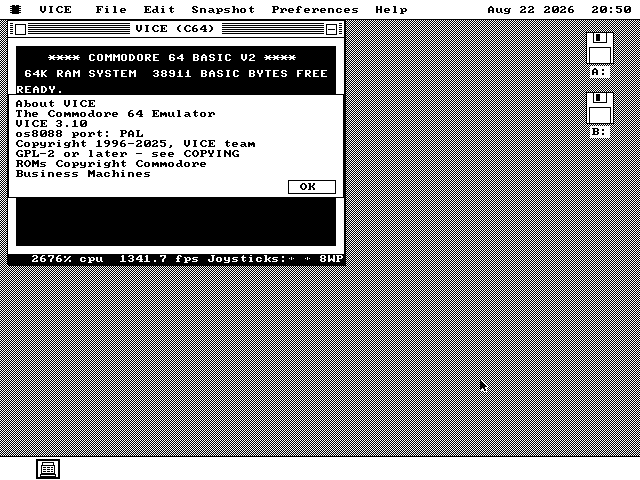
VICE brings the Commodore 64 to os8088
Commodore BASIC and VIC-II graphics in an IBM PC window -- with a 386 or faster required to run them at a useful speed.
- software
- VICE 3.10
- guest
- MOS 6510, 64KB RAM
- required host
- 386 or faster
An XT or 286 is too slow. Both can start the emulator, but neither runs it at a useful speed.
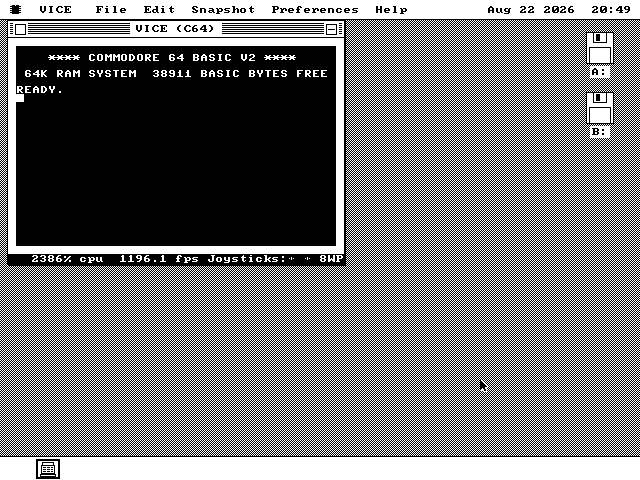
Meet the Commodore 64
Sixty-four kilobytes, color graphics, three-voice sound and BASIC at power-on.
A Home Computer with 64K
When the Commodore 64 appeared in 1982, its proposition was easy to understand. It put 64KB of memory, a full keyboard, color graphics and BASIC in one machine that could use the family television. Turn it on and the interpreter was waiting; plug in a cartridge or connect a disk drive and it became a game machine, a music machine or an introduction to programming.
At its core was the 6510, a 6502 with an input/output port added for memory control. The VIC-II supplied sixteen colors, scrolling and eight hardware sprites. The three-voice SID supplied the sound. Those three chips gave software authors more to work with than the specification's 64KB suggested, and kept the machine on sale for eleven years.
Putting One PC Inside Another
A Commodore 64 in an IBM PC window? The two machines spent the 1980s on opposite sides of
the desk. The PC handled spreadsheets and word processors; the 64 connected to the television.
VICE now puts the latter inside the former, beside Minesweeper, with the Commodore ROMs
reaching their own READY. prompt.
Taking a Look
The familiar blue screen is monochrome here, with Commodore's ROMs running underneath.
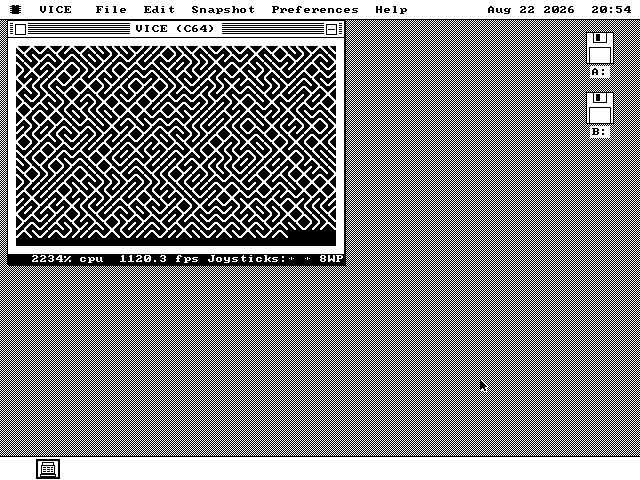
10 PRINT CHR$(205.5+RND(1));:GOTO 10 picks one of two diagonal characters at
random, forever. Typed in and run: the ROM's BASIC interpreter, the 6510 executing it, and
the screen scrolling underneath.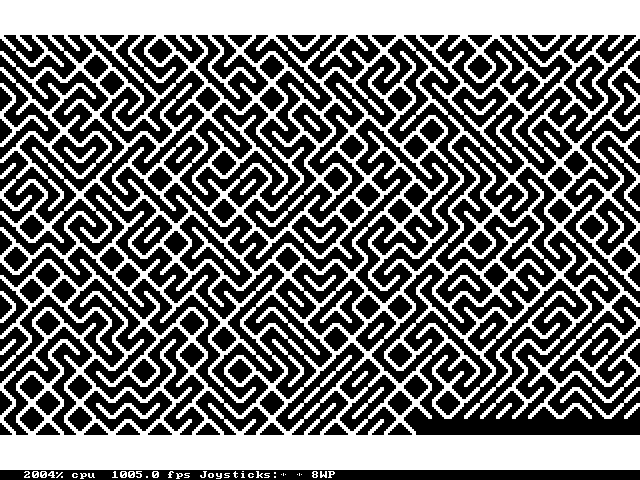
Putting the Pieces Together
The 6510 fits in registers. Its screen has to fit through the PC's graphics hardware.
Keeping the 6510 in Registers
Emulating a processor means reading an instruction, doing its work and moving to the next -- millions of times over. This is the innermost loop, so its 2,304 lines of 8086 assembly keep the 6510's registers in the 8086's own registers instead of in memory.
Every documented instruction is present, along with the accidental combinations that games and demos use. Each costs its proper number of cycles, including the extra cycle for a branch across a page boundary. Those cycles keep the VIC-II and both CIAs on the same clock.
Making Every Instruction Account for Itself
Klaus Dormann's functional test is a 65,536-byte program that exercises every instruction and addressing mode, stopping at a known address if one is wrong. Loaded into the emulated memory, it reaches its success point.
Decimal addition and subtraction get a separate check of all 262,144 combinations of value, operand, carry and instruction. Twelve test groups run in all, and each is also shown to fail when the behavior it covers is deliberately broken.
Finding Room and Giving It Back
An os8088 program gets just under 60KB for itself, so the Commodore's 64KB cannot live inside it. The system supplies that memory as a separate block and supplies the ROMs as another. Menu commands live in a second file and come off the floppy only when selected.
An emulator also wants the processor forever. The 6510 therefore runs in slices,
yielding between them so os8088 can move the mouse and repaint its windows. At an idle
READY. prompt, it sleeps until a key arrives.
Drawing Only What Changed
Sending all 1,000 screen characters through the operating system's text call costs about a second on the target machine. The emulator instead keeps a copy of the picture and marks every 256-byte memory page the processor changes.
Changed rows are drawn as pixel bands. A band of 40 characters costs 7.5 milliseconds, compared with 41.4 for the text call. When BASIC scrolls, the graphics hardware shifts the existing pixels and the emulator draws only the rows just uncovered.
Sixteen Colors, Two on the Screen
Monochrome is the result of a timing measurement, not a missing palette.
The C64 has sixteen colours and the PC this runs on can show them. The picture is still black and white, on every screen including VGA, and the reason is arithmetic.
The fast way to put pixels on a VGA screen in this system is to write them a run of one colour at a time. A C64 text screen is between 1,000 and 1,600 such runs, and each costs about 215 microseconds. That is 0.2 to 0.35 seconds for one band of the picture on the target machine, and 0.3 to 0.5 seconds for a whole frame even on a 386. A colour version was priced before it was written and it does not run.
So each of the sixteen colours is resolved to black or white by how bright it is -- and the brightness figures are the VIC-II's own, taken from the table VICE uses for a PAL machine. There are only nine distinct levels for the sixteen colours: blue and brown are the same brightness, so are red and dark grey, so are yellow and light green. Seven pairs vanish into each other, which is exactly what happens on a real C64 plugged into a black-and-white television.
The Conspicuous Omissions
No 1541, no datasette and no raster tricks -- and no attempt to conceal their absence.
A 386 Is the Practical Minimum
VICE starts on an XT or 286, but testing found both too slow for useful operation. Use a 386 or faster. The status strip prints the speed the machine actually delivers, every time, so a slow host does not masquerade as a full-speed Commodore 64.
No 1541, no tape, no cartridge
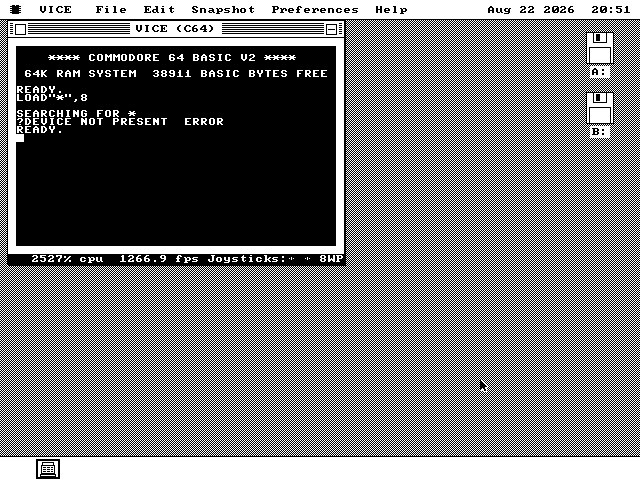
There is no disk drive to LOAD from, so the ROM says so. Programs come in
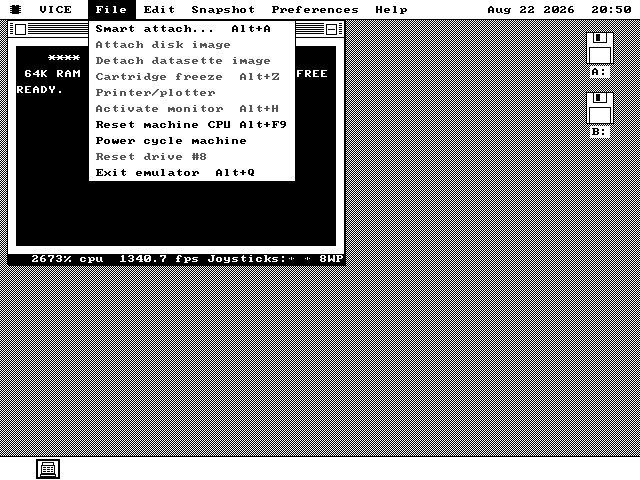
through File > Smart attach instead: pick a .PRG file off the os8088 floppy
and it is put into memory and started, which is one of the ways VICE itself does it.
Nothing that beats the raster
The screen chip is serviced a scan line at a time, not a clock cycle at a time. Text, BASIC and most software of the era do not notice. Demos do: the tricks that change a colour part-way along a line or open the border need timing this does not have, and sprite collision registers read as zero.
One voice, on the PC speaker
The SID had three voices, filters and ring modulation, through a proper audio chip. A PC of this era has a speaker that plays one square wave. The first voice's pitch is sent to it, so a tune is recognisable and nothing more is claimed.
Setting Up Shop
The browser supplies the quickest look; a 360KB disk supplies the period arrangement.
-
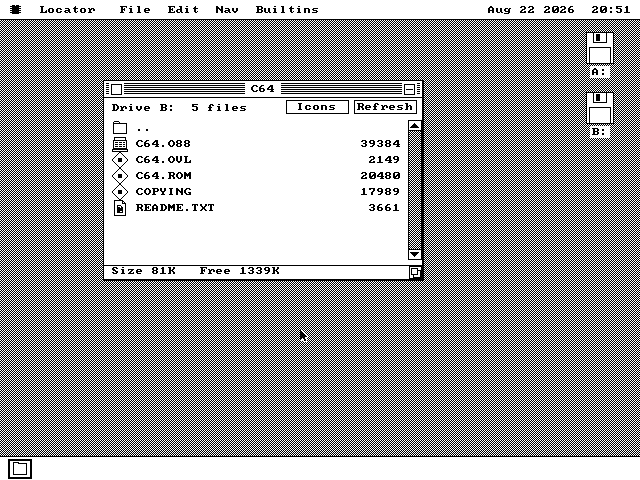
The quickest way is the browser demo. It boots os8088 with the every-application floppy in the second drive, and the C64 is on it. Double-click the
Disk Bicon, then theC64folder, thenC64.O88. Give it a few seconds -- it reads 20KB of ROM off the floppy before it starts. -
Or take the disk.
c64.imgin every release is a 1.44MB floppy with the emulator and the ROMs on it;c64360.imgis the 360KB version, the one a real IBM PC/XT reads. Either goes in the second drive in place of the software disk. Building from source,make c64diskmakes all three sizes. -
Type at the prompt. It is a Commodore 64, so BASIC is already running.
PRINT 2+2works. So does the maze one-liner above, andLIST, andRUN. The Run/Stop key is Esc. -
The keys worth knowing. Alt+D gives it the whole screen and takes it back. Alt+P pauses. Alt+W runs it as fast as it will go. Alt+F9 resets the machine and Alt+Q closes it. The arrow keys and Ctrl are joystick port 2, which means the arrow keys stop reaching the C64's own keyboard while you are playing something -- Scroll Lock switches that off again.
It is a window like any other. You can drag it, put another program in front of it, and come back. The C64 inside carries on running while you do.