Spotlight › WireChat
Chat rooms for a 1981-class PC
WireChat is a chat program for os8088. It has four public rooms, private messages and a list of who is online, and it reaches a server on os8088.com from a 4.77 MHz PC with a network card.
- rooms
- 4, plus private messages
- a quiet window asks
- once every 50 seconds
- whole program in memory
- 48,875 bytes
Plain HTTP, not HTTPS. Messages are not encrypted. It is in colour on VGA and EGA, and black and white on CGA and Hercules.
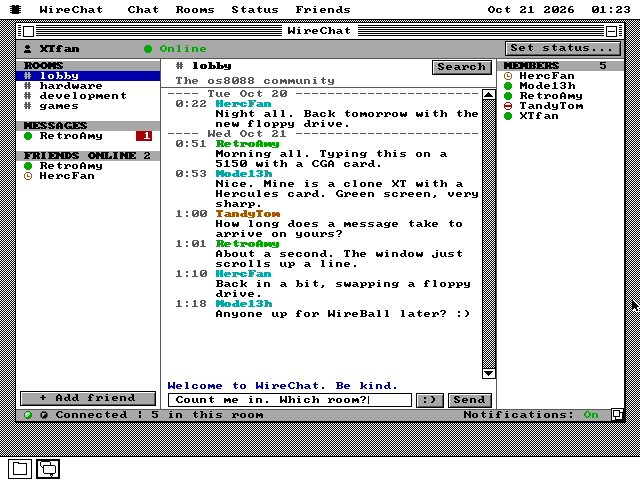
A chat room on an old PC
What WireChat is, and what you need to use it.
A chat room is a shared conversation. Everyone in it sees each message as soon as it is sent, under the name its writer chose, called a nick. People have talked this way on computers since the 1980s: first on bulletin boards and online services, then on internet networks like IRC.
WireChat brings that to os8088. Its server lives on os8088.com and has four rooms: lobby, hardware, development and games. You can also send a private message to anyone who is online. Everyone using WireChat meets in the same four rooms, whatever machine they run os8088 on.
The machine this is built for is the IBM PC of 1981 and the PC/XT that followed it: an Intel 8088 running at 4.77 MHz, with at most 640KB of memory. Network cards were made for these machines in the 1980s, and os8088 has a driver for the most widely copied kind, the NE1000 and NE2000. That card is the one thing WireChat needs that an ordinary os8088 machine does not have.
WireChat is a window like any other program's. It can sit beside a game or the text editor, and it chirps when someone writes to you, or names you, while another window is in front.
To get someone's attention, type @ and their nick. Tab completes a nick
from the people online. A message that names you has a yellow header, and one in a room you
are not looking at marks that room with @ and says who it was. Every message
shows the time it was sent, and a line across the conversation marks each new day.
On a VGA or EGA card WireChat is in colour: each nick has its own colour, unread messages are counted on red badges, and two lights in the status bar show the connection and the traffic on it. On CGA and Hercules, which show black and white on the desktop, it keeps the same layout in black and white.
See it running
Mentions, a private conversation, catching up, flagging, your status, a narrow window, and no card at all.
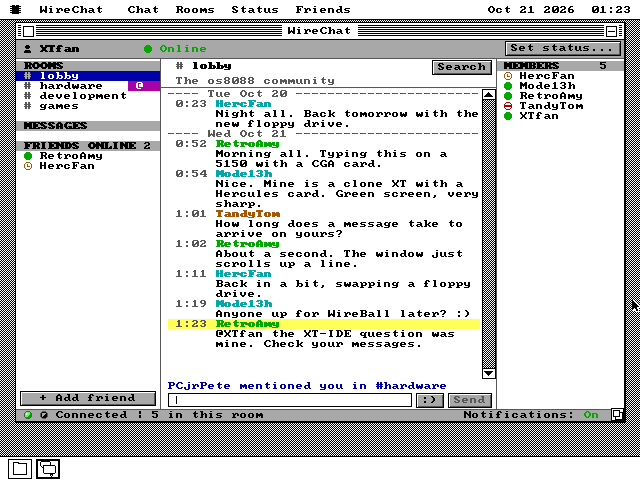
@ until you go there.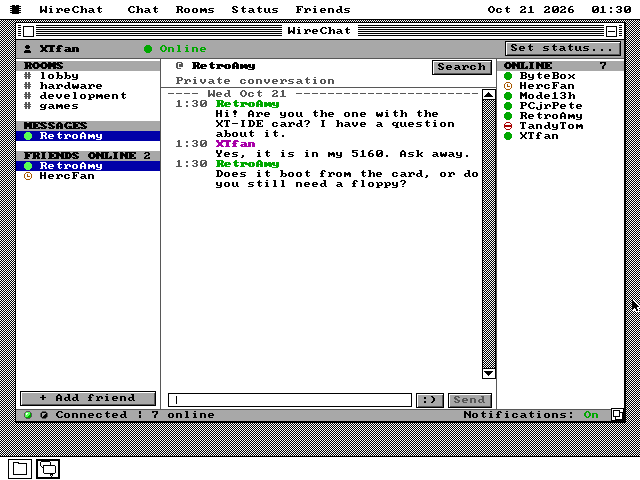
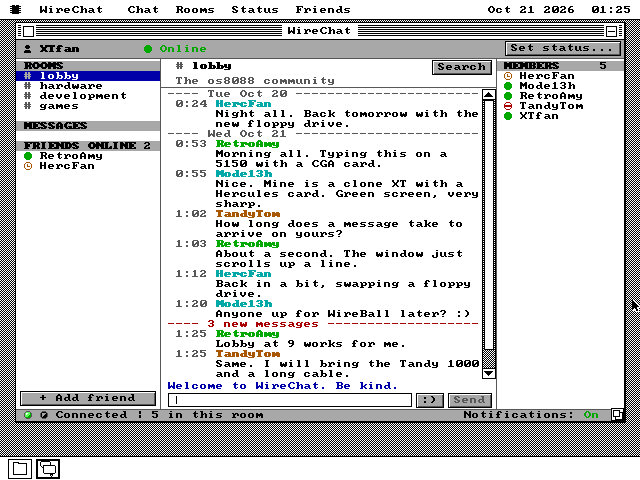
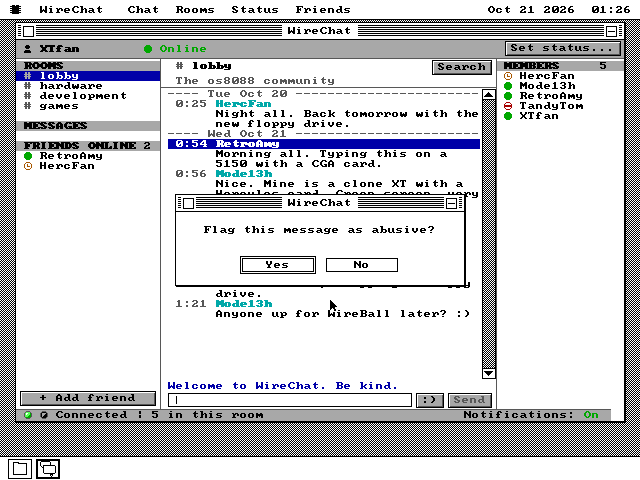
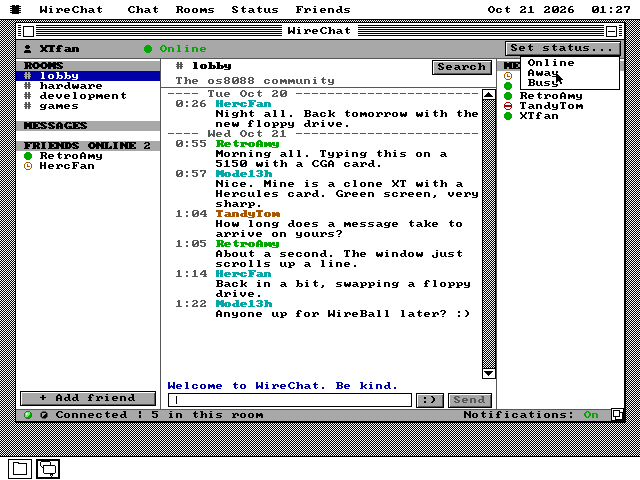
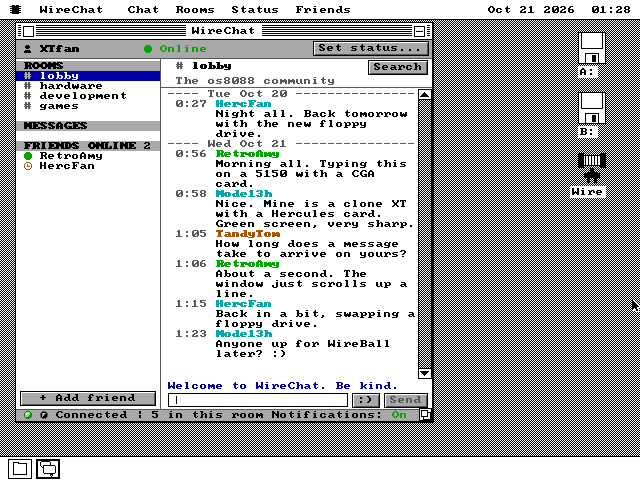
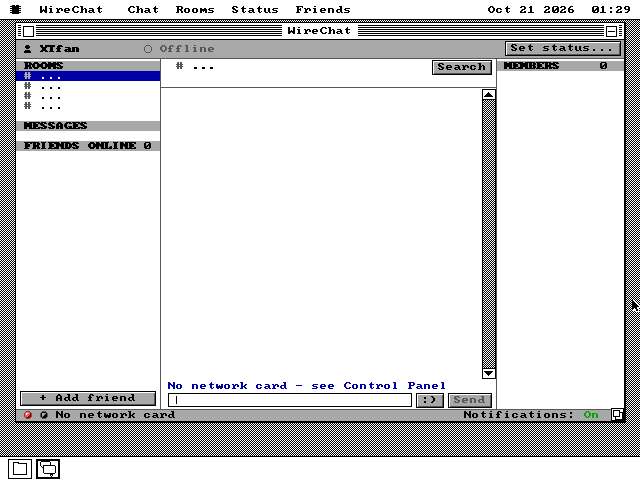
How a message gets there
Ask, wait, and never more than one connection.
A modern chat program keeps a connection open and the server pushes messages down it. An 8088 with a network card can do that, but it can only hold a few connections at once, and os8088's network stack shares them with every program on the machine. So WireChat asks instead, one short request at a time, and closes each connection when the answer is in.
The trick is in how the server answers. When WireChat asks "anything new?" and there is nothing, the server does not say no. It holds the question open for up to 50 seconds and answers as soon as a message arrives. A window where nobody is talking costs one request every 50 seconds, and a message still turns up within a couple of seconds of being sent. This is called long polling.
Sending interrupts the wait
When you press Send while a question is being held, WireChat closes it and sends your message instead. The answer to the send carries everything the held question would have. So there is never more than one connection open.
Changing room or status costs nothing extra either. It rides along on the next request.
Answers an 8088 can read
Every answer is plain text: a first line that says whether the request worked, then one line per thing that happened -- a message, a private message, a member coming or going. Nothing has to be decoded or unpacked.
An answer is at most 6,144 bytes, and WireChat's buffer for it is the same size. When there is more, the server leaves out the oldest messages, never a removal or a notice.
Encryption is out of reach
HTTPS starts every connection with arithmetic on numbers hundreds of digits long. The os8088 project's figure for the heaviest such step is minutes on a 4.77 MHz 8088 -- before a single message could be read.
os8088's web browser gets around this with a helper program on a modern computer. WireChat does not need one: its server answers plain HTTP on purpose. The cost is that messages cross the network unencrypted.
Redraw only what changed
A background task makes the request and knows nothing about chat. The window takes the answer, works out the next request and redraws only the parts that changed. It remembers what each line of the window shows, so a line that did not change is not drawn again. On a Hercules card a new message costs 28 drawing calls, where it used to cost 106.
Every buffer is inside the program itself, so it takes no other memory from the system. Times arrive in UTC with their date and are shown in the machine's own time.
The server's rules
Limits a program on your own machine could simply ignore are kept on the server.
Anyone can change a program on their own computer, so WireChat does not police itself. The server on os8088.com does it instead, for every client alike.
A filter on every message and nick
It uses public lists of offensive words in many languages, plus lists of its own for spellings meant to slip past and for phrases of harassment and hate. It sees through numbers for letters, stretched and spaced-out letters, and asterisks.
A refused message is not sent. It stays in your input field with a short sentence saying why.
Two flags take a message down
A room message flagged from two different addresses, neither of them the writer's, is removed from everyone's screen. A private message is removed by one flag from the person it was sent to.
Refused and removed messages count against the sender. Enough of them mute that address for 10 minutes, then an hour, then a day. The server stores addresses only in a scrambled form, never the addresses themselves.
No flooding
Each address may send 3 messages at once, then one every 8 seconds, and no more than 60 an hour. Everyone together is held to 20 messages a minute, and the server takes 50 people at once.
One server, 40,000 requests a day
The whole chat runs as one small program on Cloudflare's free plan, which gives the whole of os8088.com 100,000 requests a day. WireChat's share is 40,000.
As the day's count climbs, the server tells every client to wait longer between questions. At the limit the chat rests until midnight UTC, and WireChat says so.
What it does not do
Each of these is a choice, made for the machine or for the people on it.
- No encryption. Messages travel as plain text, and anyone on the network path can read them. A few nicks are reserved and need a code to take; that code is kept in plain text in WireChat's settings file, so anyone with the disk has it.
- No new rooms. There are four, fixed on the server, so a room list cannot be spammed.
- A short memory. Opening a room shows its last 30 messages. The server keeps 100 per room and private messages for 24 hours. No conversation is saved on your disk.
- Short, plain messages. 200 characters at most, in plain ASCII: no accented
letters and no other alphabets. Emoticons are the typed kind, like
:). - No files and no pictures. It carries text and nothing else.
- Only its own server. WireChat speaks its own simple protocol. It is not a client for IRC or any other chat network.
- Not on every disk. The 360KB software disk is full, so on a 360KB machine WireChat is on the network disk instead. The small build of os8088 for 128KB machines has no network driver, so it is not there at all. It is also in The Wire, for a machine running v1.0.20261020 or later; an older system disk's Wire shows it as needing a newer Wire.
Join in
A network card, a nick, and the lobby.
-
Give the machine a network card. On real hardware that is an NE1000 or NE2000 in a spare slot. In QEMU it is two arguments added to the command line:
-netdev user,id=n0 \
-device ne2k_isa,netdev=n0,iobase=0x300,irq=3
The os8088 source also has a networked XT for the 86Box emulator,
make xt-wire. Put the network disk in its drive B. -
Attach the driver. Open the Control Panel, go to Drivers, and tick Ethernet. The driver asks the network for an address by itself.
-
Open WireChat. It is
WIRECHAT.O88in the APPS folder of the 1.44MB, 720KB and 1.2MB software disks. On a 360KB machine it is at the top of the network disk,network360.img. -
Choose a nick and press Enter. It is 2 to 12 letters, digits, dashes or underscores, starting with a letter. WireChat remembers it, and you land in the lobby.
-
Find your way around. Click a room on the left, or press Tab for the next one. Type
@and the start of a nick, then Tab, to complete it. Click a name to write to that person privately. A right press on a member adds a friend, and a right press on a message flags it. Notifications in the bottom corner turns the chirp off.
About the screenshots: they were taken against a test server running on the development machine, the same one os8088's own tests use, so every nick and message in them was written for this page. The real server answers in exactly the same way.