Spotlight › WireBall
One Pong court, two screens
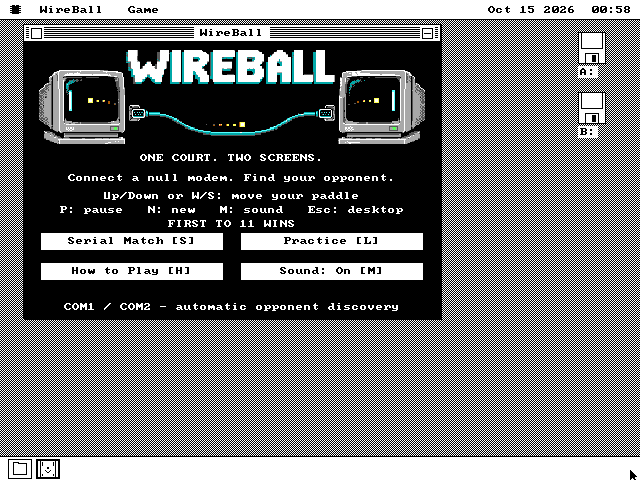
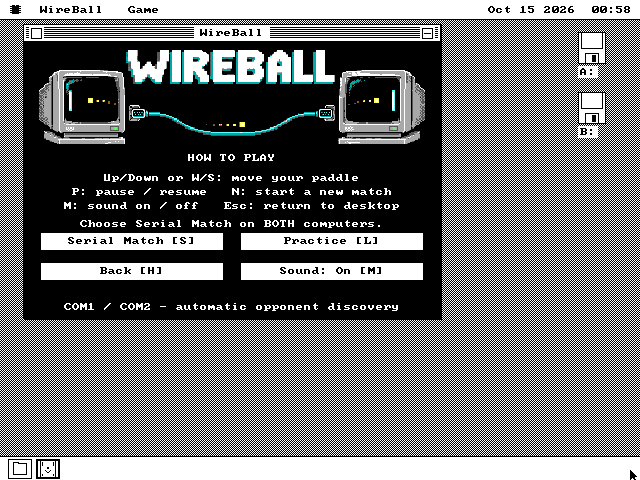
WireBall is Pong for two PCs joined by a serial cable. The court is stretched across both monitors: the ball leaves one screen and comes in on the other, and each player has a paddle on the outside edge of their own.
- on a 4.77 MHz XT
- 46 to 59 frames a second
- over the cable
- 2,400 baud
- first to
- 11 points
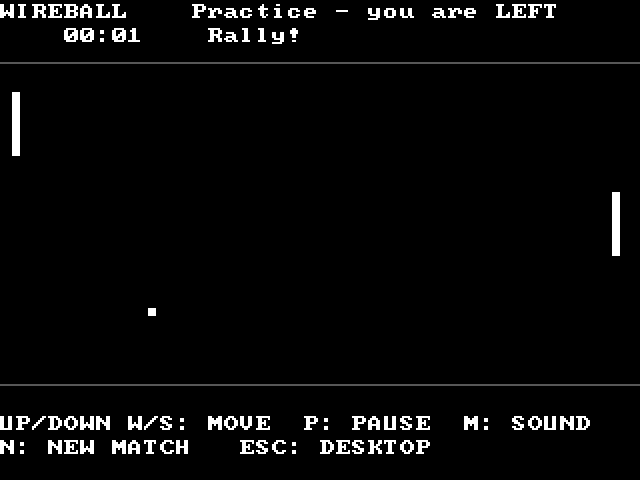
It also plays on one PC, against the computer. The court is drawn in pixels on VGA, EGA, CGA and Hercules.
What it is
A cable, two computers and the oldest video game there is.
Pong came out in 1972: two paddles, a ball and a score. WireBall is that game with one change. The court is wider than one screen, so it takes two PCs, side by side, and the cable between them carries the ball across.
The cable is a null modem: a serial cable with its send and receive wires crossed, so that what one computer sends the other receives. PCs of the 1980s used them to copy files and to play two-player games. Plug one into COM1 or COM2 on each PC; the two ports do not have to match, and there is nothing to set up.
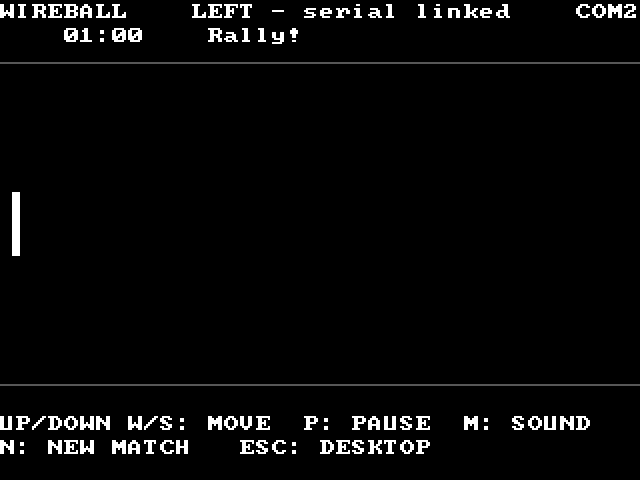
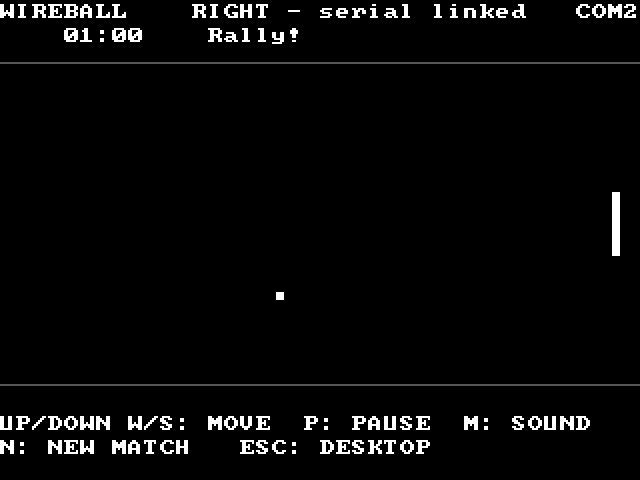
Open WireBall on both and choose Serial Match. The two games find each other and decide which of them is the left side and which the right. A match starts by itself, with two seconds before each serve, and the first to 11 points wins. Either player can pause or start a new match. If the cable is pulled out, play stops within three seconds, and when it goes back in a fresh match starts.
Up and Down, or W and S, move your paddle. Where the ball meets the paddle sets its angle: the middle sends it back flat and the ends send it steeply. Moving the paddle as you hit adds a little spin. The ball speeds up every two returns, up to a limit, and slows again for the next serve. The hits, the points and the winner each have a short sound, and M turns them off.
See it running
Two PCs in one match, and practice on one.
How it works
Two clocks, two computers and one ball.
Each PC judges its own half
Each computer decides whether the ball hit its own paddle, using its own paddle's position, which it knows exactly. When the ball reaches the middle of the court, that computer hands it to the other one, and the other one confirms it took it.
A delayed message cannot make a hit miss or score a point twice. Damaged or stray messages on the cable are thrown away, and the next one puts the game right.
46 to 59 frames a second on an 8088
Measured on an emulated IBM PC with an 8088 at 4.77 MHz, counting the processor's own cycles, during a rally. The ball and paddles move 73 times a second, on a clock of their own, and the picture shows the latest position each time the screen refreshes.
On VGA and on a Hercules card alone the next picture is drawn out of sight on a second page of video memory and then shown, so nothing flickers. On CGA, which has one page, only the few small pieces that moved are redrawn.
2,400 baud, and no byte lost
The serial chip in an original PC holds one received byte. At 2,400 baud a new one arrives about every 4 milliseconds, less than one screen refresh, so a game that waits for the refresh would lose bytes.
WireBall sets a fast timer, about 580 times a second, and a short routine on it collects each byte as it arrives and sends the next one out. When you leave, the serial ports go back to how they were, so the mouse works again.
What it does not do
Where it stops, and why.
- It plays over a cable only. There is no modem or network match, and the two PCs need to be close enough for one serial cable.
- It uses the standard COM1 and COM2 ports. A USB serial adapter will not work, and any other serial device should be unplugged during a match.
- Both PCs need the same WireBall, from this release or later; an earlier one speaks a different version of the cable messages and is refused.
- The frame rates are measured in an emulator. A match on two real PCs and a real cable has not been timed yet.
- On the 128KB build of os8088 the court is drawn in text characters instead of pixels.
Run it
It is on the software disk, in the games folder.
-
Connect a null modem cable between COM1 or COM2 on each PC. On a 9-pin plug, pins 2 and 3 are crossed and pin 5 goes straight through; on a 25-pin plug, 2 and 3 crossed and 7 straight.
-
On each PC, boot os8088 with the software disk in the second drive, double-click Disk B and open the GAMES folder.
-
Double-click WIREBALL.O88 on both.
-
Press S on both. The match starts when they find each other. For one PC, press L instead.
It is on every software disk, including apps360.img and games360.img for a 360KB XT, on the live USB image and CD, and in The Wire. With the os8088 source, make wireball-pair opens two connected XTs in the 86Box emulator.