Spotlight › WaveRack
WaveRack, a sound recorder and WAV editor for the IBM PC
WaveRack records sound from a Sound Blaster straight onto the disk, plays WAV files, and shows them as a waveform you can select, cut and paste. It reads a file from the disk as it needs it and never loads the whole thing, so a 4.77 MHz IBM PC can open and edit a WAV larger than its memory.
- an XT's time, recording at 11 kHz
- 23%
- silence in 30 s of a 2 MB WAV off an XT's hard disk
- 0.00 s
- memory with a WAV open, any length
- 31 to 55 KB
What a WAV file is
Sound written down as numbers, and why recording it to disk is hard on a 1981 PC.
A microphone turns sound into a voltage that rises and falls with the air pressure. A sound card measures that voltage thousands of times a second and gives back a number each time, called a sample. A speaker does the opposite: each sample says how far to push the cone at that instant. A WAV file is a short header followed by those samples, one after another.
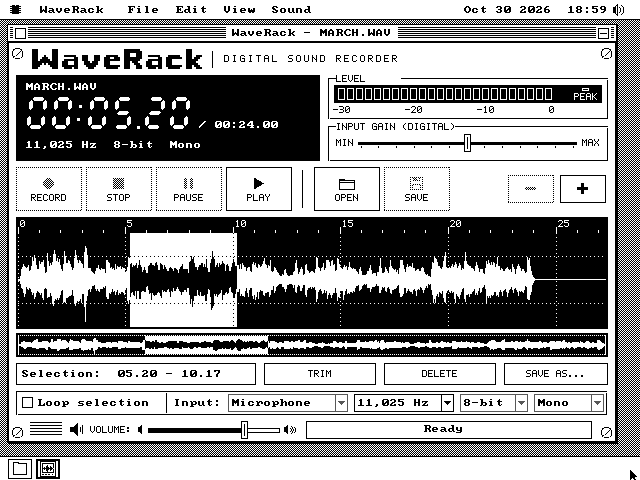
Three things decide the size. The rate is how many samples a second. Each sample is 8 bits (one byte) or 16. And a file is mono, one channel, or stereo, two. MARCH.WAV has 11,025 samples a second of 8-bit mono, so its 24 seconds take 264,644 bytes. A CD's sound is 44,100 samples a second of 16-bit stereo, sixteen times as much.
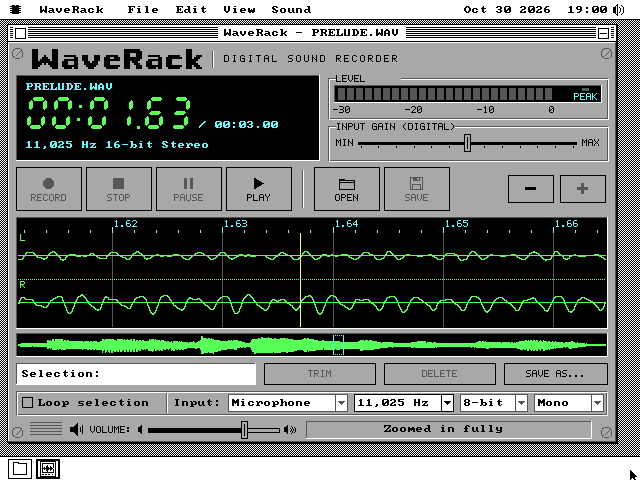
The waveform is a picture of the samples. Time runs left to right, and each column of pixels draws the highest and the lowest sample in its slice of the sound, so a single click in a long file still shows. Zoomed all the way in, each column is one sample.
The Sound Blaster, a sound card from 1989, records by itself: it writes its samples into the PC's memory without the processor's help. The program's job is to move them from memory to the disk before the card comes round and writes over them. That is where the trouble is. On os8088, while the disk is being read or written, no program gets to run, and on an IBM XT one disk call takes about 0.4 seconds. Writing 32 KB to a floppy takes 2.4 to 2.9 seconds.
See it running
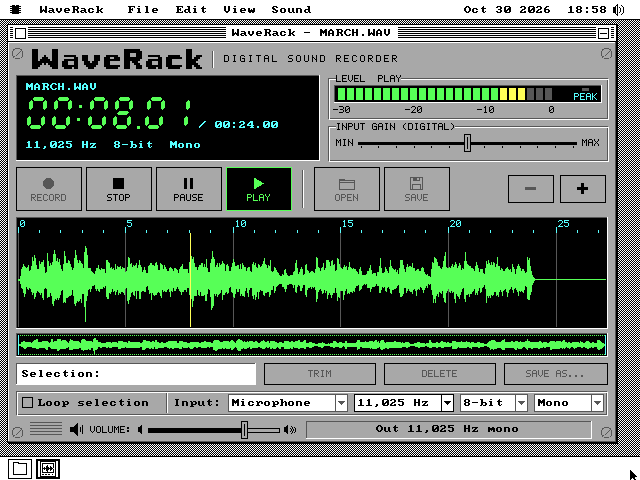
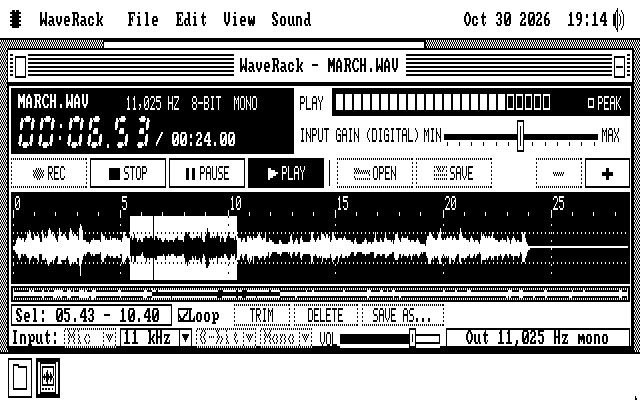
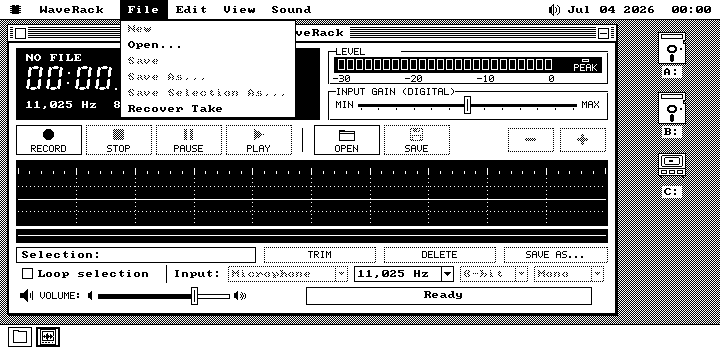
The face is an 80s digital recorder, in colour on VGA and in black and white on the older cards.
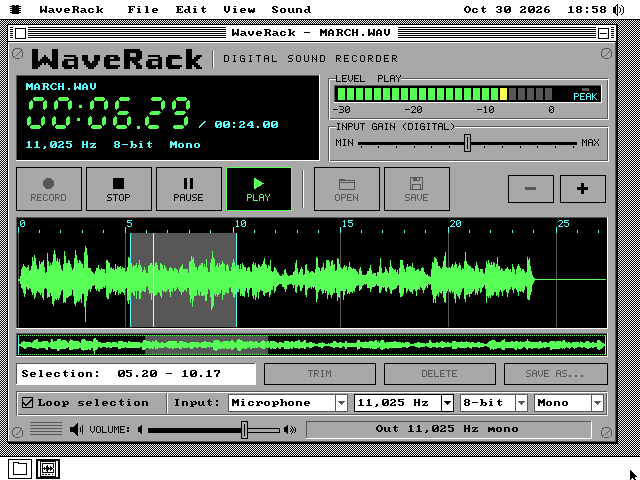
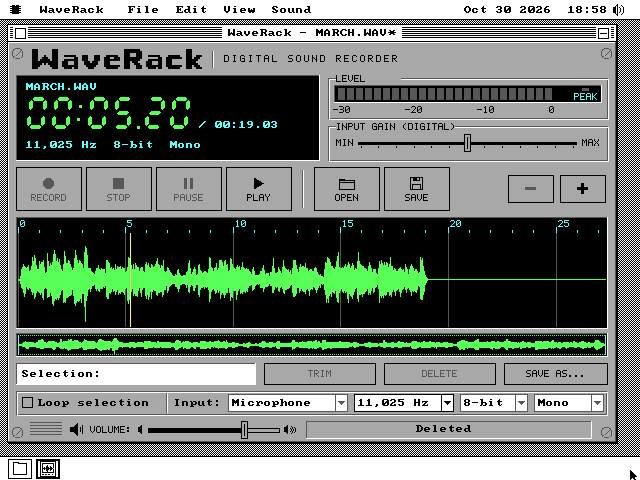
* in the title bar says the document has changes. Nothing has been written to the disk yet, and MARCH.WAV itself stays as it was until you save. This is QEMU on a modern Mac.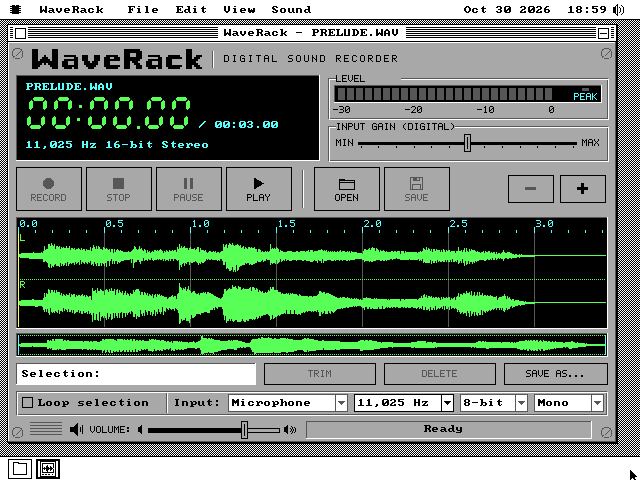
Recording on a 4.77 MHz PC
How a take reaches the disk when nothing runs during a disk write.
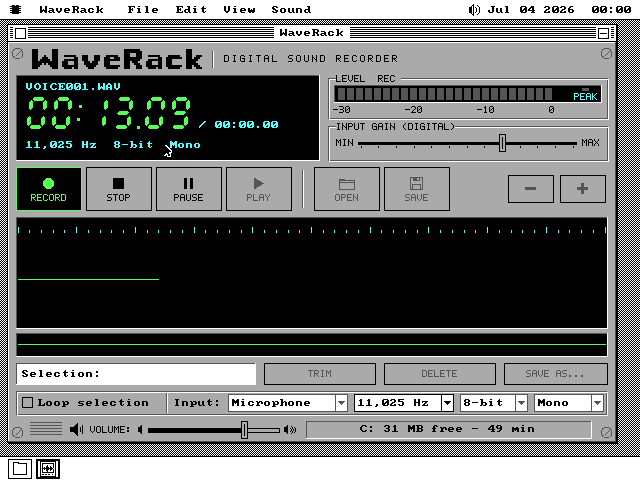
Press Record and WaveRack makes a file named VOICE001.WAV, or the next free number, in the folder it is working in. The card records into a 32 KB ring of WaveRack's memory by itself, and keeps going through every disk call the machine makes. At 11,025 samples a second the ring holds 2.9 seconds of sound.
The first version copied the ring to the disk from the window's own timer, and on an emulated IBM PC its take stopped after 13 seconds. Opening a second WaveRack meant drawing its face, and the code behind every window waited 3.4 seconds for that. Holding a menu open stopped it for 4.7 seconds. So the copy moved to a background task, which keeps running through menus, drawing and other programs loading. Each tick it copies what the card has captured into 64 KB of holding memory, and the window writes that to the disk in pieces of 16 KB or more. A take now survives about 8.8 seconds without the window's attention. The copy costs the 8088 98 clock cycles a byte, 23% of its time at 11,025 samples a second.
A floppy is slower. A 32 KB write took 2.4 to 2.9 seconds against a ring of 2.9, and one test run lost sound at its very first write. At 8,000 samples a second the ring holds 4.0 seconds, so that is the rate on a floppy, and WaveRack refuses a faster one there with Floppy: use 8,000 Hz. On a hard disk it records at 8,000, 11,025 or 15,000.
A take is a WAV file from its first write. Its header is padded to fill exactly one disk cluster, the unit a disk is divided into, so the sound starts on a cluster's edge and every write adds whole clusters. Until Stop the header says the length is 0, and at Stop it is written again with the real length. While a take runs, a 24-byte note in the system disk's SYSTEM\APPDATA folder says so. The test switched the emulator off in the middle of a take, booted it again and started WaveRack: File, Recover Take opened the take with every sample that had reached the disk.
The input gain slider runs from -12 to +12 decibels in 2-decibel steps. None of the cards os8088 drives has a recording volume, so WaveRack applies it to each sample before it is written, and the slider says DIGITAL.
Opening, editing and playing
A WAV stays on the disk, edits are a list, and the sound is read just ahead of the card.
Opening
WaveRack reads a file once, start to end, and keeps a summary: the highest and lowest sample of each short block. That summary is what the waveform is drawn from. With a document open WaveRack uses 31 to 38 KB of memory, whatever the file's length. It is up to 55 KB on a hard disk partition of over 1 GB, which stores files in 32 KB pieces. The desktop stays usable while it reads, and Escape stops it.
Editing
A document is a list of pieces of the original files: which file, the first sample, how many. Trim, Delete, Cut, Copy and Paste each build a new list, and no sound is moved, so a cut in an hour-long file takes as long as in a one-second one. A list holds up to 64 pieces. Undo goes back eight steps, kept in 6 KB. The clipboard keeps its contents when you open another file, so you can paste between two WAVs of the same format.
Saving
Save writes a whole new file under a temporary name first. Only when every byte is on the disk is the old file deleted and the new one renamed in its place. A full disk or Escape halfway through leaves the original as it was. Save Selection As writes only the selection.
Playing
The card plays 8-bit mono, so a 16-bit or stereo file is mixed down as it plays. That costs an 8088 114 clock cycles a sample for 8-bit mono, which is 53% of its time at 22,050 samples a second. 16-bit stereo costs 456 for each pair of left and right samples, more than twice what the machine has. WaveRack works this out before it plays. When the PC or the disk cannot keep up, it loads the part to be played into memory first, at one byte a sample. When that does not fit either, it plays with gaps and says CPU too slow: gaps or Disk too slow: gaps.
Playing through disk reads has the same problem as recording, the other way round. The first version went silent every time the disk was read. Now WaveRack plays from its own 32 KB of memory and fills it to the top before every read, so the card has the most sound possible in hand when the machine stops for the disk. It reads 16 KB at a time from a hard disk and a cylinder's worth from a floppy, since one disk call costs about the same whatever it moves. Each read carries on from where the last one stopped instead of searching the file from its start.
Measured on an XT
What a 4.77 MHz IBM PC with a Sound Blaster 2.0 did, on an emulator that keeps its timing.
| What | Measured |
|---|---|
| Play 30 s of a 2 MB WAV, 22,050 Hz 8-bit mono, off a hard disk | 0.00 s silent (the first version: about 17 s) |
| The same, while a second WaveRack reads another file off that disk | 0.14 s silent in 40.5 s |
| Play 30 s of a 1.1 MB WAV, 11,025 Hz, off a 1.44MB floppy | 0.00 s silent |
| Record 60 s onto a hard disk, at 11,025 and at 15,000 Hz | nothing lost; the card at most 4 KB ahead of the copy |
| Record 204 s while a second WaveRack opened and read a 2 MB file | nothing lost |
| Record 30 s onto a 1.44MB floppy at 8,000 Hz | nothing lost; the ring at most 27,648 of 32,256 bytes full |
| Read a 2 MB WAV to draw its waveform, off a hard disk | 77.8 s |
| Redraw the whole window | 1.1 to 1.5 s |
| Drawing while nothing happens / while recording | none / about one drawing call per 1/18 s |
Every figure comes from MartyPC, which emulates the original IBM PC to the clock cycle, with an XT-IDE hard disk adapter. Its hard disk answers with no seek or spin time, so a real drive will be slower. Its floppy drive is timed, and the 8,000 Hz floppy rate comes from it.
Memory, measured from the system's own list of what each program holds: 107 KB while recording, about 100 KB while playing a file, and 10 KB with no document open. WaveRack is 34,167 bytes on the disk.
What it does not do
Left out on purpose, and what has not been checked yet.
No real microphone has been recorded through it yet. Every emulator here records silence or nothing at all, so the pipeline, the counts and the files are tested, and the sound of a take is not. A real XT's hard disk and floppy speeds are also still to be measured.
It plays and records only through a Sound Blaster. It does not play through the PC speaker or a Covox. Without a card, Play and Record are greyed with the reason, and opening, editing and saving still work. An original Sound Blaster 1.0 or 1.5 plays but cannot record into it.
It records 8-bit mono only, at 8,000, 11,025 or 15,000 samples a second. It opens uncompressed WAVs of 8 or 16 bits, mono or stereo, at 1,000 samples a second or more, up to 2 GB. It refuses compressed WAVs and 24-bit ones, and says which.
It has no effects. Nothing fades, filters or changes the loudness of the file, and the VOLUME slider changes only how loud it plays. It does not convert formats: a document saves in its own, and a paste needs the same format as the document.
Double-clicking a WAV opens the Audio Player, not WaveRack. The smallest os8088, built for 128 KB machines, has no sound card support and leaves WaveRack off.
Running it
A disk of its own in every size, with six clips of real music.
-
Take the WaveRack disk from the release zip, in the size your machine uses. It holds WAVERACK.O88 and clips in MEDIA: Für Elise, the Maple Leaf Rag, a Gymnopédie, the Stars and Stripes Forever, a Chopin nocturne and a Bach prelude, all public domain or given away by their performers, with CREDITS.TXT saying where each came from. The 1.44MB and 1.2MB disks carry all six, the 720KB disk four, and the 360KB disk two, with 52 KB left for about 6.5 seconds of recording. WaveRack is also in APPS on the 1.44MB and 1.2MB software disks, and on the live USB image and CD with the clips.
-
To play and record it needs a Sound Blaster. If the speaker icon is not in the menu bar, open Control Panel, Drivers, and tick Sound.
-
Boot os8088 with the disk in the second drive, open Disk B and double-click WAVERACK.O88. Press OPEN: the Open dialog starts in MEDIA. Space plays and pauses, dragging across the waveform selects, T trims, Delete deletes and U undoes.
-
R records. On a hard disk choose 8,000, 11,025 or 15,000 Hz with the Rate list; on a floppy, 8,000. Stop ends the take, and it opens as the document, already saved.