Spotlight › Pixelstein 3D
A raycaster on a 4.77 MHz PC
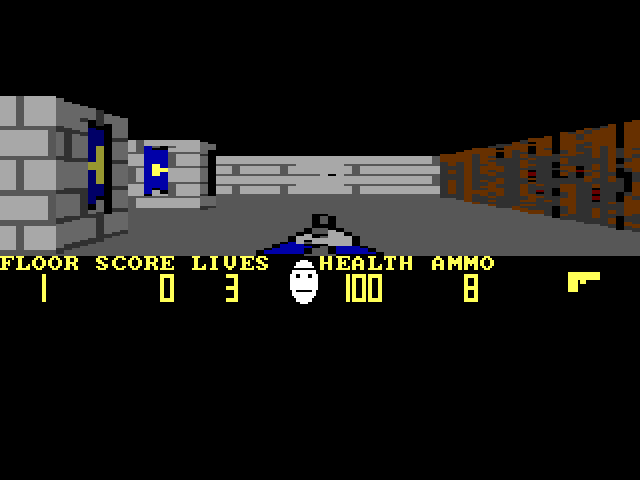
Pixelstein 3D is a first-person shooter in the style of Wolfenstein 3D: eight floors of a stone castle, with doors, keys, guards and dogs. It is written in 8086 assembly and plays on the IBM PC/XT of 1983, in a window or full screen.
- floors
- 8
- on a 4.77 MHz XT
- 8.5 frames a second
- memory for the textured game
- about 262KB
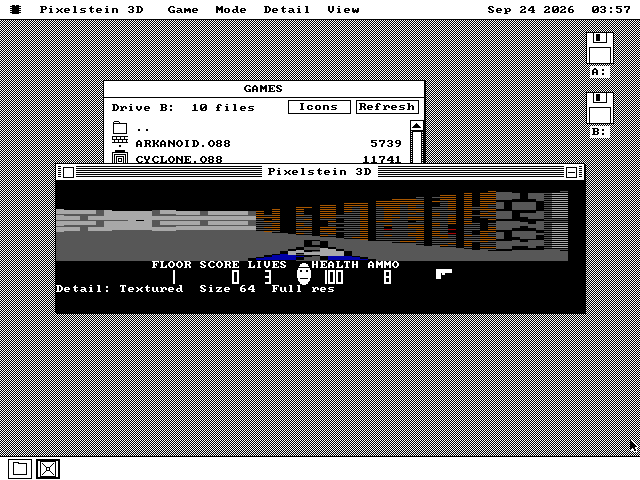
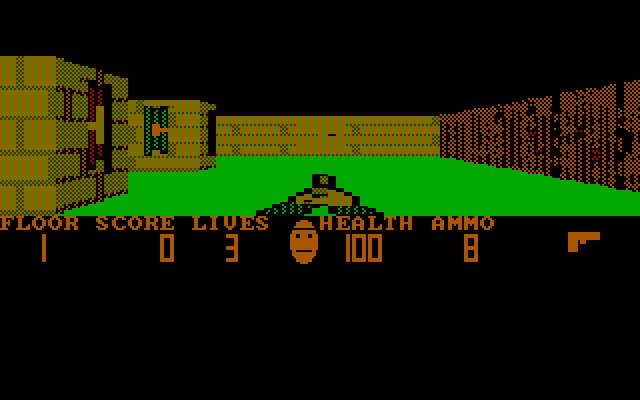
Full screen it uses whatever colour the graphics card has: 256-colour Mode X on VGA, four colours on CGA. In a window on a VGA desktop it draws in 16 colours.
What it is
A 3D game from 1992, and the trick that made it fast.
In 1992 id Software's Wolfenstein 3D put the player inside a maze and let them walk through it in real time, seen from their own eyes. It needed a 286 at the least, and it made the first-person shooter a kind of game.
The maze is a flat grid of square cells. Each cell is either empty or a wall. There are no stairs, slopes or rooms on top of rooms. That limit is the trick: to draw the view, the game sends one ray out from the player for each column of the screen. The ray steps from cell to cell until it hits a wall, and the distance it travelled says how tall that slice of wall should be. A near wall is a tall slice and a far wall a short one. Do it for every column and the grid becomes a corridor. This is called raycasting.
Pixelstein 3D is a new game built the same way. You start on the first floor of a castle of grey and blue stone, wood, brick and iron. Doors slide open when you use them, and some need a gold or silver key. Guards in helmets and dogs patrol the floors. You pick up ammunition, health and treasure, find the exit, and go on to the next floor. There are eight.
Arrows move and turn. Space opens a door, Ctrl fires, Tab shows a map of what you have seen, and P pauses. F switches between a window and full screen, and V changes the size of the view in full screen. Esc leaves full screen. Sound effects come from the PC speaker, and the high scores are saved to disk.
See it running
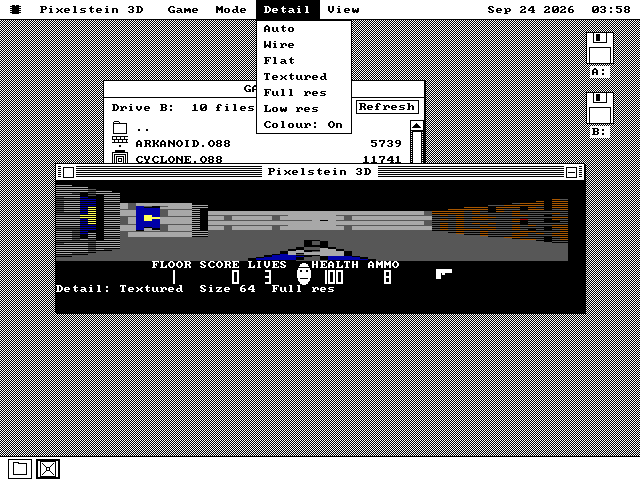
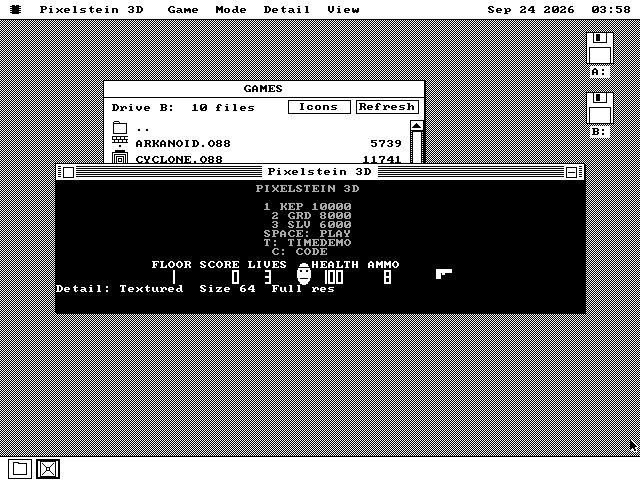
In a window, full screen on CGA, and the menu that trades picture for speed.
How it works
What a frame costs on an 8088, and where the time goes.
8.5 frames a second on a 4.77 MHz PC
Measured on an emulated IBM PC with an 8088 at 4.77 MHz and CGA, counting the processor's own cycles, full screen at the default settings. A frame of the first corridor with the world moving takes 117.5 milliseconds.
| setting | frames a second |
|---|---|
| Textured, the default | 8.5 |
| Textured, three guards in view | 6.6 |
| Flat walls | 9.2 |
| Textured, narrower view | 10.6 |
A Hercules card gives almost the same figures: 8.4 at the default.
One ray for every eight pixels
On CGA the view is 256 pixels wide and 80 rows high. At the default low resolution the game casts 32 rays across it, each one eight pixels wide. Full resolution casts 64, and redrawing the whole view goes from 113.9 milliseconds to 180.5.
Each slice of wall is drawn by a small piece of code made for that height, generated when the game loads, so drawing a column is a straight run of stores with no loop to test. Only the rows that changed since the last frame are sent to the screen.
It fits the machine it finds
The whole textured game, with its wall pictures, characters and weapon, needs about 262KB free. A 640KB XT has about 500KB.
On a 256KB machine the game still plays: it leaves the pictures out, draws the walls in flat colour and the characters as plain boxes, and there is no weapon in the view. It does not run on the 128KB build of os8088.
What it does not do
Where it stops, and why.
- It is not Wolfenstein 3D. The castle, the characters, the names and the floors are all new; none of the original game's art or levels is used.
- The floor and ceiling are solid colour, as they were in 1992. Only the walls have pictures.
- The view is 80 rows high. A taller one is not built yet, so full screen leaves the bottom of the screen black.
- A 16-colour window needs a 286 or faster. On an 8088 a colour window takes 0.4 seconds a frame, so the menu item greys itself and says so; the window plays in black and white, and full screen is in colour.
- The mouse can steer, but it is off by default: the system reports where the pointer is, not how far it moved, so there is no mouse-look.
- It does not use an 8087 maths coprocessor. The only multiplication and division in a frame are a few per column, and on this machine the 8087 is slower at each one than the processor it would take over from.
Run it
It is on the software disk, in the games folder.
-
Boot os8088 with the software disk in the second drive.
-
Double-click Disk B, and open the GAMES folder.
-
Double-click PXSTEIN.O88.
-
Press Space to start, and F for full screen.
It is on the 1.44MB, 1.2MB and 720KB software disks and on the live USB image and CD. On a 360KB XT use games360.img; it is not on apps360.img.