Spotlight › Clear Skies
A flight simulator that fills its shapes
A flight simulator for a 1981 PC that fills the shapes it draws. Take off from Paris-Issy with the Eiffel Tower on the horizon, fly, and land -- at six frames a second on a 4.77 MHz machine, which is the whole engineering problem.
- aeroplanes
- 5
- places to fly from
- 9
- on a 4.77 MHz XT
- 5.8 to 6.5 frames a second
It takes the whole screen while you fly and gives it back when you leave, and it needed no change to the operating system at all.
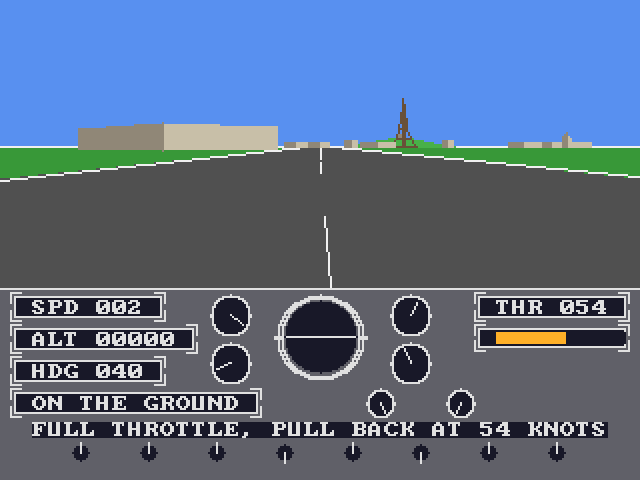
Flying from a floppy disk
Nine places, five aeroplanes, and the ground drawn solid.
Take off, fly, and land. Crash and you are put back on the runway, which is the right amount of punishment for a program that fits on a floppy.
There are nine places to start from in eight parts of the world: Cairo, London City, Miami, a strip in Nepal, New York JFK, Paris-Issy, Paris-Le Bourget, Rio and San Francisco. Paris-Issy is the city's first aerodrome, and the Eiffel Tower is on the horizon as you line up on the runway.
Five aeroplanes: a Cessna 172, a Pitts Special, a Fouga Magister, a Wassmer Bijave glider and an Icon A5. Each aeroplane and each place is a row in a table rather than a number buried in the code, so a tenth of either is a row and not a rewrite.
The arrow keys fly it -- up and down move the nose, left and right roll it. W and S are the throttle. A and D are the rudder, and the wheels when you are on the ground. P pauses, R puts you back on the runway, B is the brakes, M silences the engine.
The engine is a tone from the PC speaker whose pitch follows the throttle. A stall is a repeated beep, a crash a low blast. Along the bottom of the screen the aeroplane says what it is doing: full throttle, pull back at 54 knots; stall, nose down, power on; or what you just hit.
Filling a shape without touching its pixels
The technique that made solid three-dimensional pictures possible on this class of machine.
Almost every three-dimensional game on a machine this old drew outlines, because filling is what costs. Clear Skies fills, and the way it does it is the reason it can.
A shape with no dents in it crosses any horizontal line of the screen at exactly two edges. So the whole problem is two edges and one run between them: walk down the left edge a row at a time, walk down the right edge a row at a time, and fill the row between the two positions in one go.
That makes a shape cost its height rather than its area. A wall thirty rows tall is sixty steps along its edges and thirty filled runs, however wide it is on the screen. A building face costs about what it takes to walk one of its edges.
This is how the games of the period did it, and not because they were clever about memory: there was no memory to be clever with. There was no room to keep a record of what was in front of what, so the picture had to be built out of runs, one row at a time, in the order the shapes were sorted into.
See it running
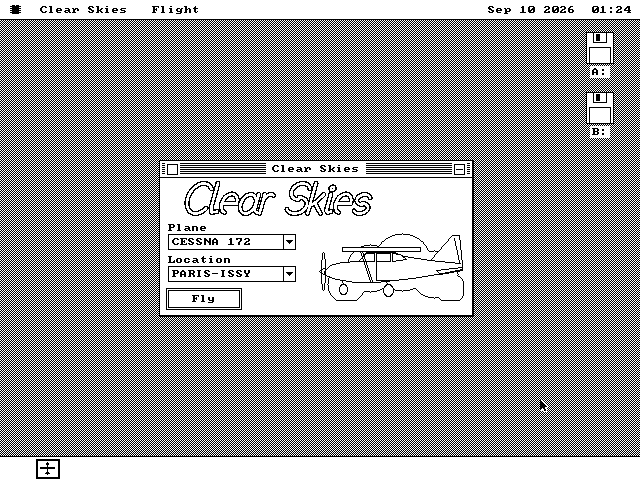
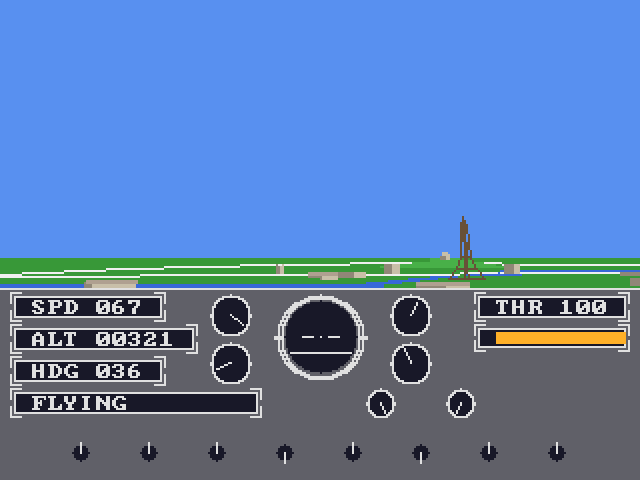
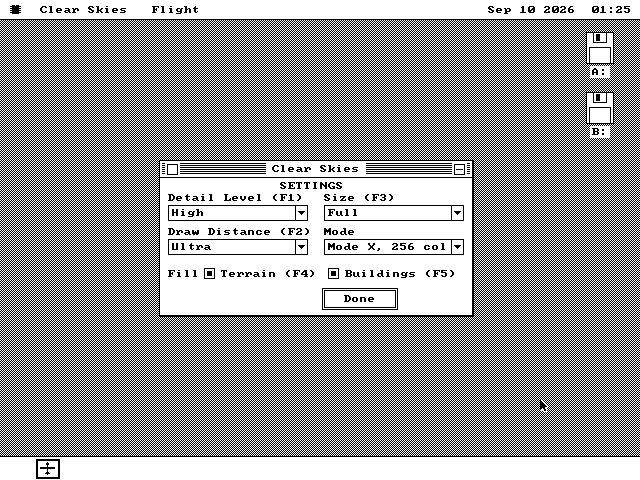
The launcher, the climb out, and the settings that buy frames.
Not drawing what did not change
Half of a level flight is a sky that was already there.
A flight simulator's picture is the whole view: sky above the horizon, ground below it. That looks like the worst case for a machine that cannot afford to repaint a screen, because every frame covers every pixel.
Except that a row which is all sky this frame and was all sky last frame holds exactly the same bytes. So it is not touched. In level flight that is half the view, and the rows that do change are the ones a shape or the horizon actually landed on.
The size of the view is decided by the time budget rather than by the screen. On a CGA card it is 320 by 112 pixels; in the VGA mode used, 320 by 144; on a Hercules card, 400 pixels wide by 112, in the middle of that card's 640. The instrument panel takes the rows underneath and costs nothing at all while its needles hold still.
There is one more trick, and it is the era's own: a CGA card can be made to show sixteen colours by putting it in a text mode of 160 by 100 character cells and drawing with the solid block character. Clear Skies does that, so the machine with the fewest colours gets the most of them.
What a frame costs
Eleven measured rounds, and the number the design was aimed at.
The target was twelve frames a second on a 4.77 MHz 8088 with a Hercules card, which is the display in the project that can least afford a filled picture.
Measured on a cycle-accurate recreation of that machine, in three views: parked on the runway at Issy, 153 milliseconds a frame, which is 6.5 frames a second; three hundred metres over the city, 156 milliseconds, 6.4 a second; and nose-on to the Eiffel Tower from 900 metres -- the most expensive view in the world it draws -- 172 milliseconds, 5.8 a second.
The first version that worked drew and sent the whole view every frame: 339 milliseconds on the runway, 313 at the tower. Eleven measured rounds of work took those to 153 and 172, and each round is written down with what it bought.
Those three views hold the aeroplane still. In flight, the release of 13 September 2026 cut the average frame across eight measured scenes from 190 milliseconds to 166, or 5.3 frames a second to 6.0. Banked turns gained the most: a sweeping one went from 294 milliseconds to 241.
Twelve frames a second on that processor is 400,000 cycles a frame, and the fixed costs of this picture add up past that before a single pixel is drawn. What stands between the two numbers is content -- how many objects a view holds and how many pieces each is made of -- rather than method. Four settings let you spend it differently: how much of the built world is drawn, how far away it is drawn, whether shapes are filled or left as outlines, and the size of the view. Each has a function key, so it can be changed while flying.
Taking off
It is on the software disk, in the games folder.
-
Boot os8088 with the software disk in the second drive, double-click Disk B, and open the GAMES folder.
-
Double-click SKIES.O88. Choose an aeroplane and a place, and press Fly.
-
Hold W until the throttle bar fills, wait for 54 knots, and pull the nose up with the down arrow. Then level off. Escape leaves and gives the desktop its screen back.
-
If it is slow on your machine, the Settings page in the Flight menu is where to trade picture for frame rate, and the function keys beside each setting do the same thing while you are flying.