Spotlight › Written in C
A word processor written in C
Everything in os8088 so far was written in assembly, the slowest and fussiest way there is. You can now write a program for it in C instead. To prove it works, I wrote a whole second word processor.
- written in
- 8,350 lines of C
- the program
- 54,450 bytes
- machine
- 4.77 MHz 8088
Why writing this in C is a big deal
The short version: assembly is one instruction at a time, and C is not.
What assembly is like
A processor understands very small instructions: copy this number here, add these two, jump to that address if the answer was zero. Assembly language is writing those out one at a time, by hand, for everything. Adding up a column of numbers is a dozen lines. os8088 is about 230,000 lines of it.
It is worth it for an operating system, because the whole point of this project is a machine from 1981 doing things it has no business doing quickly. But it is a slow way to write an application, and it is a slow way to read one back six months later.
What changed
There is now a C compiler in the toolchain. You write ordinary C, and it becomes a program the system can load off a floppy exactly like any other. Nothing about how programs work had to change to allow this -- a program written in C and a program written in assembly are the same kind of file, and the system cannot tell them apart.
The compiler is SmallerC, which somebody else wrote and gave away. I picked it for one awkward, specific reason: it produces assembly language as its output. Every other candidate produces a half-finished file that a separate program called a linker has to stitch together, and os8088 has deliberately never had one. SmallerC's output drops straight into the build that was already there.
The compiler is not in the repository. A script fetches it and builds it when you ask for it. Everything else in os8088 builds without it, so you can clone the project and make every floppy on this site without going anywhere near a C compiler.
See it running
The same 1990 Word, built a second time and a completely different way.
Four things C is not allowed to do here
Each one is silent if you get it wrong -- so the build refuses it instead.
C on this machine is a slightly smaller C than you may be used to, and the interesting part is not what is missing but why. Every one of these four mistakes produces a program that compiles perfectly, starts up perfectly, and then quietly corrupts memory. So the build looks for each one and stops with an explanation instead.
Do not point at a local variable
A variable declared inside a function lives on the stack, and on this machine the stack is in a different region of memory from everything else the program owns. So the address of one means nothing anywhere else in the program.
The fix is one word: mark it static and it moves somewhere with a real
address.
Do not copy a struct
Assigning one struct to another looks harmless and turns into a block-copy instruction that reads from a region belonging to the operating system, not to your program.
Passing a struct to a function or returning one is the same mistake wearing a different hat. Pass a pointer instead.
No decimals, and no long numbers
There is no float and no double, because there is no maths
coprocessor in this machine and nothing to fall back on. There is no 32-bit
long either.
Whole numbers up to about 65,000, and that is the arithmetic. A word processor turns out not to mind.
Keep functions shallow
Each running program gets 256 bytes of stack, which is where a function keeps its local variables. One greedy function can run off the end of it and land in another program's.
So a function may use at most 96 bytes of it. The biggest one in this word processor uses 26.
Why the program comes in two pieces
C buys you speed of writing. It spends memory to do it.
A program on os8088 gets 60KB and not a byte more, ever -- that is a limit of the processor rather than a budget I chose. The same work written in C takes two to three times as much room as it does in assembly, because the compiler writes out the instructions it knows are always correct rather than the shortest ones that happen to work here.
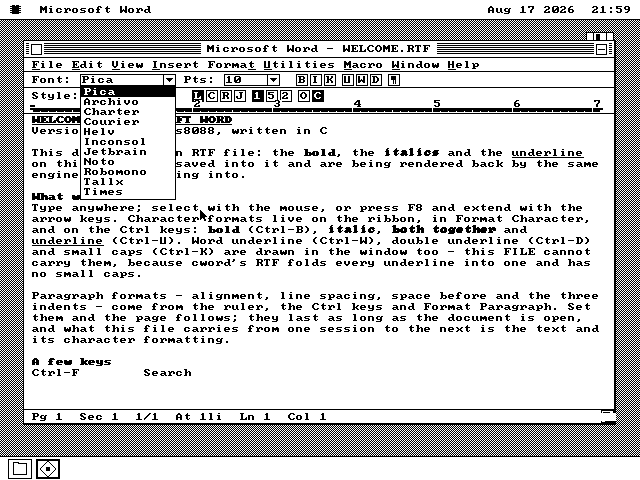
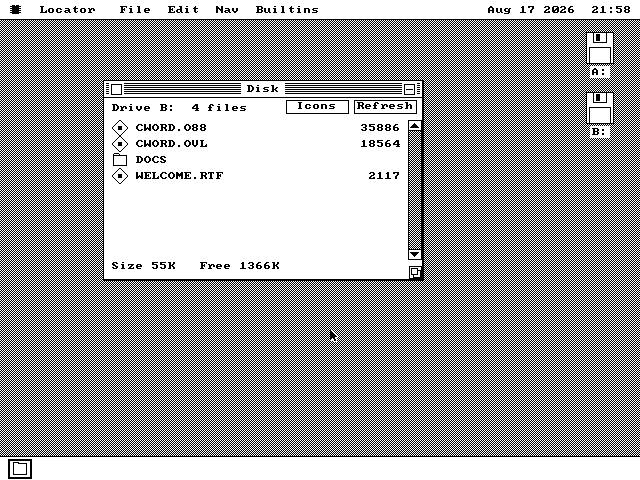
So this program does not fit, and no amount of trimming would have made it fit. It is split in two instead. The part that runs while you type stays in memory: the screen, the keyboard, the mouse, the document itself. The part that runs once when you pick a menu item goes into a second file on the disk, and is fetched the first time it is needed. That second half is 18,564 bytes -- the dialogs, saving and loading, search and replace, sorting, the clipboard and the font list.
Splitting it that way along how often something runs is the whole trick. A keystroke never waits for the disk. A menu command might, once.
If the second file is missing, the program says so. Copy CWORD.O88 to a floppy without CWORD.OVL beside it and the program still runs and still types -- the menu commands just report that they cannot happen, rather than crashing or pretending they worked.
What works, and what does not
Enough to write with, and honest about the rest.
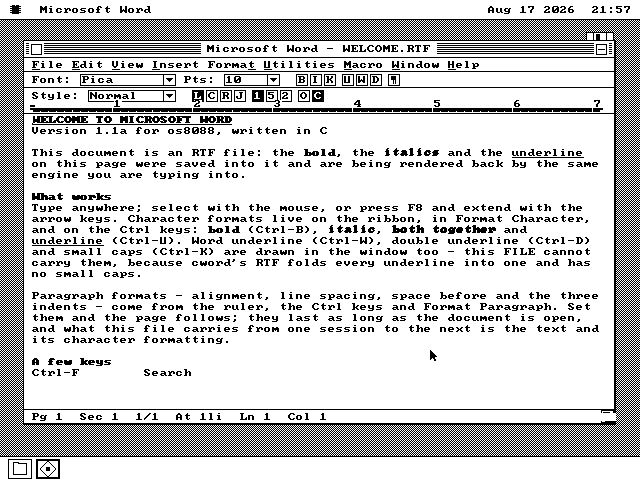
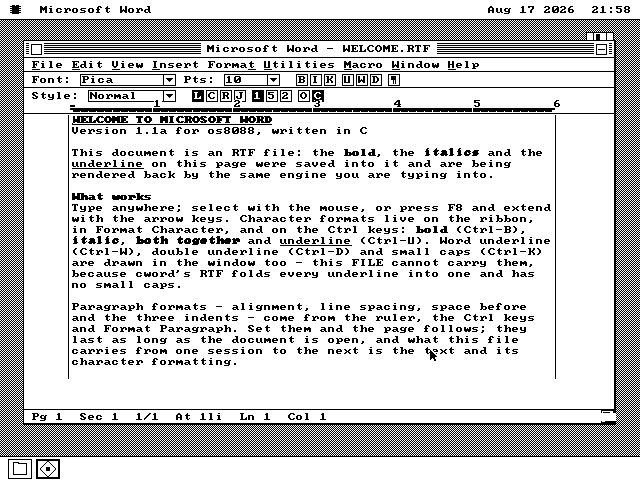
It types, wraps, and lets you select with the mouse or the keyboard. Bold, italic, underline, double underline, word underline, small caps and hidden text are all on the ribbon and on the keyboard. Alignment, line spacing, space before a paragraph and the three kinds of indent come from the ruler. Search, Replace and Go To work; so do Sort, Renumber and Table of Contents. It opens and saves through the same file dialog every other os8088 program uses.
Where the menus came from
Microsoft gave the original Word for Windows source code to the Computer History Museum in 2014. I could not use the code -- it is built for Windows, which does not exist here -- but I could read the files that list the menus, the dialogs and the keyboard shortcuts. So the wording on screen is the wording the 1990 program had, rather than my memory of it.
This is my own program, not Microsoft's. It is written to look and behave like Word 1.1a and to read its file format. It is not Microsoft's code recompiled, and it is not connected to Microsoft.
Not built
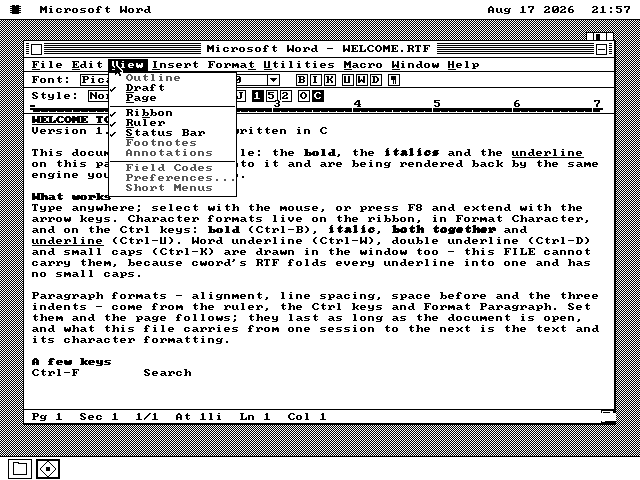
Printing, spelling, the thesaurus, macros, outlining, footnotes, tables, headers and footers, and Undo. Each of those is grey on the menu rather than missing from it, so you can see what the program does not do without having to find out the hard way.
Three keyboard shortcuts had to go somewhere else, and that one is not my fault: the PC's own keyboard handling cannot tell Ctrl-H from Backspace, Ctrl-I from Tab or Ctrl-M from Enter. Those three commands live on the ribbon and in Format Character instead.
How fast it is
Every keystroke costs five drawing operations and eight character cells, whatever else is on the screen -- that number does not grow with the size of your document. Redrawing the whole window costs about 1.8 seconds on a 4.77 MHz machine, which is simply what a full screen of text costs there whatever program puts it up. So it avoids doing that.
There is already a Word on os8088, and this is not it. The
other one is written in assembly and saves Word .DOC
files. This one is written in C and saves RTF. They are separate programs on separate floppies
and they share no code at all.
Try it yourself
It has a floppy of its own, or you can take the disk that has everything.
-
Grab the CWORD disk. It is in every release --
cword.imgfor a 1.44MB drive, orcword360.imgfor the 360KB 5.25-inch kind.apps-all.imghas it too, in a CWORD folder, along with everything else os8088 ships. -
Put it in the second floppy drive, in place of the usual software disk, and boot os8088 from
os8088.img. If you are building from source,make cworddiskmakes all three sizes -- and you will need the compiler first, whichtools/setup-cc.shfetches and builds. -
Double-click the B: disk icon on the desktop, then double-click
CWORD.O88. It takes a few seconds off an emulated floppy and rather longer off a real one. -
Open the welcome document. File › Open, then
WELCOME.RTF. It is the document in the picture at the top of this page, and every bit of its formatting came out of the file. Save your own writing into the DOCS folder.
RTF opens on your own computer too. The floppy is an ordinary FAT12 disk, so you can mount it on macOS, Windows or Linux and open what you wrote in any word processor made in the last thirty years. That direction was tested the other way round as well: a file written by macOS TextEdit opens here.