Colophon
This site is drawn the way the operating system draws itself, at the scale of a page rather than a 640x480 screen: every frame is black, every fill is white, every shadow falls hard and square with no blur, and anything live under the pointer inverts. One bit of colour and no curves -- there is not a border-radius or a gradient anywhere in the stylesheet.
13 screendumps · 2 animations · two faces, 37KB · 1 third-party script
The typefaces
Two, both self-hosted, both under the SIL Open Font License 1.1, whose text ships with them at /fonts/LICENSE-OFL-1.1.txt.
The nav bar, headings, window titles and buttons are VT323, Peter Hull's redrawing of the DEC VT320 terminal ROM as an outline font. Reading text is IBM Plex Mono, in three weights: 400 for prose, 500 and 700 for the labels that carry a definition.
Both are cut to the latin subset, which is every glyph this site sets -- the copy here is
ASCII, because a character os8088 could not draw is a character this site does not draw
either. Four files, 37,432 bytes in total, served from this origin: no request leaves for a
font, and the Content-Security-Policy still says font-src 'self'.
The site used to set its chrome in the machine's own character ROM.
That was Web437 IBM EGA 8x8, an outline conversion of the IBM code page 437 set -- the same
8x8 bitmap the OS copies out of the video card at boot with int 10h,
AX=1130h. It was exact, and it was only sharp at whole multiples of 8 pixels,
which is a hard ceiling on a heading. VT323 is a terminal face that scales.
The design
There is one unit, --u, and it is one OS pixel -- 2 CSS pixels here, 1.5
below 640 pixels of viewport. Every metric on the page is an integer multiple of it, taken
from the kernel rather than estimated.
| Frames and rules | 1 pixel | Black, square-cornered, no blur, no radius. There is no second line weight anywhere in the system. |
|---|---|---|
| Drop shadow | +1, +1 | Hard black, right edge and bottom edge only. In CSS that is exactly box-shadow: 1px 1px 0 0. |
| Title bar | 16 rows | Plus a 1-pixel separator below it. Only the frontmost window is striped; background windows get a plain white bar. |
| Pinstripes | 6 lines, 2px pitch | Inset 3 pixels from each frame edge, punched through by a white gap behind the centred title. |
| Close and minimize box | 11 x 11 | 1-pixel frame, white interior, a 2-pixel white halo that breaks the stripes around it. The minimize glyph is a 7 x 1 bar. |
| Menu bar | 20 rows | White to row 18, a black rule across row 19. A pressed title inverts across its whole cell and leaves the rule alone. |
| Menu item cell | 16 pixels | 8 pixels of padding each side of the label. Highlight is inversion of the cell interior. |
| Dock | 24 rows, 456 to 479 | A rule at row 456, white below it. The footer of this page is that strip. |
| Desktop | 1-pixel checkerboard | From row 20 down. Parity is anchored to absolute screen coordinates, so a repainted patch seams invisibly. Rendered here as a conic gradient. |
| Colors in the chrome | 2 | Black and white. The other fourteen EGA colors exist but only apps reach them, and only Minesweeper uses any. |
Light and dark are the same page. A 1-bit interface does not have themes, it has an inversion, so dark mode swaps ink and paper and nothing else -- the checkerboard is self-inverting and needs no separate treatment. The Invert button in the dock is the site's version of gfx_xor_fill, the routine the OS uses for every selection. The page starts black on white whatever your system prefers, because that is how the machine boots.
One thing here was invented. os8088 has no push button. The buttons on this site -- 1-pixel frame, white face, 8-pixel label, inverting while pressed -- are what a button would look like if it did. Everything else was measured.
The logo
The mark in the menu bar and in the browser tab is the OS's own System-menu glyph: an 11 x 11 silhouette of a dual in-line package, the chip outline with an orientation notch and four pairs of pins. It lives in kernel/menu.inc as eleven words of bitmap, one per row, bit 15 leftmost, and the kernel draws it one pixel at a time.
The site's build reads the same eleven words and emits SVG rectangles, one per horizontal run of set bits, so the logo stays exactly the shape the kernel draws at any size instead of being a blurry upscale of a screenshot.
The screenshots
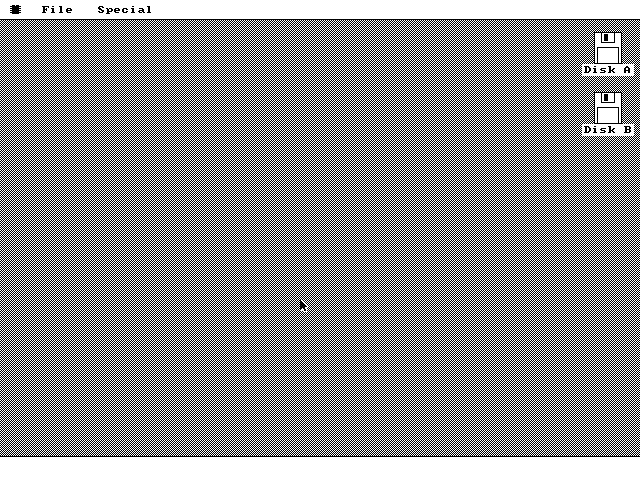
Every screenshot on this site is a screendump of the operating system running. Nothing is a mockup, a composite, a re-drawing or a retouch, and no window was moved after the fact. The only images that are not screendumps are the photographs on the hardware page, which are photographs of real machines.
tools/capture.py in the website repo boots the same 1.44MB
floppy image every release ships, headless, in QEMU with
-display none, an emulated Microsoft serial mouse on the serial line, and a QMP
control socket. Each scene in tools/scenes.json is a list of literal
commands run against that socket with the OS repo's own test drivers: move the pointer here,
press the button, drag to there, release, type this key. When the machine is in the state the
scene describes, the harness takes the framebuffer.
The dump is a 640x480 PPM, converted to a 16-color PNG plus a nearest-neighbour 2x copy for high-density displays. Scenes never share a machine -- each one gets its own freshly booted QEMU and its own copies of the floppies -- so no scene can inherit another's state. Thirteen of the fifteen scenes are stills; two are short GIFs, sampled on a fixed cadence while a second thread drives the mouse, because a still cannot show an outline rubber-banding behind the pointer or two clocks ticking at once.
Two details about the capture. The drag outline is drawn in XOR and erased again once per timer tick, so a single dump catches a blank frame about half the time; those scenes take a burst and keep the frame with the most black in it, which is the phase your eye sees on real hardware anyway. And the images are only ever scaled by whole numbers, because the desktop's 1-pixel checkerboard moires immediately under any other ratio.
The browser demo
The live demo runs on v86, an x86 emulator compiled to WebAssembly, under the BSD 2-Clause license -- the copy served here is /vendor/LICENSE.v86. Its firmware is SeaBIOS and SeaVGABIOS, LGPL version 3, at /vendor/COPYING.LESSER.seabios.
The mouse is the one part that is not the PC/XT's. The demo boots the emulator build of os8088, whose VMMOUSE.DRV speaks the VMware mouse backdoor that v86 emulates: the page hands the emulator the pointer's position inside the screen, and the guest's arrow sits under yours, entering and leaving with it, with nothing to capture. A real XT has no such port and drives a Microsoft serial mouse on COM1, so the page keeps one of those too, synthesised in JavaScript as the same three-byte packets a real mouse put on the wire, for a session in which the driver is switched off.
Nothing about the emulator loads until you press the button.
The hosting
Cloudflare Workers, serving static assets. One page is not static: /videos/ is
rendered per request by a small Worker, because the playlist gets an entry every time the OS
does and cannot be baked in at build time. Everything else is a file on disk.
The source
The operating system is at github.com/jggonz/os8088: the kernel, the boot sector, the two example programs, the packaging and disk-building tools, and SPEC.md, which is the binding contract every module is written against.
It is MIT-licensed. Read it, fork it, lift routines out of it, ship something built on it -- keep the copyright notice and that is the whole obligation. Nothing third-party is vendored into the operating system, so that one license covers the entire tree.
This website is a separate repository, and the pieces of it that are not ours keep their own licenses: v86 (BSD-2-Clause), the SeaBIOS 1.16.2 and SeaVGABIOS binaries at /vendor/seabios.bin and /vendor/vgabios.bin (LGPLv3, source at git.seabios.org, tag rel-1.16.2), and the VT323 and IBM Plex Mono (SIL OFL 1.1).