Hardware Compaq Portable III

Compaq Portable III

Portable, 1987

Compaq's 1987 portable: a 286 in a case with a carrying handle, and an orange gas-plasma screen where the Toshiba T1100 Plus has a blue LCD. Behind the plasma is a CGA adapter, so os8088 runs its CGA driver here too, and the display draws each line twice to fill the panel. The desktop gets the Toshiba's half-height windows, on twice the scan lines.

os8088 on real hardware
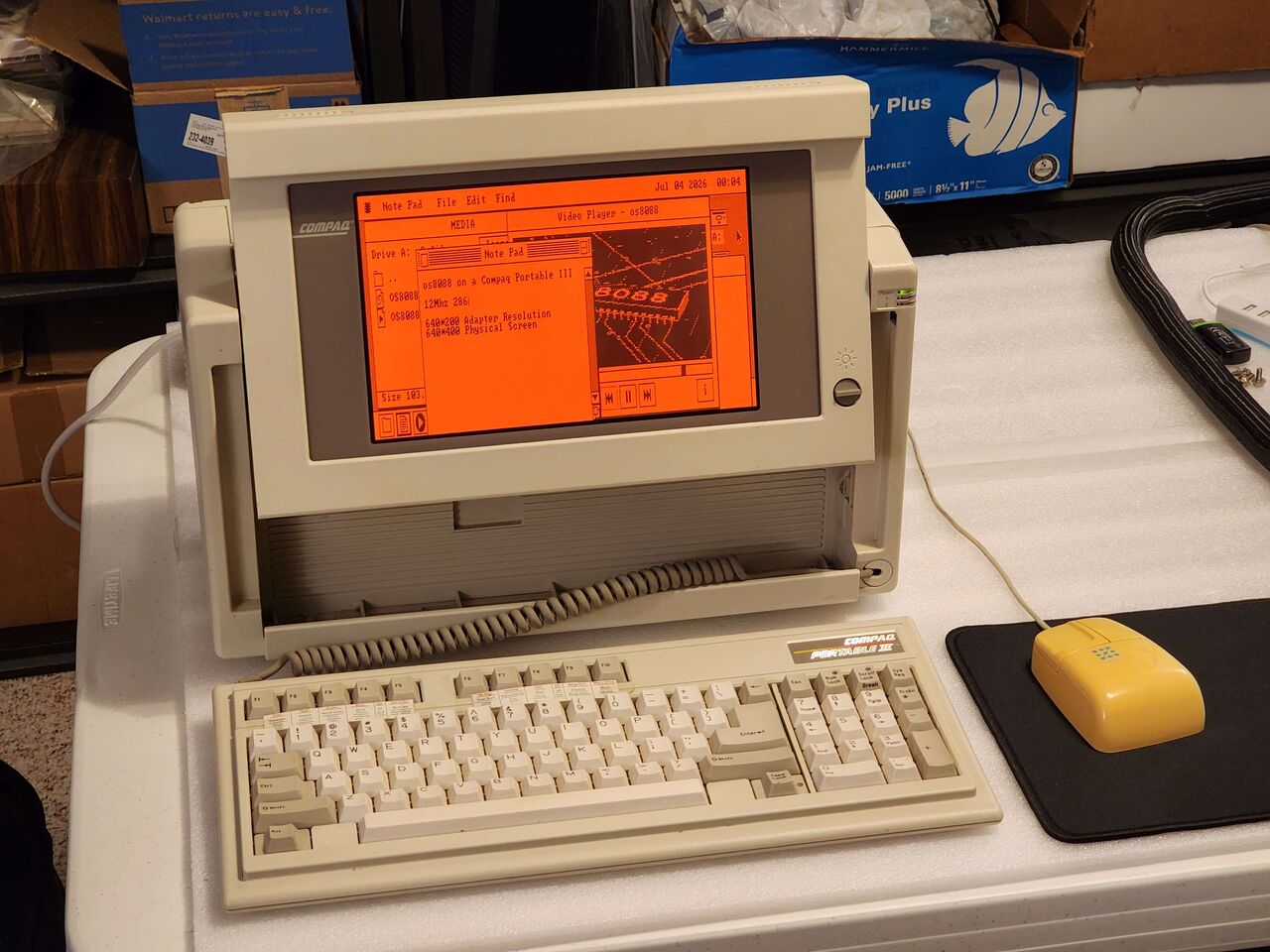
Compaq Portable III
A beige Compaq Portable III on a white bench, its screen raised above the case and its keyboard, badged Compaq Portable III, set in front on a coiled cord, with a yellow mouse on a black pad beside it. The orange plasma screen shows the os8088 desktop: a menu bar reading Note Pad, File, Edit and Find with Jul 04 2026 on the right, a Disk window titled MEDIA, a Note Pad, and a Video Player window titled os8088.
A Compaq Portable III running os8088, its keyboard unclipped from the front of the case.
Compaq Portable III, screen
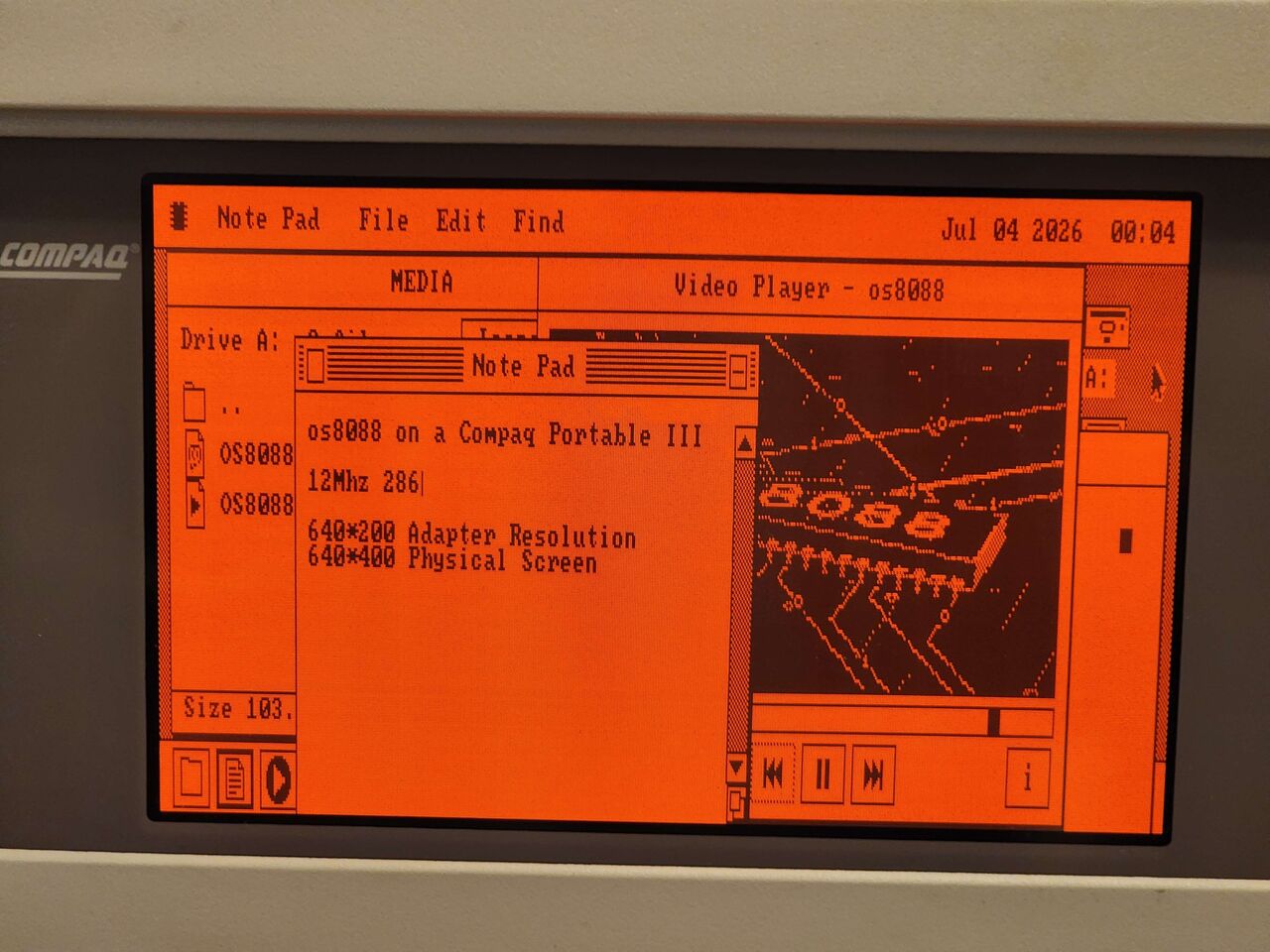
The Compaq's orange plasma screen filling the frame. A Note Pad reads os8088 on a Compaq Portable III, 12Mhz 286, 640*200 Adapter Resolution, 640*400 Physical Screen. Behind it a Disk window titled MEDIA lists Drive A: with two OS8088 files, and a Video Player window titled os8088 shows a frame of an 8088 chip drawn in lines, with rewind, pause and fast-forward buttons below it.
Compaq Portable III, screen
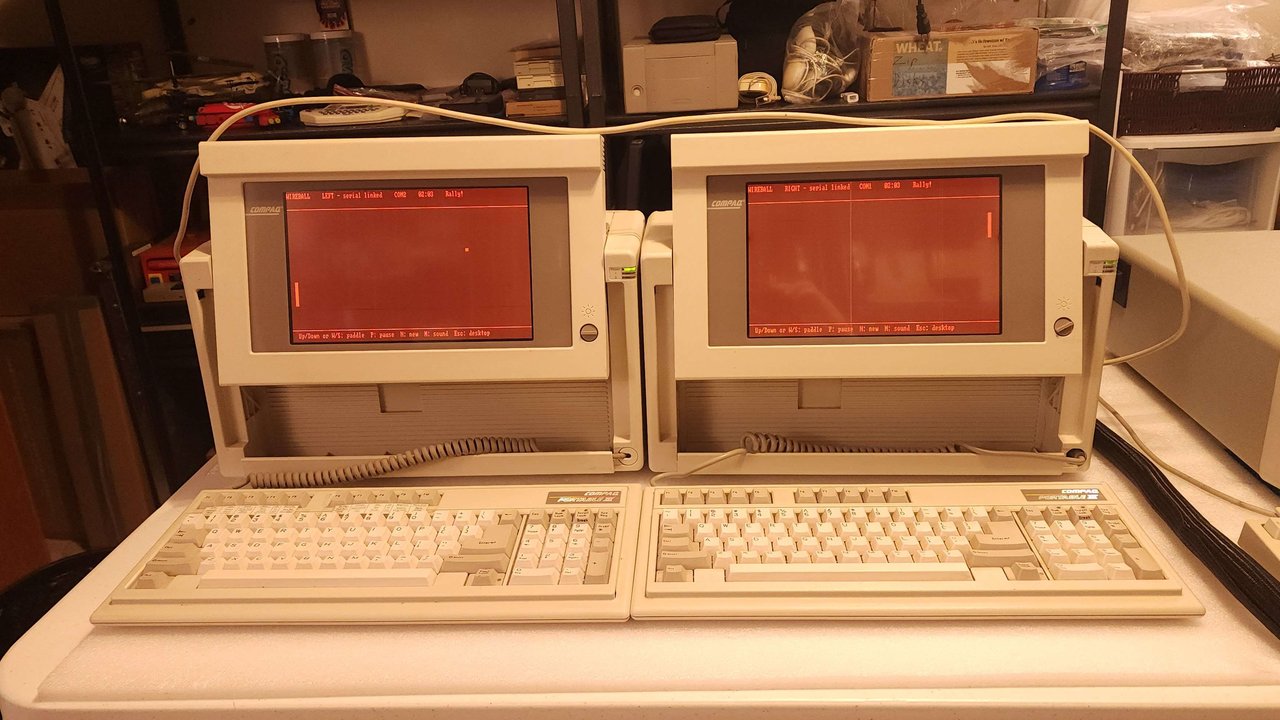
Compaq Portable III, WireBall
Two beige Compaq Portable IIIs side by side on a white table, screens raised, each with its keyboard in front on a coiled cord and a pale cable looped over the tops of both cases. Both orange plasma screens show WireBall full screen. The left one reads WIREBALL, LEFT - serial linked, COM2, 02:03 and Rally!, with its paddle low at the left edge and the ball in the right half of its court. The right one reads RIGHT - serial linked, COM1, the same score and Rally!, with its paddle at the right edge. Along the bottom of each: Up/Down or W/S: paddle, P: pause, N: new, M: sound, Esc: desktop.
Compaq Portable III, WireBall
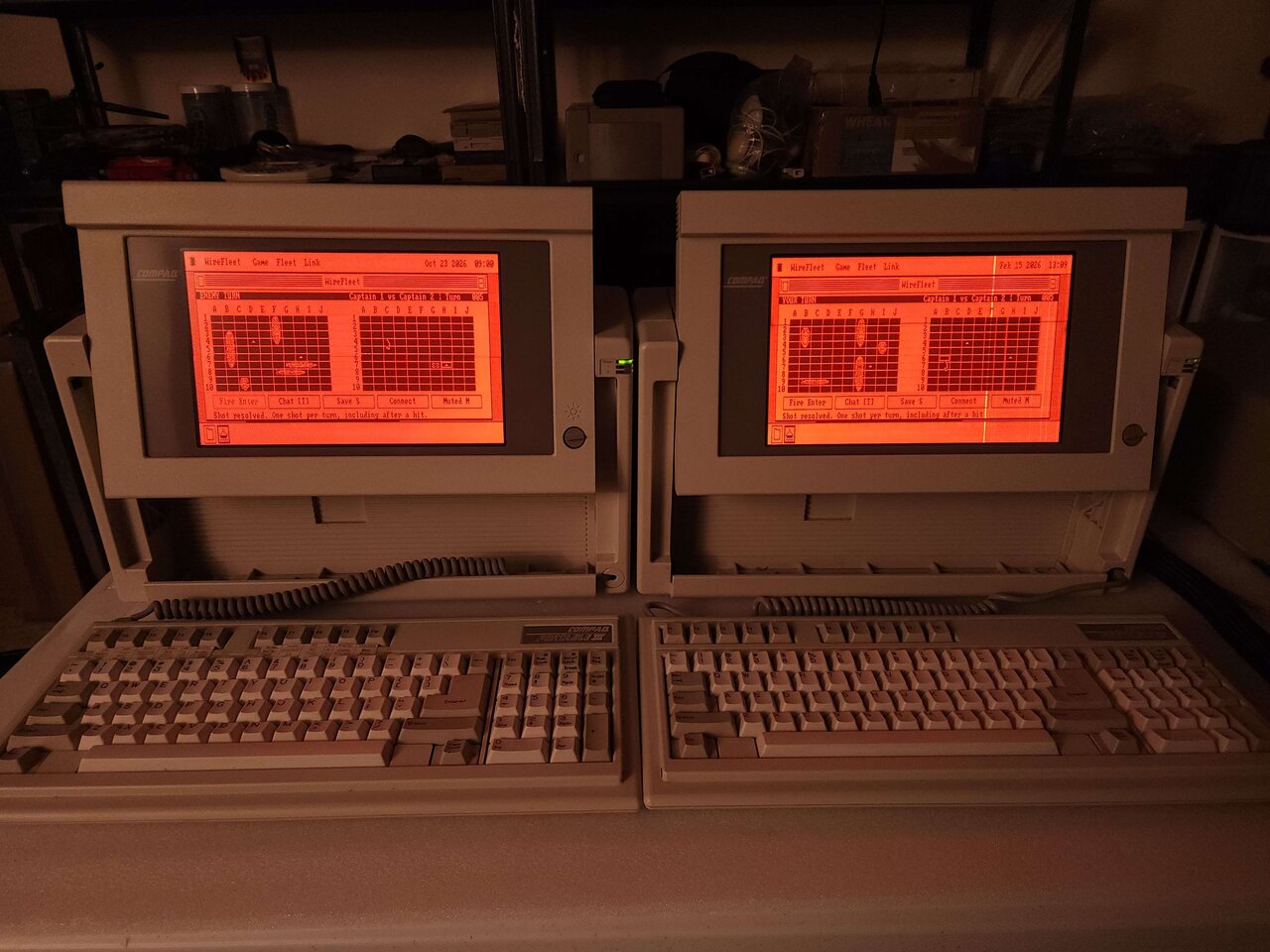
Compaq Portable III, WireFleet
Two beige Compaq Portable IIIs side by side on a white table, screens raised and keyboards in front on coiled cords. Both orange plasma screens show the WireFleet window on the os8088 desktop, under a menu bar reading WireFleet, Game, Fleet and Link. Each window has two 10 by 10 grids: its own fleet of five ships on the left, and a few marked shots on the enemy grid on the right. The left screen reads ENEMY TURN and Captain 1 vs Captain 2, Turn 005, with Oct 23 2026 09:00 in the menu bar. The right one reads YOUR TURN at the same turn, with Feb 15 2026 13:09, and a bright vertical line runs down its panel. Under the grids on both: Fire Enter, Chat [T], Save S, Connect and Muted M, and the line Shot resolved. One shot per turn, including after a hit.
Compaq Portable III, WireFleet
CPU
80286, 12MHz
adapter
CGA, 640 x 200
screen
orange plasma, 640 x 400

Manuals & resources

All sources & references

Running os8088?

Share photos of your setup with the community. Open a GitHub issue and attach your images.

Submit your photos on GitHub

History, photos & source references

Two machines, one cable

WireBall and WireFleet between a pair of Portable IIIs.
Compaq Portable III, screen
The Compaq's orange plasma screen filling the frame. A Note Pad reads os8088 on a Compaq Portable III, 12Mhz 286, 640*200 Adapter Resolution, 640*400 Physical Screen. Behind it a Disk window titled MEDIA lists Drive A: with two OS8088 files, and a Video Player window titled os8088 shows a frame of an 8088 chip drawn in lines, with rewind, pause and fast-forward buttons below it.
The same screen, close up. The Note Pad carries the machine's own figures, beside the Video Player playing its os8088 clip.
Compaq Portable III, WireBall
Two beige Compaq Portable IIIs side by side on a white table, screens raised, each with its keyboard in front on a coiled cord and a pale cable looped over the tops of both cases. Both orange plasma screens show WireBall full screen. The left one reads WIREBALL, LEFT - serial linked, COM2, 02:03 and Rally!, with its paddle low at the left edge and the ball in the right half of its court. The right one reads RIGHT - serial linked, COM1, the same score and Rally!, with its paddle at the right edge. Along the bottom of each: Up/Down or W/S: paddle, P: pause, N: new, M: sound, Esc: desktop.
Two Portable IIIs playing WireBall over a serial cable, one Pong court across both screens. The left machine is on COM2 and the right on COM1; the ports do not have to match.
Compaq Portable III, WireFleet
Two beige Compaq Portable IIIs side by side on a white table, screens raised and keyboards in front on coiled cords. Both orange plasma screens show the WireFleet window on the os8088 desktop, under a menu bar reading WireFleet, Game, Fleet and Link. Each window has two 10 by 10 grids: its own fleet of five ships on the left, and a few marked shots on the enemy grid on the right. The left screen reads ENEMY TURN and Captain 1 vs Captain 2, Turn 005, with Oct 23 2026 09:00 in the menu bar. The right one reads YOUR TURN at the same turn, with Feb 15 2026 13:09, and a bright vertical line runs down its panel. Under the grids on both: Fire Enter, Chat [T], Save S, Connect and Muted M, and the line Shot resolved. One shot per turn, including after a hit.
The same two machines on a null modem cable, playing WireFleet. Each one keeps its own fleet and judges the shots fired at it, so neither ever holds the other's ships.
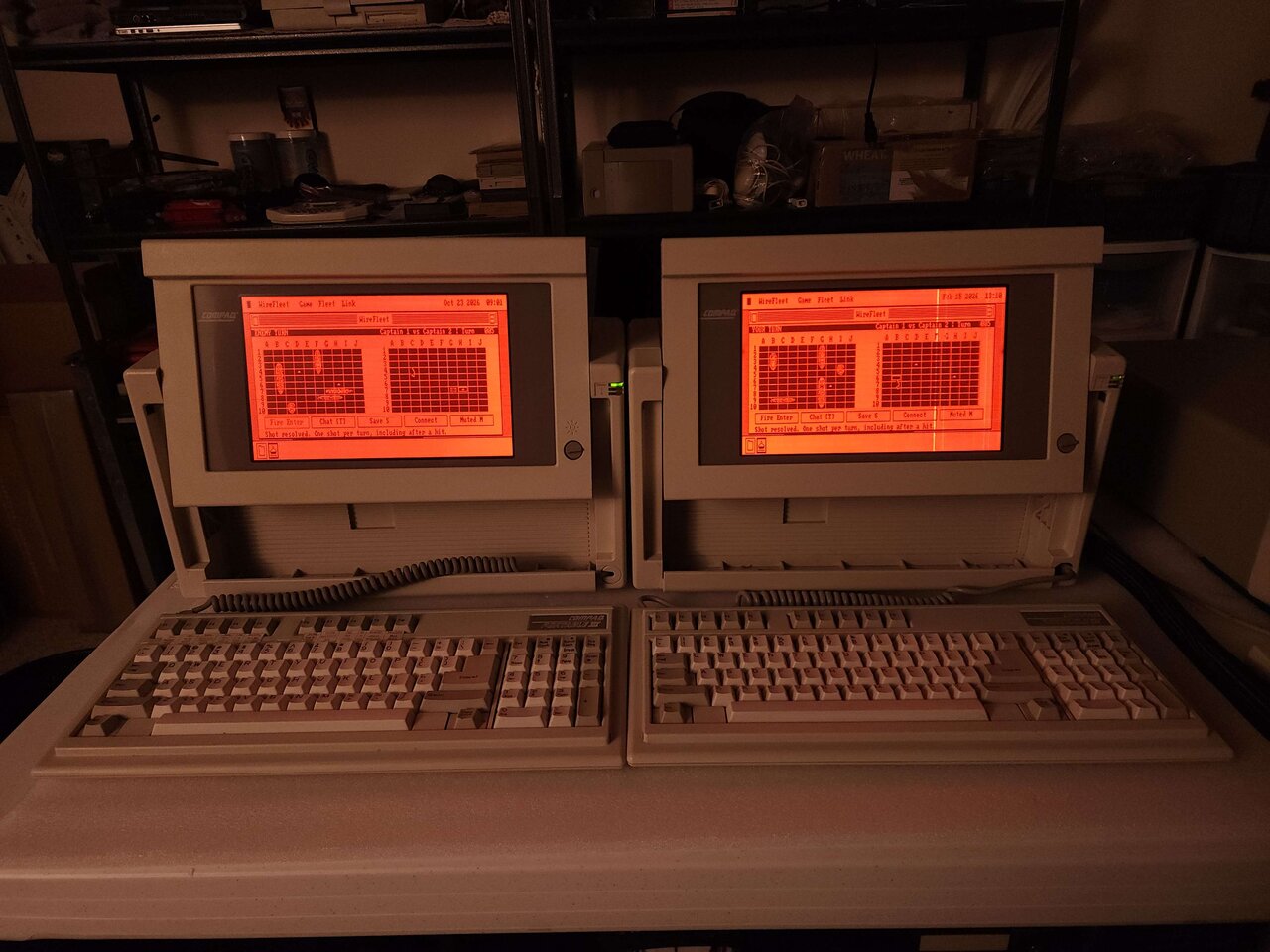
Compaq Portable III, turn 5
The same two Compaq Portable IIIs from a step further back, with shelves of equipment behind them. Both screens still show turn 005 of the WireFleet battle, ENEMY TURN on the left and YOUR TURN on the right, with the menu bar clocks now at Oct 23 2026 09:01 and Feb 15 2026 13:10.
Turn 5, a minute later: ENEMY TURN on the left, YOUR TURN on the right. The two clocks are eight months apart; the game only needs the machines to agree on whose shot it is.

AT speed under an airline seat, and no slots inside

A portable that runs from a wall socket only.

Compaq sold it as a portable, and BYTE's reviewer would not quite agree: the Portable III "is neither a laptop nor a desktop computer; it lies somewhere between the two." It runs from a wall socket only. What Compaq took out was the CRT, and with a flat panel in its place the case came to two-thirds the size and three-quarters the weight of the Portable II.

Although it was not the first 286 with a plasma screen and a handle (Toshiba's T3100 was already selling, five pounds lighter), it was the quicker of the two. BYTE timed the hard disk at 26ms a seek against 80 to 90ms for the Toshiba's, and PC Magazine's benchmarks put it at one and a half times an 8MHz IBM PC AT. The Model 20 also cost $800 more than the T3100, and a source in Computerworld's launch story asked the obvious question: "Why would you pay that for a desktop?"

The panel has one mode IBM's CGA never had. Compaq's BIOS reaches every line of it through video mode 40h, the call the AT&T PC 6300 uses for its own high-resolution graphics, so a program with a 6300 driver -- Windows and Borland's Reflex both had one -- draws at the panel's full height.

There are no slots in the case. Memory and a modem go on two Compaq-only boards under the drives; anything else goes in a box that clips to the back, draws its power from the machine and adds 2.5 inches of depth. An owner today should check one thing first: with a flat CMOS battery the Portable III will not talk to its hard disk.

introduced
February 1987
price at launch
$3,999 to $5,799
RAM
640KB, to 6.6MB
disks
1.2MB floppy; 20 or 40MB hard disk
weight
20lb with a hard disk
expansion unit
two AT slots, $199

Sources