Spotlight › Borat Teaches Typing
Borat Teaches Typing
A typing tutor for the IBM PC. Twenty-four lessons take you from F and J to digits and punctuation, a picture of the keyboard shows which finger to use, and the program keeps your speed, accuracy and records.
- Lessons
- 24
- Saved profiles
- 4
- Key to screen, 4.77 MHz PC
- 78 ms at most
01 / What it is
What it is
Touch typing means typing without looking at the keys. Each finger has its own keys, and the two index fingers rest on F and J, which have a small ridge you can feel. Typing tutors were some of the first programs people bought for the IBM PC, and this is one for os8088.
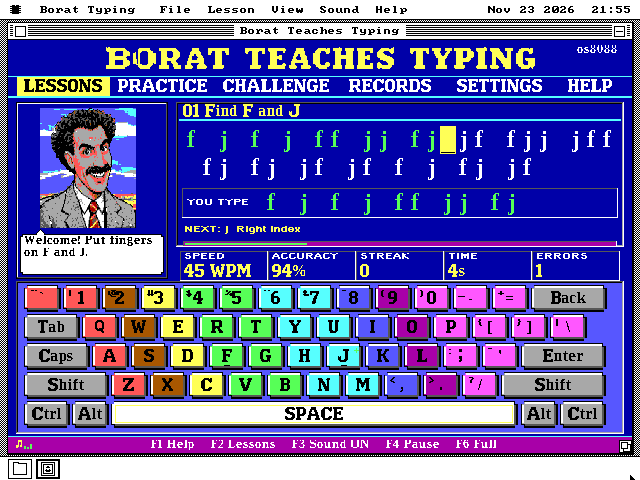
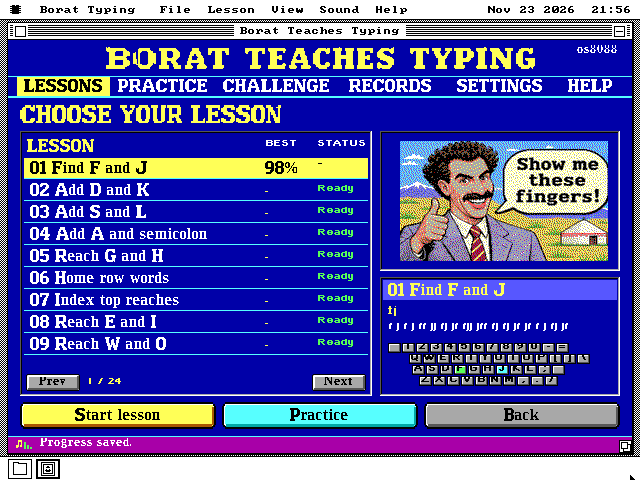
The first lesson uses only F and J. Each lesson after it adds a few keys: the rest of the home row, then the rows above and below, the two Shift keys, the digits, and punctuation. The last lessons are whole sentences. A passage of letters sits at the top of the window, and what you type appears under it. A picture of the keyboard below marks the next key, colours each key by the finger that presses it, and marks a wrong key when you press one.
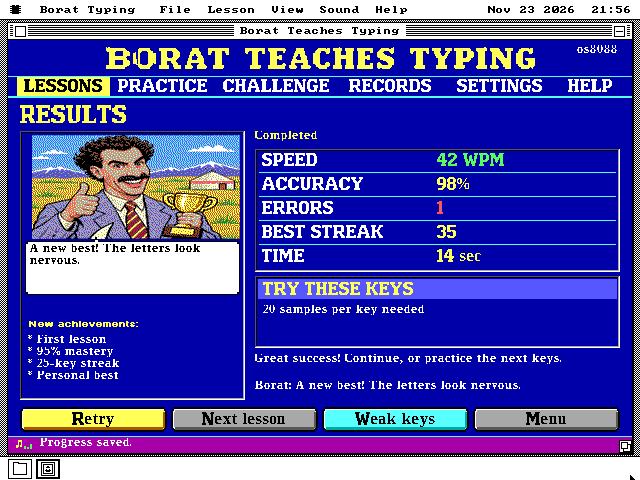
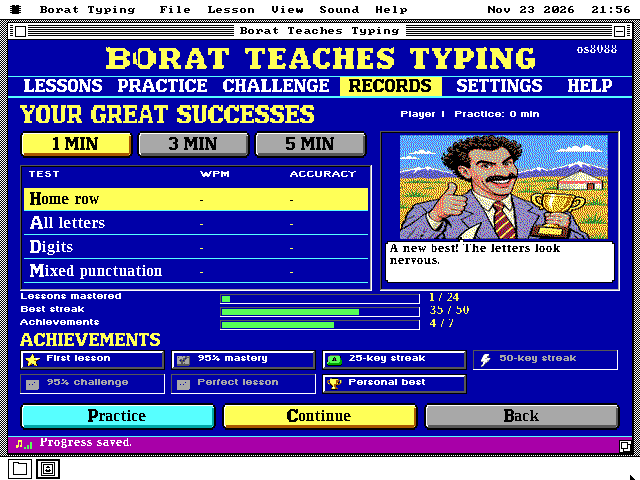
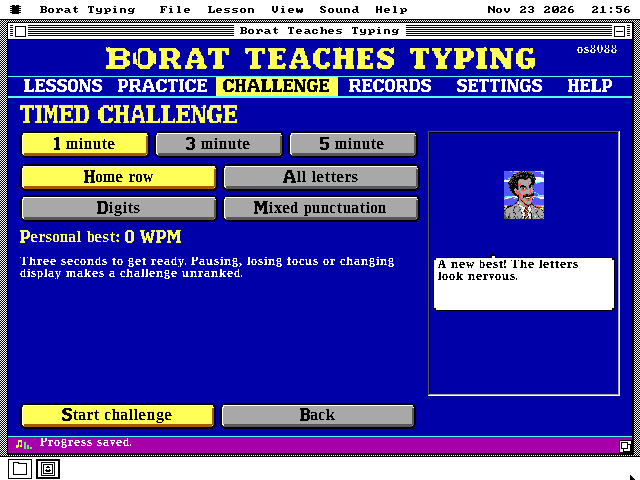
Each lesson counts your speed in words a minute, your accuracy and your longest run of correct keys. A word is five characters, spaces included. Reaching 95% accuracy masters a lesson. Speed never holds you back, and every lesson can be chosen at any time. Practice drills the keys you have missed most once it has seen each one at least twenty times. The challenges time you for one, three or five minutes on the home row, all letters, digits or mixed punctuation, and keep a record for each.
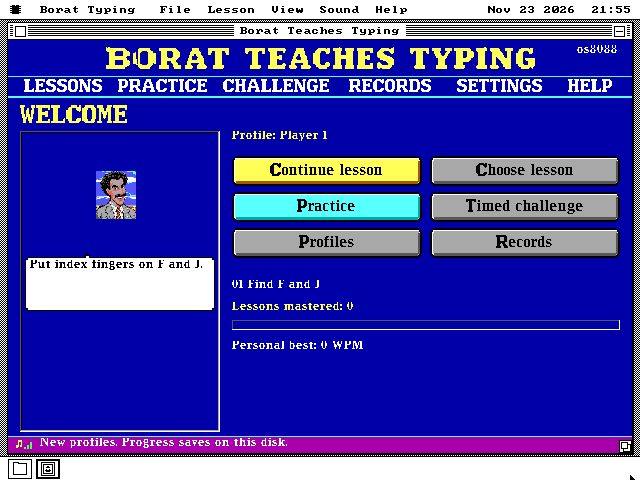
The coach is Borat, the character from the 2006 film, whose portrait reacts to how you type with a face and a line of his own. The jokes never change your score. Four people can keep their own names, records and achievements on the same disk.
02 / On the screen
On the screen
03 / How it works
How it works
A typing tutor has one job that cannot wait: show the key you pressed. On the original 4.77 MHz IBM PC, drawing a whole screen takes seconds, so the program draws only what a key changed, and the key comes first. The letter you typed and the keyboard picture change at once. The counters, the hint line and the portrait are drawn afterwards, one piece at a time, in the moments between keys. On MartyPC, an emulator that runs at the original PC's speed cycle for cycle, every one of 30 keys reached the screen within 78 milliseconds.
The lettering, the pictures of Borat and the keycaps are drawn by the program itself, from artwork packed into the program file. On VGA the portrait is a 96 by 120 picture in 16 colours with several poses, and it blinks and talks. On a PC with 640KB, the program swaps the menu pictures out of memory for the portrait's poses when a lesson starts, and back when it ends.
The layout follows the window. Make it smaller and the program moves to a compact layout. On a CGA screen it can switch to the card's 320 by 200 four-colour mode, which fills the screen. F6 shows any layout full screen.
The music and the sound effects are composed for the program and played on an FM sound card, such as an AdLib or a Sound Blaster, or on the PC speaker. The progress of all four profiles is one 2,136-byte file, written in turn to two copies on the disk, so a failed save never loses the last good one.
04 / What it does not do
What it does not do
It does not fit a RAM disk. The program file is 227KB, so The Wire installs it with Add to Disk, not Load Program.
The counters can lag while you type fast. They are drawn after the keys, so during a quick run they can wait several seconds before they catch up. The figures are right when they appear, and the Results screen has the exact ones.
Only one copy saves. A second copy opens read-only and says so. Progress is saved to the disk the program is on, so that disk must not be write-protected.
05 / Run it
Run Borat Teaches Typing
Get the disk from the release zip, in
PROGRAMS/BORATYPE/, in the size your drive takes. It is also on the everything disk sets and on The Wire.Boot the system disk, put the Borat Teaches Typing disk in drive B and open it.
Double-click
BORATYPE.O88, then press Continue lesson.Rest your index fingers on F and J and type the highlighted letter. Press F1 for help and Escape to pause.