A Microsoft serial mouse driver in 8086 assembly
How it works / Mouse
The whole pointing device stack in os8088 is one file, kernel/mouse.inc:
six writes to a UART, an interrupt handler that decodes three bytes at a time, and a
16x16 arrow that the interrupt handler draws itself. There is no BIOS mouse service to
call on an XT and no driver to load, so the operating system talks to the serial port
directly.
The interesting part is not the protocol, which is forty years old and four paragraphs long. It is that the handler can fire while another program is halfway through programming the VGA, so before it draws a single pixel it asks whether anyone else is drawing.
The wire
| Port | COM1, base 0x3F8 | Hard-coded. There is no COM2 fallback and no autodetection. |
|---|---|---|
| Interrupt | IRQ 4, int 0x0C | Vector at 0000:0030. The BIOS does not service IRQ4, so the handler sends its own end-of-interrupt. |
| Line | 1200 baud, 7N1 | Seven data bits, no parity, one stop bit. Divisor 96, because 115200 / 96 = 1200. |
| Report | 3 bytes | Microsoft protocol. Bit 6 of the first byte is the only thing marking where a packet starts. |
| Report rate | about 44 per second | A 7N1 byte is nine bit times, so 1200 baud is 133 bytes a second, which is 44 three-byte packets. |
| Cursor | 16 x 16, hotspot (0,0) | An 11-row black arrow with a one-pixel white outline, in two drawing passes. |
| Save-under | 192 bytes | 3 bytes wide x 16 rows x 4 VGA planes. Three bytes because a 16-pixel cell at an arbitrary bit offset spans 24 bits. |
| Buttons | 2 | Left and right. The Logitech three-button extension sends a fourth byte, which this driver drops. |
Why a serial mouse
Because in 1983 there was nowhere else to plug one in. The round mouse connector
everybody calls PS/2 arrived with IBM's Personal System/2 in 1987, four years after the
PC/XT. On an XT a mouse is either a bus mouse with its own ISA card and its own IRQ, or a
Microsoft mouse on a serial port. The serial one needs no extra hardware, and it is what
both of the machines os8088 is tested on provide: QEMU emulates one natively with
-chardev msmouse, and the 86Box XT profile sets
mouse_type = msserial.
The consequence is that the OS owns the UART. There is no int 33h mouse
driver underneath -- that is a DOS TSR, and there is no DOS here. The kernel programs the
chip, hooks the interrupt, decodes the bytes, and maintains the pointer position itself.
Six writes and one mask
mouse_init saves the old int 0x0C vector, installs its own, and then
configures the 8250-family UART from scratch. Every write below is in the source, in this
order.
| Port | Value | What it does |
|---|---|---|
| 0x3FB (LCR) | 0x82 | Divisor latch on, plus the 7N1 line setting. |
| 0x3F8 (DLL) | 96 | Divisor low byte. 115200 / 96 = 1200 baud. |
| 0x3F9 (DLM) | 0 | Divisor high byte. |
| 0x3FB (LCR) | 0x02 | Divisor latch off, same 7N1: two word-length bits set to seven, parity off, one stop bit. |
| 0x3FC (MCR) | 0x0B | DTR, RTS and OUT2. The first two power the mouse off the handshake lines; OUT2 is what gates the UART's interrupt onto the ISA bus at all. |
| 0x3F9 (IER) | 0x01 | Interrupt on received data only. No transmit interrupt, no line-status interrupt -- nothing is ever sent to a mouse. |
| 0x21 (PIC mask) | AND 0xEF | Unmask IRQ 4 at the 8259. Everything above happens while it is still masked. |
A mouse powered from DTR and RTS is not a metaphor. There is no power pin on the connector; the mouse runs on the current it can draw from the handshake lines, which is also why raising them is what makes it announce itself.
Three bytes, seven bits each
The Microsoft protocol is a report of three bytes, and because the line is 7N1 there are only seven bits in each of them. Bit 6 is the framing: it is set in the first byte of a packet and clear in the other two. That is the entire synchronization scheme.
          bit    6    5    4    3    2    1    0
byte 0            1   LB   RB   Y7   Y6   X7   X6
byte 1            0   X5   X4   X3   X2   X1   X0
byte 2            0   Y5   Y4   Y3   Y2   Y1   Y0

  LB = left button down      RB = right button down
  X, Y = 8-bit two's complement movement since the last report
  +X is right.  +Y is DOWN.
So each delta arrives split in half: its top two bits ride in the header byte, its low six bits come in a byte of their own. The handler puts them back together and sign-extends the result from eight bits:
x = ((b0 & 0x03) << 6) | (b1 & 0x3F)      ; then sign-extend (cbw)
y = ((b0 & 0x0C) << 4) | (b2 & 0x3F)      ; then sign-extend (cbw)
Note the sign convention. Positive Y is down, which agrees with screen
coordinates and with the browser's movementY, so nothing anywhere in the
system has to negate it. The deltas are added to mouse_x and
mouse_y and clamped to 0..639 and 0..479 -- that clamp is the only reason the
pointer stops at the edge of the screen.
There is no acceleration and no sensitivity setting. One mouse count moves the pointer one pixel, always.
Resynchronizing, and what a dropped byte costs
The handler reads exactly one byte per interrupt and keeps a phase counter: 0 means idle, 1 means the header has arrived, 2 means the X byte has. Any byte with bit 6 set restarts the packet no matter what phase it was in, and a byte that arrives in no valid phase is dropped rather than guessed at.
That rule is why a lost byte on a marginal cable costs one report rather than the stream: the next header realigns the decoder. It is also exactly why the boot sequence has to be careful, which is the next section.
Buttons come from bits 5 and 4 of the header. When the left button changes state the
handler builds an event record -- type EVT_MDOWN or EVT_MUP, the
x and y it just computed, and the current timer tick -- and pushes it on the kernel's event
queue. Stamping the tick in the handler rather than when the UI task gets
around to the event is deliberate: double-click detection compares two clicks against a
9-tick window, and clicks queued up behind a slow floppy mount would otherwise collapse
into one instant and read as a double-click nobody made.
The one-second silence at boot
A real Microsoft mouse introduces itself. When DTR and RTS go high it sends the
character M -- and a three-button Logitech sends M3, and some
later mice send an entire plug-and-play identification string.
M is 0x4D. Bit 6 is set. To a decoder whose whole framing rule is "bit 6
means a packet starts here", the mouse's own name is a movement report with the right
button held down.
So after the MCR write, with the receive interrupt still disabled and IRQ4 still masked
at the 8259, mouse_init sits in a loop polling the line status register and
throwing away every byte that arrives, for 19 timer ticks -- just over a second at the
PC's 18.2065 Hz. That is long enough at 1200 baud for the identification burst to finish.
Only then does it enable the receive interrupt, read the receive, status and
interrupt-identification registers once each to clear anything stale, zero the packet
phase, and unmask the IRQ.
It costs about a second of boot time on a machine that has nothing to discard. It is cheaper than phantom clicks.
The cursor, and its 192 bytes
The arrow is two 16-row bitmaps: a white pass, which is the arrow shape dilated by one
pixel in every direction, and a black pass, the 11-row body, drawn on top of it. That is
what gives a black arrow a white keyline so it stays visible over black pixels. The hotspot
is the top-left corner of the cell, so the drawn position and
mouse_x/mouse_y are the same numbers.
Drawing uses the VGA's Set/Reset register for the color and its Bit Mask register for
the row bits, one masked read-modify-write per byte touched. Since x is not byte-aligned,
each 16-bit row lands somewhere inside a 24-bit window and touches up to three bytes of
video memory per plane. Three bytes, sixteen rows, four planes: CUR_SAVE_SZ is
192, and that buffer holds whatever screen the arrow is currently covering.
Moving the pointer is therefore: write the 192 bytes back where they came from, record the new position, read 192 new bytes out of video memory, draw the arrow. At the right and bottom edges of the screen the cell is clipped, not shifted -- the writes to the second and third bytes of a row are skipped when they would wrap onto the next scanline, and the row count is trimmed at the bottom -- so the pointer really does reach 639 and 479 and visibly runs off the edge, rather than stopping 16 pixels short.
Show and hide are reference-counted through one byte, cur_level, which
starts at -1 because the cursor is hidden until the desktop exists. Only the -1 to 0 edge
draws and only the 0 to -1 edge erases, so nested hides nest correctly, and both critical
sections run under pushf / cli so the interrupt handler can never
observe a half-drawn arrow.
The part that matters: the handler that refuses to draw
An interrupt arrives at an instruction boundary of the kernel's choosing, not of yours. At 1200 baud a fast movement produces about 133 receive interrupts a second, roughly seven per timer tick, and any one of them can land in the middle of another task's rectangle fill with the VGA's Graphics Controller half programmed for somebody else's write.
os8088 has exactly one global drawing mutex, a single byte called
gfx_lock_flag. Task-level code takes it, draws, and releases it. The mouse
handler is not task-level code and cannot take it -- a spin lock inside an interrupt
handler that the lock holder can never make progress against is a hang. So it does the
other thing:
    ; mou_isr, the movement path
    cmp byte [gfx_lock_flag], 0   ; is anyone else drawing?
    jne .dirty                    ; then do not touch a pixel
    mov al, [cur_level]
    or  al, al
    js  .dirty                    ; cursor hidden: same answer
    ...                           ; restore, save under, draw
.dirty:
    mov byte [cur_dirty], 1       ; the next unlock catches up
The new coordinates are already stored -- they were updated before any of this, and they are what menus and window drags poll. All that is skipped is the drawing.
The catch-up lives in the lock itself, and the ordering is binding in both directions:
gfx_lock:                        gfx_unlock:
  ...spin on the flag...           call cursor_show
  mov byte [gfx_lock_flag], 1      mov byte [gfx_lock_flag], 0
  sti                              ret
  call cursor_hide
  ret
Taking the lock hides the arrow, so the drawing that follows is never composited against
cursor pixels and never saves them into someone's save-under buffer. Releasing it shows the
arrow before clearing the flag, so cursor_show redraws at the
newest position while the unlocking task still owns the screen. Swap those two lines and
there is a window, a few instructions wide, in which the handler is allowed to draw over a
screen another task has already started painting. That single rule is what keeps the arrow
from smearing a trail of 16x16 rectangles across a half-drawn window.
What the lock deliberately does not do is stop pre-emption. A task that finds it held yields its timeslice and retries, so clocks keep ticking and balls keep bouncing during a window drag; they block only at the moment they try to draw. That is the scheduler side of the same story.
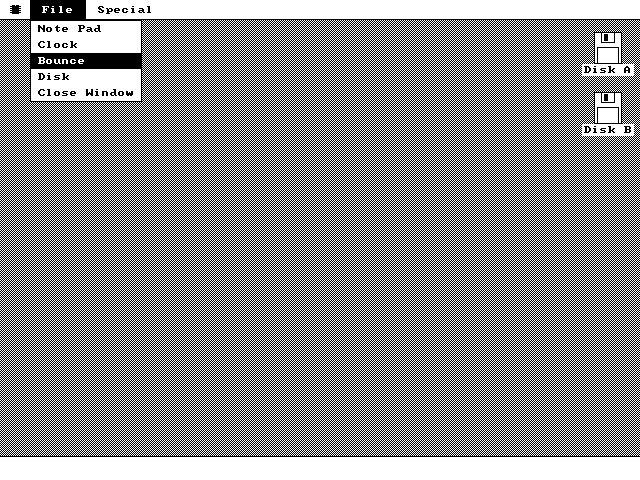
mouse_x, mouse_y
and mouse_btn straight out of the handler's variables, which the interrupt
keeps fresh underneath it.What this driver does not do
- Two buttons. The Logitech extension signals a middle button with a fourth byte; this decoder treats it as a stray byte and drops it. There is no wheel, because the protocol as implemented has nowhere to put one.
- COM1 only. 0x3F8 and IRQ 4 are constants. There is no scan of the other serial ports, no bus mouse support, and no PS/2 support -- the machine this targets has no PS/2 controller to support.
- No detection. If nothing is plugged in, no bytes arrive, the arrow sits in the middle of the screen where the position variables are initialized, and the system never notices or complains. Keyboard input still reaches the front window; you just cannot move anything.
- No acceleration curve, no configuration. Counts map to pixels one for one, and there is no Control Panel page to change it.
The same three bytes, in JavaScript
The browser demo has no serial port and no mouse hardware, and it does not need either.
The page turns each pointer event into the same three bytes described above and hands them
to the emulated UART on COM1, one byte at a time because the handler reads exactly one byte
per interrupt -- including the M, when the guest raises DTR and RTS and the
driver starts its one-second silence. The kernel booting in that tab is the same image you
can write to a floppy, and it cannot tell the difference between a synthesized packet and a
mouse.