Screenshots

Every image on this page is a screendump of os8088 actually running: 640x480, exactly the pixels the VGA card was putting on the screen, captured in an emulator by a Python script that moves the mouse, holds menus open and types on the keyboard over a control socket. None of it is a mockup, a redraw or a photo of a monitor. The interface itself is strictly black and white -- the only color in the whole system is Minesweeper's numbers and flags.

The desktop's flat gray is not a color. VGA mode 12h has one, and os8088 does not use it: the desktop is a one-pixel checkerboard, white where x+y is even and black where it is odd, which averages to gray at arm's length and resolves into a dither when you zoom in. The parity is anchored to absolute screen coordinates rather than to the rectangle being filled, so a repainted patch always seams invisibly into the pattern around it.

The desktop

The boot sector, the menu bar, and the two gestures the whole interface is built out of.
After boot
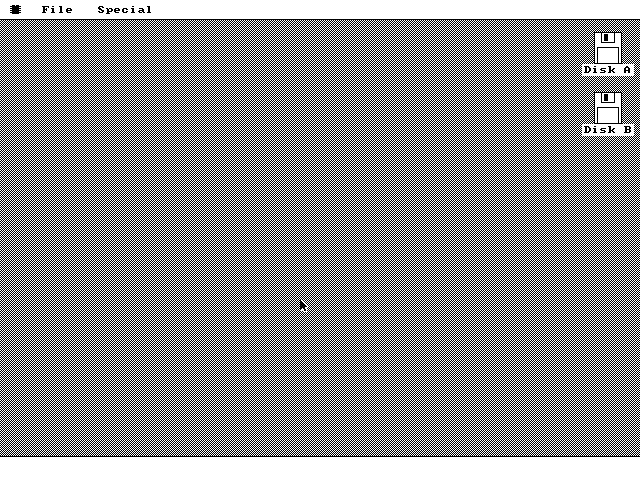
A 640x480 black and white desktop: a white menu bar across the top carrying a chip logo, File and Special; a dithered gray desktop below it; floppy icons labelled Disk A and Disk B down the right edge; an arrow cursor in the middle; and an empty white strip along the bottom.
Nothing is running here. This is the whole system at rest, a few seconds after the 512-byte boot sector loaded the kernel and jumped to it. There is a floppy icon for each drive the machine actually reports through the BIOS equipment word, not one for each drive it might have. The dock strip along the bottom is empty because the instance table is empty -- os8088 launches nothing at startup, so what you see is the desktop with zero programs open.
File menu, mid-gesture
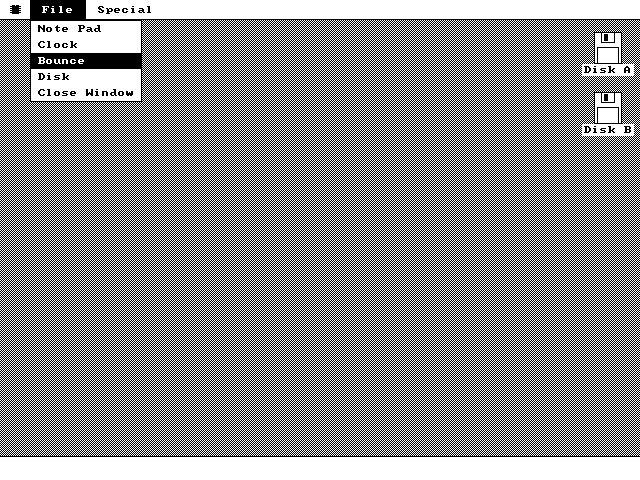
The File title in the menu bar drawn white on black, with a pull-down open beneath it listing Note Pad, Clock, Bounce, Disk and Close Window. Bounce is highlighted white on black under the pointer.
A menu is only on screen while the button is held down. Press in the menu bar, drag through the items, release on the one you want -- the item under the pointer inverts as you pass over it, and here that is Bounce. There is no spare copy of the screen to restore from afterwards, so the pixels behind the pull-down are copied into a 64KB save-under segment at 2000:0000 and put back the instant you let go. The whole gesture runs inside one routine that reads the mouse position live from the interrupt handler's variables.
Dragging a window
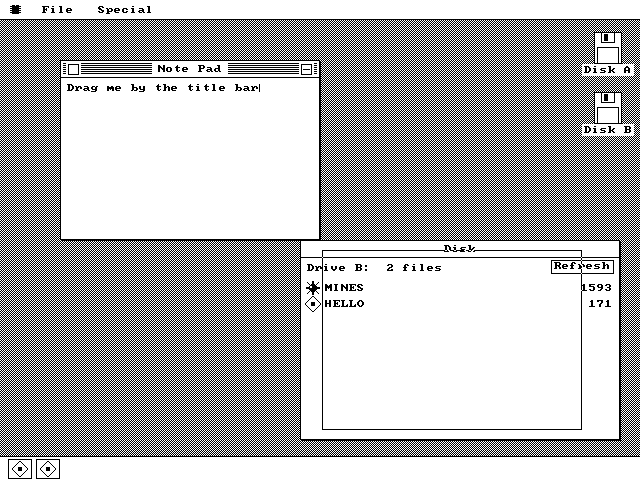
A Note Pad window at the top left reading Drag me by the title bar, still in place, while a hollow one-pixel rectangle the same size is drawn down and to the right across a Disk window listing MINES and HELLO. Two tiles sit in the dock at the bottom left.
The window has not moved. A title-bar drag caught halfway through: the Note Pad is still where it was, and a hollow one-pixel outline of its frame is tracking the pointer across the Disk window underneath. The outline is drawn in XOR mode, so erasing it is the identical operation to drawing it -- you can see it inverting the Disk window's own title text where it crosses. It is toggled off and on once per timer tick, which is the only moment the drawing lock is allowed to drop, so the clocks and balls behind it keep getting their turn.
Drag and release
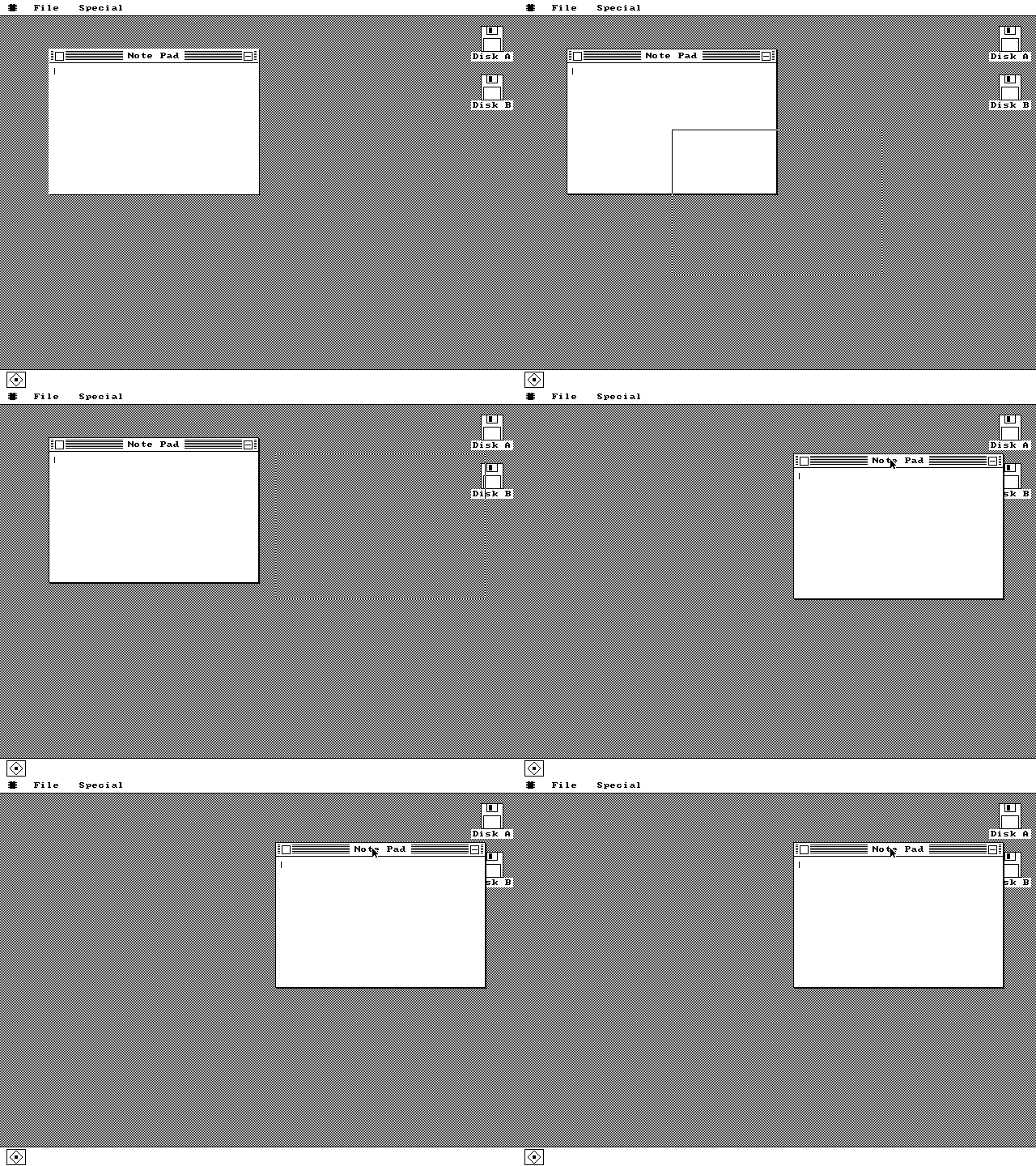
Animation: a one-pixel rectangular outline is dragged across the desktop while the Note Pad window stays still, then the window disappears from its old position and reappears at the outline's position when the button is released.
The window jumps to the outline on release. This is the authentic 1984 behavior, and it is not nostalgia: repainting a 260x180 window on every mouse report at 4.77MHz was never affordable, so the drag moves a rectangle and the window is drawn once, at the end. The window manager's obscured test counts the one-pixel drop shadow as part of the rectangle, so a window knows it needs repainting even when only its shadow was covered.

Applications

The kernel carries seven built-in apps; four of them are here: Note Pad, Clock, Bounce and About. Clock and Bounce own a scheduled task each; Note Pad and About do not, and exist purely as callbacks.
Note Pad
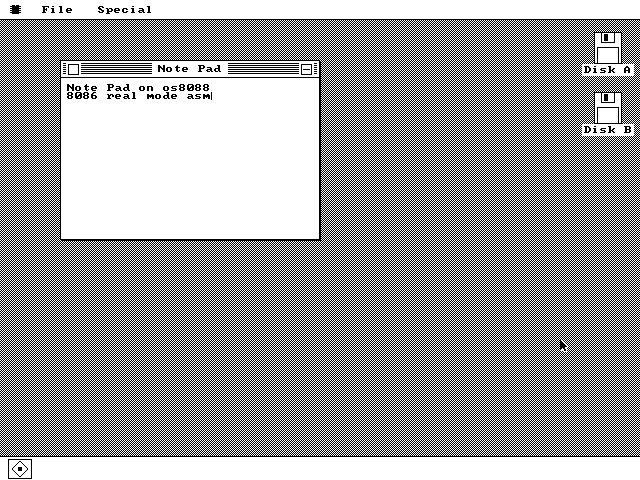
A Note Pad window with a striped title bar, a close box and a minimize box, containing two typed lines: Note Pad on os8088, and 8086 real mode asm, with a one-pixel caret after the last character. One tile sits in the dock.
Keystrokes reach the frontmost window and nowhere else. Two lines typed on the emulated keyboard, wrapped in the window's 258-pixel content area, with the caret sitting after the last character. Each Note Pad instance gets its own 512-character buffer and two can be open at once with completely separate text. Note Pad owns no task at all -- it is a paint proc and a keypress proc that the kernel calls on the UI thread, which is why the Task Manager has to time those calls specially to give it a CPU reading.
Five windows, five instances
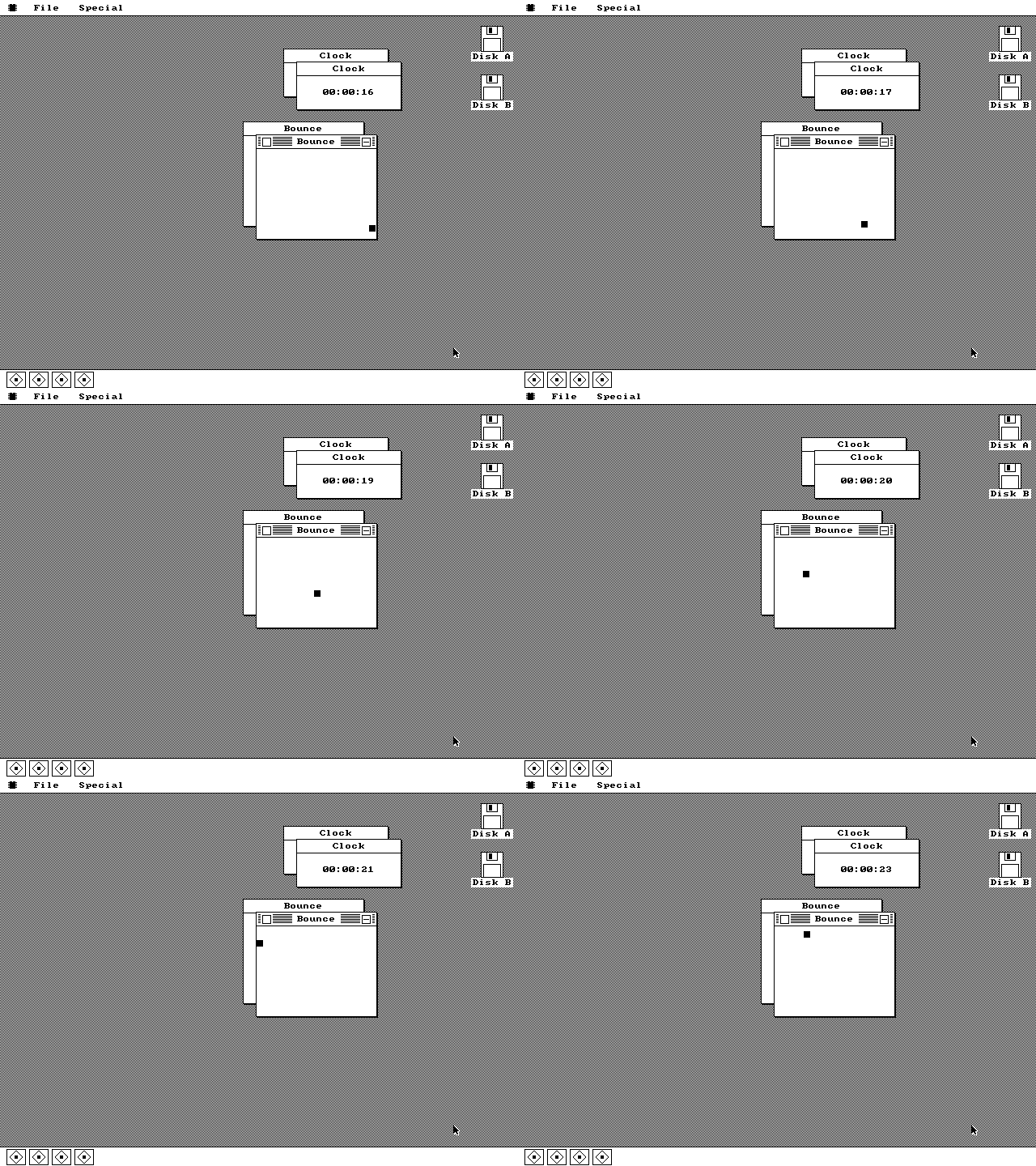
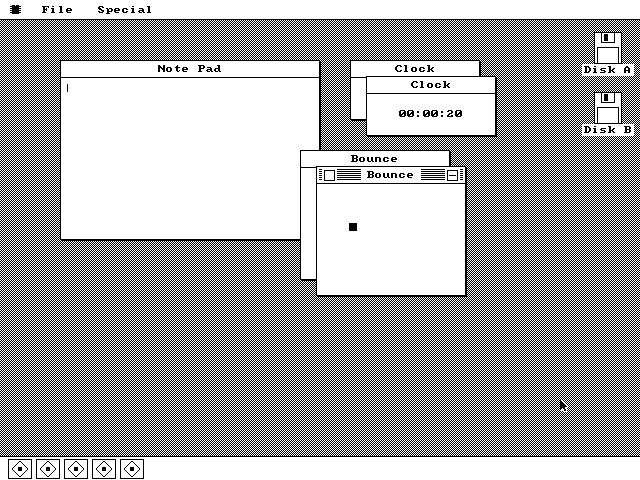
Five overlapping windows on the desktop: a wide empty Note Pad, two Clock windows offset from each other with the front one reading 00:00:20, and two Bounce windows with a small black square inside the front one. Five icon tiles fill the dock at the bottom left.
Every app can run several times over. A Note Pad, two Clocks and two Bounces, each a separate record in the instance table, each cascaded sixteen pixels down and right from the previous copy of its kind so they do not stack exactly. Clock allows ten instances, Bounce ten, Note Pad two, Control Panel one; ask for one past the limit and the existing window comes forward instead of failing quietly. Every instance gets a dock tile, and the tile's position is its table slot.
Four tasks at once
Animation: two Clock windows counting seconds upward and two Bounce windows with a black square ricocheting off the walls inside them, all moving at the same time, with four tiles in the dock.
Nothing here cooperates with anything else. Two clocks keeping time and two squares bouncing, simultaneously, with no scheduling logic in any of them. Each Clock task sleeps nine ticks and wakes to redraw twice a second; each Bounce sleeps two and steps its 8x8 square three pixels across and two down. The timer interrupt fires 18.2065 times a second, pushes nine registers, swaps the stack pointer and returns into whichever task is next -- about thirty instructions, because everything shares one 64KB segment.
About os8088
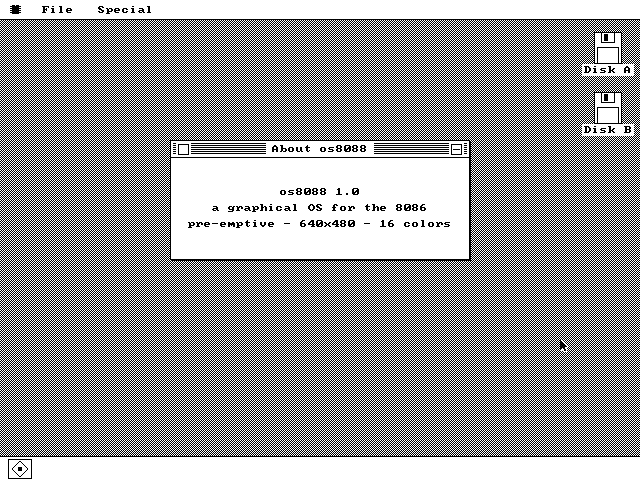
A small centered window titled About os8088 containing three centered lines: os8088 1.0; a graphical OS for the 8086; pre-emptive - 640x480 - 16 colors.
The third line is not a string constant. The word pre-emptive is rendered from the kernel's live scheduler byte every time the box paints, so the About box, the Control Panel and the Task Manager structurally cannot disagree about which scheduler is running. Flip the Control Panel to Cooperative, reopen this, and the line reads differently. About is capped at one instance: choosing it again brings this window forward.

The system

os8088 watches itself, configures itself, and keeps a tile for everything it is running.
Task Manager
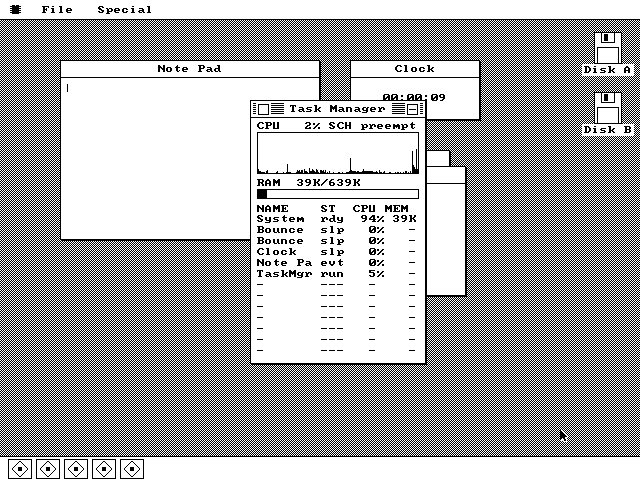
A tall Task Manager window over a Note Pad and a Clock. It reads CPU 2% SCH preempt, shows a history graph with a spiky trace swept across almost its full width, RAM 39K/639K with a short black bar, and a table headed NAME ST CPU MEM listing System rdy 94% 39K, Bounce slp 0%, Bounce slp 0%, Clock slp 0%, Note Pa evt 0% and TaskMgr run 5%, followed by empty rows of dashes.
A system monitor, with its history graph filled. The graph takes one sample every nine ticks into a 160-column ring, so a full sweep across the window is about eighty seconds of history. The 2% at the top is a load gauge: the monitor task spins yielding the CPU and measures how quickly it gets it back, calibrated against a rolling maximum, so an idle machine reads near zero. The percentages in the rows are raw cycle shares, which is why System -- the row that absorbs the UI task's idle polling -- holds 94%. Note Pa reads evt because it has no task; its callbacks are timed at the call site and the cycles are moved off the kernel's tally rather than copied, so the rows still partition one total.
Control Panel
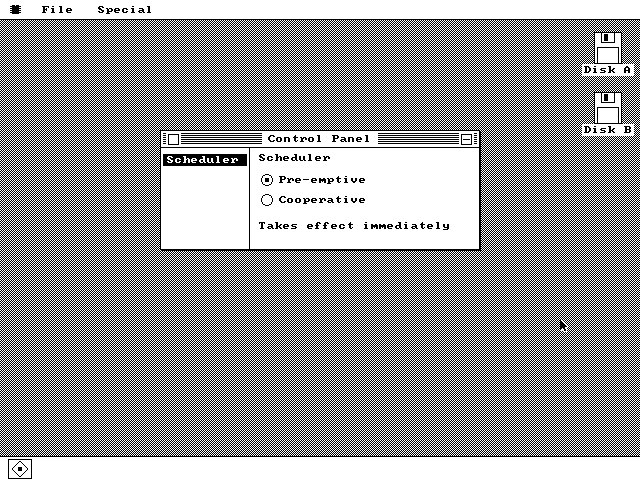
A Control Panel window split into two panes by a vertical rule. The left pane lists one item, Scheduler, drawn white on a black bar. The right pane is headed Scheduler and has two radio buttons, Pre-emptive selected and Cooperative empty, above the caption Takes effect immediately.
One byte of kernel state, and three windows that agree about it. The settings pane keeps no copy of the scheduler mode: it reads the kernel's mode byte every time it draws. Takes effect immediately is literal -- click Cooperative and the very next timer tick declines to switch tasks, with no restart and no handshake, because both modes share the same task table, the same stacks and the same register frame. Cooperative is not a trap: an eighteen-tick watchdog, about one second, forces a switch anyway if a task stops handing the CPU back.
The dock, with two windows minimized
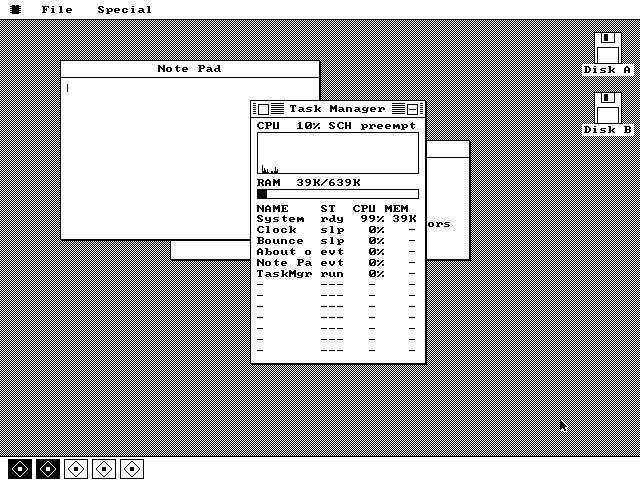
The Task Manager open over a Note Pad and a partly hidden About box, reading CPU 10% and listing System, Clock, Bounce, About o, Note Pa and TaskMgr. In the dock along the bottom five tiles sit side by side; the first two are drawn inverted, white icons on black, and the other three are black on white.
Two of these five programs are not on screen. Clock and Bounce were sent to the dock with the minimize box in their title bars, and their tiles draw inverted so you can see at a glance what is hidden; clicking one brings the window back exactly where it was. Minimized is not stopped -- the Task Manager still lists both, and the Clock is still counting, it only skips drawing, since painting pixels nobody can see is not free at 4.77MHz. Tile position is pinned to the instance-table slot rather than packed left to right, so closing one program leaves a gap instead of sliding every other tile out from under your cursor.

Loadable software

Programs live on a second floppy in os88fs, a read-only format built for this and nothing else. Two ship with the project: MINES and HELLO.
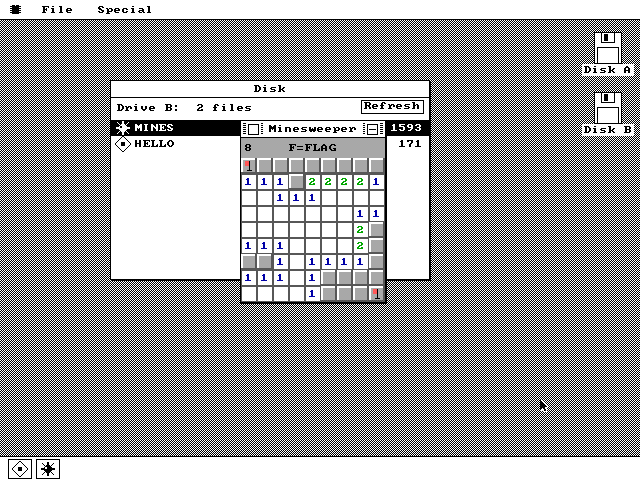
Disk
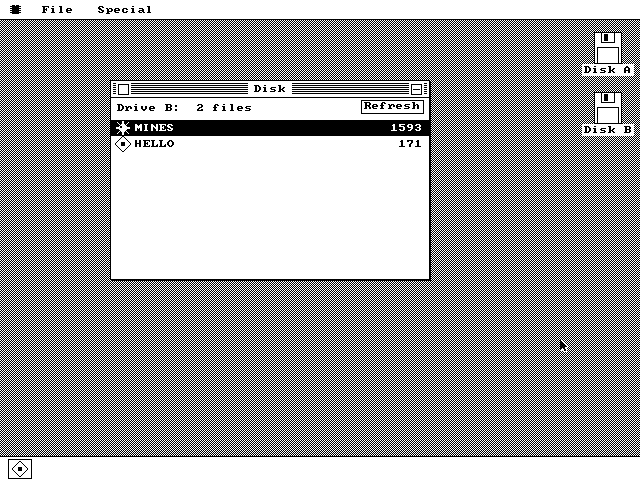
A Disk window headed Drive B: 2 files with a Refresh button at the top right. Two rows below it: MINES, 1593 bytes, with a small mine icon, drawn white on a black selection band, and HELLO, 171 bytes, with a generic application icon.
A file manager reading a floppy, on an 8086. The software disk mounted on drive B:, with each file's name, size and its own icon, and the selected row drawn as an inverted band. The icons come off the disk itself -- os88fs keeps a table of 16x16 icons in four dedicated sectors, one entry per file -- so the list can show a program's real icon without loading the program. Every path into this window remounts unconditionally, so there is no cached directory to go stale when you swap disks; Refresh re-reads it, and A, B and R do the same from the keyboard.
Minesweeper
A Minesweeper window over the Disk window. Its status strip reads 8 on the left and F=FLAG in the middle. Below is a 9 by 9 grid of gray beveled cells, many opened to white with blue 1s and green 2s in them, and two red flags on covered cells.
1,593 bytes off a floppy, running like a built-in. Double-clicking the MINES row loaded it, relocated it and opened its window; from then on its paint, key and click procs are ordinary near pointers the kernel calls exactly like a built-in's. The counter reads 8 -- ten mines less two flags -- and F=FLAG means flag mode is on. The board cannot kill you on move one: mine placement is deferred until that click lands and then steered away from the cell. The flood fill that opens an empty region uses an explicit 81-entry queue rather than recursion, because the calling task's whole stack is 1,536 bytes. This board is also the only place in the system that uses more than two colors.
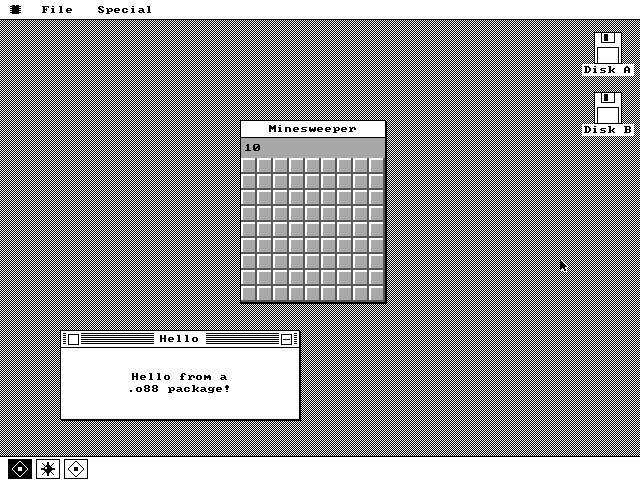
Two packages resident at once
A Minesweeper window with a fresh 9 by 9 board of covered gray cells and the counter reading 10, above a smaller window titled Hello containing the text Hello from a .o88 package. Three tiles in the dock: an inverted one, a mine icon and a generic application icon.
Two independently relocated programs, side by side. MINES and HELLO came off the same floppy into different parts of the 20,480-byte pool at offsets 0xA000-0xEFFF, each patched to run where it landed. The relocation list is built by assembling every package twice, at two bases 0x800 apart, and diffing the results: a word that went up by 0x800 is an address, a word that went down is a call into the kernel. HELLO is 171 bytes on disk -- 151 bytes of program and 10 relocation entries -- and exists to prove the generic-icon fallback. The Disk window that launched them both is minimized; its tile is the inverted one at the left of the dock.

See it move

Screenshots are the wrong medium for a system whose whole argument is that several things happen at once. The browser demo boots the same floppy image these were taken from, and the download page has the images for QEMU, for 86Box and for a real XT.