VGA mode 12h: 640x480, four bit planes, no back buffer
How it works · Graphics
Every pixel os8088 puts on screen goes through one file: kernel/vga12.inc,
1,036 lines of 8086 assembly that talks to the VGA's Graphics Controller and Sequencer
directly. Two BIOS calls are made at boot -- one to set the mode, one to fetch a font -- and
after that nothing is asked of anybody. No driver layer, no library, and -- the decision
everything else follows from -- no off-screen copy of the screen.
What follows is how a fill, an outline and a character actually reach the display, and what the hardware does that makes it affordable on a 4.77MHz 8088.
What "planar" means, concretely
If you have only ever drawn into an RGBA byte array, the mental model is: one pixel is
some consecutive bytes, and pixel (x, y) lives at y * stride + x * 4.
Write four bytes, you have written one pixel. Mode 12h does not work like that at all.
A mode 12h pixel is four bits, an index into a 16-entry palette. Those four bits
are not next to each other. They live in four separate one-bit-per-pixel bitmaps called
planes, and all four planes answer to the same address. The byte at
A000:0000 is eight pixels wide, not one pixel deep: bit 7 of that byte is
pixel 0's contribution from whichever plane you happen to be reading. Read the address four
times with the card set to a different plane each time and you get four different bytes.
Write to it once, with the right registers armed, and the card writes all four.
So a scanline of 640 pixels is 80 bytes -- per plane. And the address of a pixel is
y * 80 + x / 8, with x & 7 telling you which bit inside the
byte. That single fact shapes the whole module: bytes are eight pixels, so a
rectangle whose left edge is not a multiple of 8 has ragged ends that need different
handling from its middle.
| Resolution | 640 x 480 | Square pixels on a 4:3 display, and the highest resolution a stock VGA offers in 16 colors. |
|---|---|---|
| Colors | 16 | Four bits per pixel, one bit from each plane. The OS chrome uses two of them. |
| Framebuffer | A000:0000 | All four planes at the same address. Which planes a read or write reaches is a register setting, not an address. |
| Bytes per scanline | 80 | 640 pixels divided by 8 pixels per byte. ROW_BYTES in the source. |
| Bytes per plane | 38,400 | 80 x 480. It fits inside one 64K real-mode segment, so there is no bank switching anywhere in the driver. |
| All four planes | 153,600 | What a single off-screen copy of the screen would cost. |
Why there is no back buffer
The machine has 256K of RAM. A back buffer is 153,600 bytes. That is more than half the machine handed to one copy of one screen, before the kernel, the task stacks, the window records or a single loaded program. It does not fit, and it would not have been worth it if it did: at 4.77MHz, copying 153,600 bytes to video memory takes far longer than drawing the handful of rectangles that actually changed.
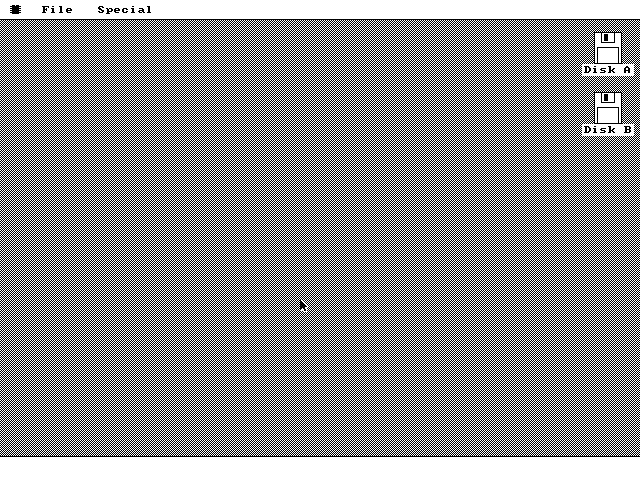
So os8088 composites live, on the visible display, exactly as the 1984 Macintosh did. The practical consequences are visible in the demo and they are not hidden here:
- You can watch a window repaint. A full
wm_paint_allredraws the desktop dither, the icons, the dock, the menu bar and every visible window back to front, and on period hardware that is slow enough to see happen. - There is no compositor, so there is no free "restore what was underneath". Anything that covers pixels temporarily has to either save them first or use an operation that is its own inverse. os8088 does both, in different places.
- Two tasks drawing at once would interleave register writes to the same card and produce garbage, so drawing is serialized by a single lock.
Set/Reset and Bit Mask do the work
Filling a rectangle by computing four planes' worth of bytes in software would be hopeless. The VGA has hardware for exactly this, and it is the reason a 16-color fill costs the same as a 2-color one.
Set/Reset is a four-bit color latched in a register. With Set/Reset enabled on all four planes, the byte the CPU writes is ignored as data: each plane instead takes its bit from the Set/Reset register. One write to one address paints eight pixels in all four planes, in one bus cycle. Arming it is six instructions:
vga_set_color:                  ; register saves elided
    mov dx, VGA_GC              ; 0x3CE, the Graphics Controller index port
    mov ah, [gfx_color]
    xor al, al
    out dx, ax                  ; GC0: Set/Reset value = the color
    mov ax, 0x0F01
    out dx, ax                  ; GC1: enable Set/Reset on all four planes
The Bit Mask handles the ragged ends. It says which of a byte's eight pixels a write is allowed to change; the rest are written back with whatever was already there. "Whatever was already there" comes from the card's latches: reading a byte loads all four planes of it into the latches, and the following write merges masked bits from Set/Reset with unmasked bits from the latches. Hence the shape of every masked write in the module -- a read immediately before the write, whose value is thrown away:
    mov ah, [vga_lmsk]          ; the left edge's bit mask
    mov al, 8
    out dx, ax                  ; GC8: Bit Mask
.lcol:
    mov al, [es:di]             ; the read exists only to load the latches
    mov [es:di], al             ; AL is ignored; Set/Reset supplies the color
    add di, ROW_BYTES
    dec si
    jnz .lcol
A solid fill is therefore three passes: the left edge column, masked; the right edge
column, masked; and the interior, which is whole bytes, so the mask goes to 0xFF
and the latches stop mattering and the whole run becomes one rep stosb per row.
A rectangle narrow enough to sit inside a single byte gets the two masks ANDed together and
takes only the first pass.
| Register | What os8088 does with it |
|---|---|
| GC 0 -- Set/Reset | The color, 0..15. Every solid fill, line and glyph sets it. |
| GC 1 -- Set/Reset Enable | 0x0F: all four planes take their bit from GC0 instead of from the CPU byte. |
| GC 3 -- Function Select | 0x18 is XOR against the latches; 0x00 is plain replace, and is the documented resting state. |
| GC 4 -- Read Map Select | Which plane a read returns. Walked 0, 1, 2, 3 by gfx_save. |
| GC 8 -- Bit Mask | Which of the byte's eight pixels a write may touch. 0xFF is the resting state. |
| SEQ 2 -- Map Mask | Which planes a plain CPU write reaches. gfx_restore puts back one plane at a time through it. |
The gray is arithmetic, not a color
The desktop background is gfx_fill_gray, which ignores the current color
entirely. With Set/Reset off and the Map Mask open, the byte the CPU writes lands in all four
planes, so each 1 bit becomes white and each 0 bit black. Write 0xAA on even
rows and 0x55 on odd ones and you get a one-pixel checkerboard: pixel
(x, y) is white when x + y is even.
The parity is anchored to absolute screen coordinates, not to the rectangle being filled. That is what makes it usable as a repair operation: when a window moves away or a desktop icon is deselected, the patch of dither painted back over the hole lines up seamlessly with the dither around it, because both were computed from the same coordinates.
XOR: the operation that undoes itself
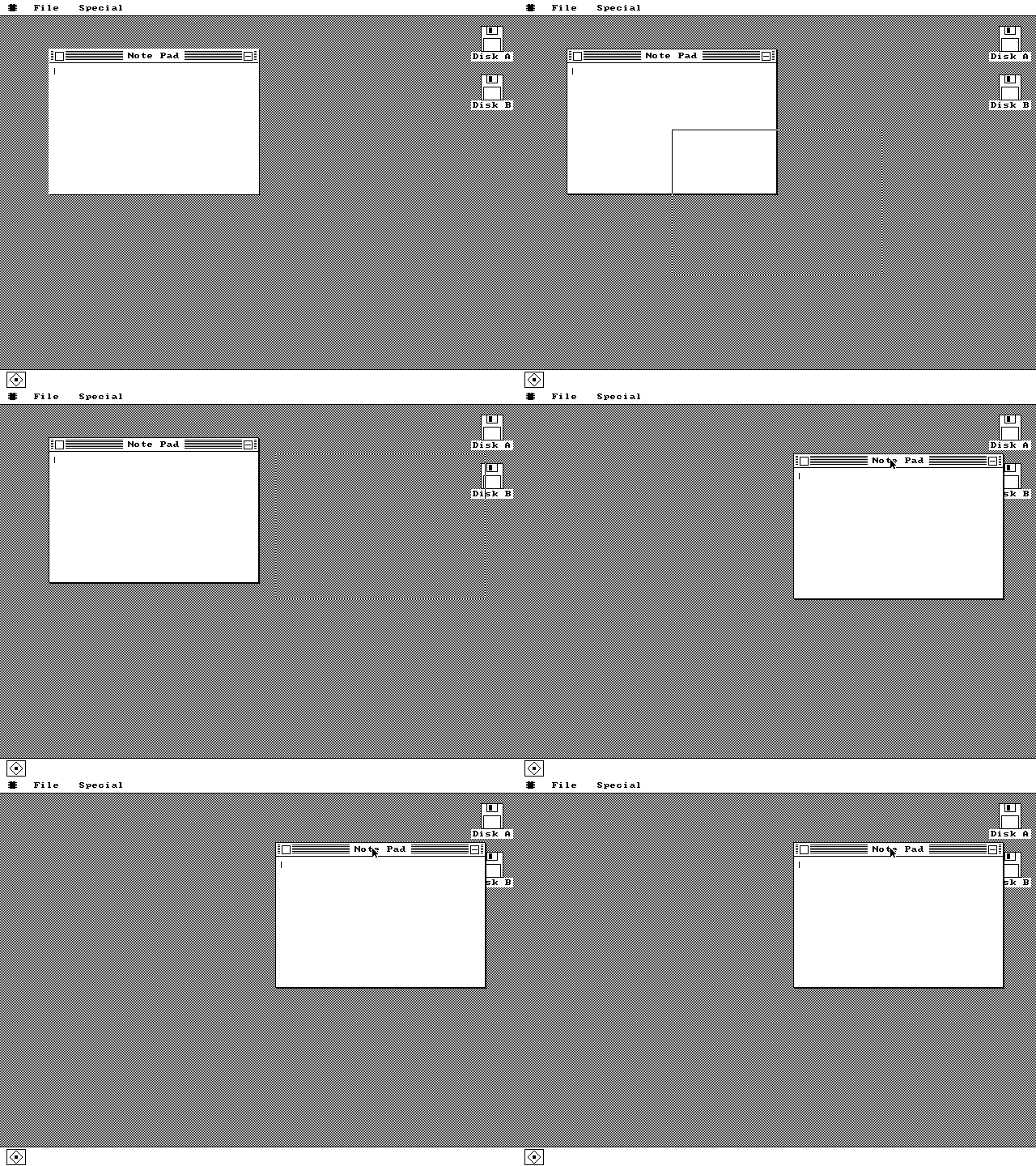
Set the Function Select register to XOR and the card combines what you write with what was already in the latches instead of replacing it. Write the color 15 in XOR mode and every pixel you touch flips: black becomes white, white becomes black, and the four-bit color of anything else inverts. Do it a second time and the screen is bit-for-bit what it was before.
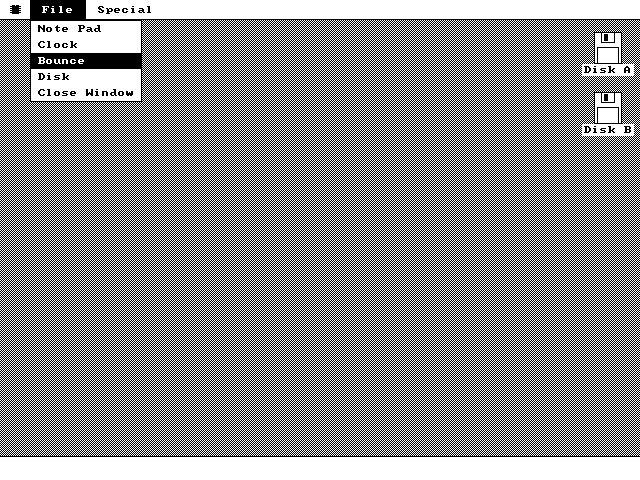
That is the whole trick behind two of the interface's most Macintosh-feeling behaviors, and it is why they behave the way they do rather than some other way. A drag outline and a menu highlight both need to cover arbitrary existing pixels and then give them back. With no back buffer, XOR gives them back for nothing: no save buffer, no repaint of what was underneath, no knowledge of what was underneath at all.
The latch rule. XOR combines the CPU write with the
latches, so every target byte -- including whole interior bytes that need no bit
mask -- must be read immediately before it is written. That rules out rep stosb
for XOR fills entirely, which is why gfx_xor_fill has a per-byte inner loop
where gfx_fill has a string instruction. Forgetting this does not fail loudly;
it XORs against whatever byte was latched last and paints noise.
One lock for the entire screen
Pre-emption can take the CPU away from a task between any two instructions, including
between the out that arms Set/Reset and the write that uses it. Two tasks
halfway through programming the same Graphics Controller is not a race you can paper over
afterwards -- the pixels are already wrong.
os8088 does not lock per window or per object. There is one byte, gfx_lock_flag,
and it guards the entire display. A task calls gfx_lock before a drawing burst
and gfx_unlock after it. Three properties are worth stating plainly:
- A blocked task yields, it does not spin.
gfx_locktests the flag with interrupts off; if another task holds it, it re-enables interrupts and callstask_yieldbefore trying again. Spinning would burn a whole timeslice at 4.77MHz to accomplish nothing. - The lock does not stop pre-emption. A blocked task is still a scheduled task: it is held up at the instruction where it asks for the card, not for the duration of somebody else's drag. That is why the clocks keep counting while you hold a menu open.
- Public drawing routines assume the caller already holds it. They do not take it themselves, and it is not reentrant -- a routine that re-acquired the lock it is already holding would deadlock against itself. Window paint callbacks are called with the lock held and must not touch it.
The one thing on screen that is not drawn by a task is the mouse cursor, which the serial mouse's own interrupt handler draws. An interrupt can fire while a task is inside the lock, mid-draw, so the handler checks the flag first and defers if it is held. How the cursor and the lock stay out of each other's way is its own page.
Text: the OS ships no font
There are no glyph bitmaps in the kernel image. At boot, after the mode switch,
font_init calls int 10h with AX=1130h and
BH=03h, which asks the video BIOS for a pointer to the card's own ROM 8x8
character set, and copies part of it into RAM. Not all of it: glyphs 32 to 126 only, 95
glyphs at 8 bytes each, 760 bytes total. The line-drawing characters, the accented letters
and the control-code glyphs of code page 437 are left in ROM, because nothing in the
interface uses them.
Drawing a character is the Bit Mask trick again, with the glyph row as the mask. Set/Reset holds the text color; each of the eight rows of the glyph is loaded as the bit mask, and the read-before-write leaves every pixel the glyph does not cover exactly as it was. Text is therefore transparent by construction -- it composites onto whatever is underneath, with no background rectangle and no second pass.
A glyph starting at an x that is not a multiple of 8 straddles two bytes. The row is
widened into a 16-bit window and shifted right by x & 7, which hands you
both bytes' masks at once; the routine then does one masked write for each byte that has any
bits in it.
The consequences are worth being honest about. One face, one weight, one size: 8x8, with 8 pixels of advance per character and no kerning or proportional widths anywhere. A character outside 32..126 draws nothing while the pen still advances, so it reads as a space. A glyph that would cross the edge of the screen is skipped whole rather than clipped. And because emphasis cannot be done with a bolder weight that does not exist, the interface does it by inverting -- the same XOR fill the menus use.
When XOR will not do: saving pixels
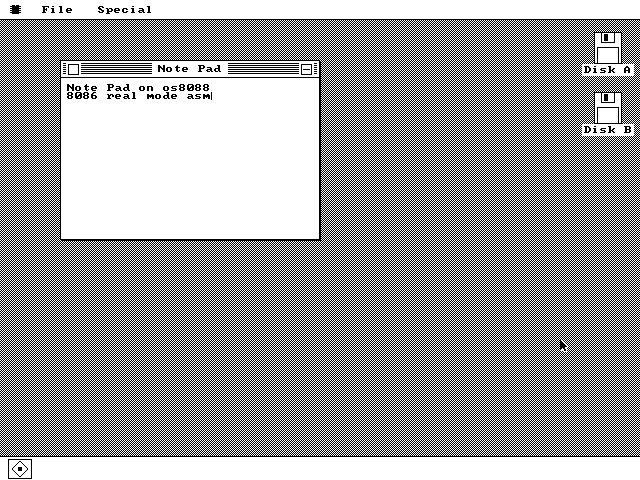
A pull-down menu covers text with an opaque white box. XOR cannot help there, so those
pixels are copied out and put back, which on a planar card means four passes.
gfx_save selects each plane in turn through the Read Map Select register and
rep movsbs the rows into a buffer; gfx_restore writes them back one
plane at a time through the Sequencer's Map Mask, with Set/Reset off so the CPU bytes land
verbatim. The buffer is plane 0's rows, then plane 1's, then 2, then 3.
The cost is ((x2/8) - (x1/8) + 1) * rows * 4 bytes, and callers can ask for
that number with gfx_save_size before committing. The menu code puts its
save-under in a 64K scratch segment at 2000:0000, well clear of the kernel's own
segment; the mouse cursor's save-under is 192 bytes -- 3 bytes wide, 16 rows, 4 planes --
and lives in the kernel. Those two are the only save-unders in the system. Everything else
either owns its pixels or inverts them.
Sixteen colors, and the interface uses two
Mode 12h offers 16 colors and the kernel's own chrome uses black and white. Not as a stylistic pose: a 1-bit interface is what makes the drop shadow, the pinstripes and every inversion legible on a monochrome monitor as well as a color one, and it makes XOR inversion a meaningful state indicator rather than a color scramble. There are no gradients, no tints and no antialiasing anywhere in the kernel.
The other 14 colors are reachable -- gfx_color takes any index 0..15, and the
package SDK exposes it -- but only applications use them.
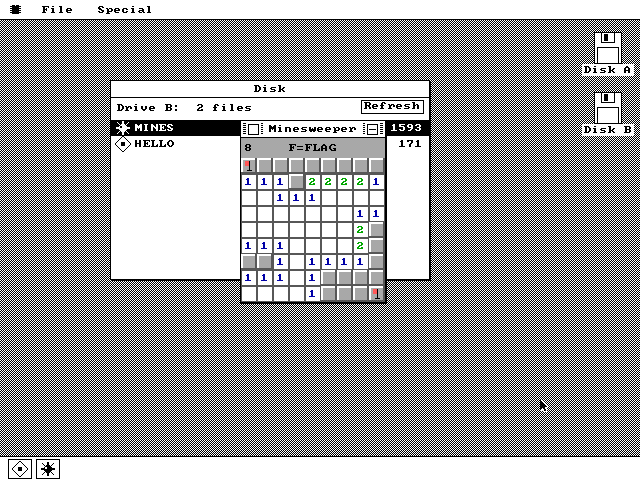
gfx_fill the black-and-white chrome uses, with a
different byte in gfx_color.Leave the hardware as you found it
There is no driver layer underneath these routines to re-establish anything, and the VGA's state is global. If a routine returns with the Function Select register still set to XOR, the next unrelated fill anywhere in the system silently inverts instead of painting -- and the bug surfaces in whichever module happened to draw next, which is never the one that caused it.
So the module has a documented resting state, and every public routine restores it before
returning: Set/Reset enable off, Bit Mask 0xFF, function replace, rotate 0, Map
Mask 0x0F, Read Map Select 0, write mode 0. One helper,
vga_gc_reset, does the first three, and it is the last thing called on every
exit path -- including the ones that bailed out early because a rectangle clipped to
nothing.
What the drawing layer cannot do
- The primitives are a pixel, a horizontal line, a vertical line, a filled rectangle, a one-pixel frame, a dithered fill, an XOR frame, an XOR fill, and 8x8 text. There are no diagonal lines, no curves, no polygons, no scaling and no general blit.
- Clipping is to the screen, and only to the screen. Nothing clips to a window's content
rectangle, so a program that draws outside its own window draws over its neighbours. The
system's answer is a convention rather than a mechanism: background tasks ask
wm_obscuredwhether they are covered, under the lock, and skip the update if they are. - There is no dirty-rectangle tracking and no damage list. A window that needs to come back triggers a full repaint of everything behind and in front of it.
- There is no vertical-retrace synchronization, so a large fill can be caught halfway by the electron beam. On a 4.77MHz machine there was no budget to wait for retrace.
All of it, including the font handling and the save/restore paths, is 1,036 lines of
vga12.inc plus 211 of font.inc, inside a 14,376-byte kernel.