Questions about os8088
What the machine has to be, what the system will not do, and how to get it running. The numbers below come from the build and from the source, not from memory; where something has not been tested, this page says so instead of implying otherwise.
Is this DOS?
No. There is no DOS underneath os8088 and it cannot run DOS programs. The floppy
carries its own boot sector, and os8088 owns the machine from the first instruction:
512 bytes of bootstrap read a 14,376-byte kernel into memory at 1000:0000, the kernel
switches the VGA into mode 12h and draws a menu bar. Nothing in the machine answers an
int 21h call, because nothing in the machine is DOS.
A .COM or .EXE file is therefore just bytes to it. os8088
has its own program format, its own read-only filesystem and its own set of 26 kernel
calls. A DOS program expects a program segment prefix, a command tail and DOS's
interrupt services; it would find none of the three.
There is no command line either, anywhere in the system. The only text you can type goes into a Note Pad window or into Minesweeper.
What hardware does it need?
An Intel 8086 or 8088, 256KB of RAM, a VGA display adapter, at least one floppy
drive, and a Microsoft-protocol serial mouse on COM1. Nothing newer than the 8086
instruction set is used anywhere: the kernel is assembled with cpu 8086
and the build runs NASM with -w+error, so a single newer instruction is
a build failure rather than a surprise on real hardware.
| CPU | Intel 8086 or 8088 | A faster x86 runs it too, in real mode. It gains nothing from one. |
|---|---|---|
| RAM | 256 KB | The kernel and its static buffers take 38,977 bytes; loaded programs share a 20,480-byte pool above that. |
| Video | VGA, mode 12h | 640x480 in 16 colors. CGA, MDA and EGA cannot do this mode; EGA stops at 640x350. |
| Mouse | Microsoft serial, COM1 | 0x3F8 on IRQ 4, three bytes per report at 1200 baud. Required, not optional. |
| Keyboard | Any PC keyboard | Read through BIOS int 16h, for typing into windows. It is not a way to drive the menus. |
| Drives | One floppy, two to be useful | A: boots; B: holds the software disk. No hard disk, no CD, no network boot. |
The mouse really is a requirement. Every launch path in the system goes through the menu bar, and the menu bar is press-drag-release with a pointer. With no mouse you get a desktop, no cursor, and no way to open anything.
VGA is the one anachronism, and it is worth stating plainly: VGA shipped in 1987, nine years after the 8086, and mode 12h is a VGA mode. But 8-bit ISA VGA cards existed and did work in XTs, so an XT with a VGA card is a legitimate if slightly fancy period configuration rather than an impossible one. The 86Box machine this is tested against uses an Oak OTI-067, an 8-bit ISA card.
Does it run on a real IBM PC/XT?
It has been verified on an emulated IBM PC/XT in 86Box. It has not been tested on physical hardware.
That distinction is the whole answer, so here is the detail. Every change is
regression-tested in QEMU, which is the only environment run routinely. The 360KB
images boot in 86Box on a stock XT configuration -- machine = ibmxt, an
8088 at 4,772,728 Hz, 256KB of RAM, the Oak OTI-067 VGA card and a Microsoft serial
mouse -- and the XT screenshots on this site came from there. Nobody has yet written
the images to 5.25" media and booted an actual XT with them.
There is no known reason it would not work. The instruction set is mechanically restricted to the 8086, the 360KB boot sector is assembled with 9 sectors per track and 2 heads baked in, the BIOS calls used are the ordinary int 10h, int 13h, int 16h and int 11h ones, and the mouse code drives a bare 8250 UART. But no known reason is not a test, and this page is not going to claim one. If you boot it on iron, the repository would like to hear about it either way.
One further caveat: the 86Box configuration file checked into the repository was written by hand against 86Box's documentation, and 86Box rewrites its own preference keys when it exits. The machine described above is what it produces; the file is not authoritative.
How do I try it?
Boot it in your browser, or download the floppy images and hand them to an emulator. The browser demo runs the same bytes that are on the disk image, in an emulated PC, with no download and nothing to install. The download page has 360KB images for 86Box and period hardware and 1.44MB images for QEMU, plus the exact QEMU command line.
One thing to know before you click: menus are press-drag-release, the way they were on a Macintosh. Hold the button down in the menu bar, drag onto the item you want, then let go. A single click opens nothing.
Can I save files?
No. os88fs, the filesystem on the software floppy, is read-only, and nothing os8088 does writes to a disk. The Note Pad keeps its text in a 512-byte buffer in RAM, one per instance, and that text is gone when you close the window or turn the machine off.
The disk code reads sectors and does not write them: one sector per BIOS call, three attempts with a controller reset between them, so a marginal floppy produces an error message instead of a hang. There is no directory writer, no free-space map and no allocation of any kind on disk, because a read-only format needs none of them. The filesystem's entire metadata is 7 sectors: a superblock, two sectors of 32-entry directory, and four sectors holding one 16x16 icon per file.
Why is there no memory protection?
Because the 8086 has none to offer. There is no MMU, no page tables and no privilege levels; segment registers relocate addresses but they do not protect anything, and any instruction can write to any address in the first megabyte. Memory protection on this CPU is not a feature that was left out, it is hardware that does not exist.
What os8088 does with that is go all the way in the other direction. The kernel, every task and every program loaded from floppy run in one single 64KB segment, with CS, DS and SS all set to 0x1000 -- the tiny model. The price is stated honestly: a buggy program can scribble over the window manager, and nothing will stop it or even notice. What it buys is the thing the whole design rests on. Because no segment register ever changes, a context switch is pushing nine registers, storing the stack pointer, loading the next task's stack pointer and returning from the interrupt -- about thirty instructions. A loaded program's paint routine is an ordinary near call, indistinguishable from a built-in's. On a 4.77MHz machine, that trade is what makes pre-emption affordable at all.
Why does the desktop look gray?
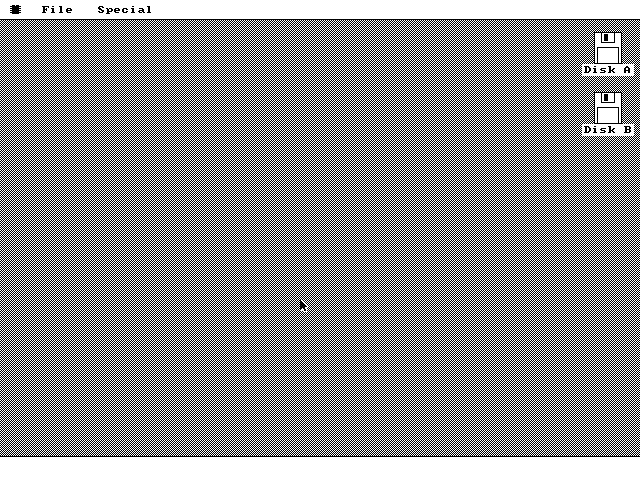
It is not gray. It is a one-pixel checkerboard of pure black and pure white: pixel (x,y) is white when x plus y is even and black when it is odd. At 640x480 on a monitor your eye averages it to about 50 percent gray, which is exactly the trick the original Macintosh used for its desktop. Zoom into any screenshot on this site and the checkerboard is right there.
The fill routine writes the byte 0xAA on even scanlines and 0x55 on odd ones, and it derives the pattern from each pixel's own screen coordinates rather than from the corner of whatever rectangle it was handed. Nothing is stored and there is no pattern table to consult, which is why repainting the hole a window left behind costs one fill and shows no seam.
Can I write my own programs for it?
Yes. Programs reach the operating system through a table of 26 kernel calls at a pinned address, and two example packages ship in the source tree. You write one in NASM against that table, assemble it as a flat binary, stamp it with the packaging tool, write it to a software floppy, and double-click it in the Disk window.
The 26 entries cover drawing primitives, text, window creation, the timer tick, yielding and sleeping, the mouse position and a pseudo-random generator. They live at fixed offsets starting at 0x0010 and the build asserts both the start offset and the table's exact length, because that layout is a binary interface and it must not drift under programs that were assembled against it.
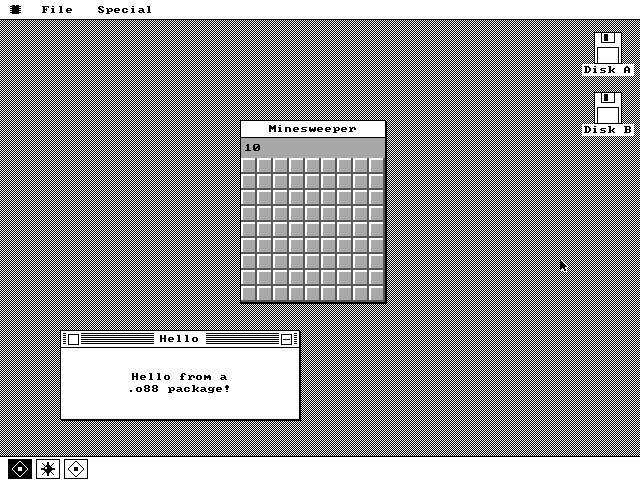
The two examples bracket the range. HELLO is 171 bytes on disk -- a complete windowed application in 151 bytes of code plus 10 relocation entries -- and exists to prove the smallest possible use of the interface. Minesweeper is 1,593 bytes, with a 9x9 board, flood fill, flag mode, colored numbers and its own embedded icon.
What is it written in, and how big is it?
Hand-written real-mode NASM assembly: 11,239 lines, no C, no linker and no runtime library. The assembled kernel is 14,376 bytes. With every buffer it statically reserves included, the whole operating system occupies 38,977 bytes of RAM, which must stay below offset 0xA000 where loaded programs begin. There are currently 1,983 bytes of headroom.
| Kernel image | 14,376 bytes | Scheduler, window manager, VGA driver, mouse driver, file manager, loader, Task Manager, Control Panel. |
|---|---|---|
| RAM footprint | 38,977 bytes | Code plus static data. 16,896 of it is task stacks: eleven of them at 1,536 bytes each. |
| Boot sector | 512 bytes | The build fails if it assembles to anything else, because a boot sector is one sector by definition. |
| Source | 11,239 lines | Boot sector, 19 kernel modules, the SDK header and the two example programs. |
| Largest package | 1,593 bytes | Minesweeper, including a 109-entry relocation table and a 16x16 icon. |
These are build outputs, not estimates. The kernel reassembles byte-for-byte identical
from a clean checkout, and kernel.asm ends with an assertion that fails the
build the moment the footprint crosses 0xA000 and starts eating the program pool.
Is it finished? Will it get networking, sound or a hard disk?
It is usable and it is not finished, and there is no roadmap. What exists works: pre-emptive multitasking, overlapping windows, pull-down menus, the dock, a file manager, loadable programs, a Task Manager and a Control Panel. Networking, sound, hard disk support and writing to disks do not exist and none of them are being worked on.
Each of those would be a real piece of work rather than a switch to flip. A hard disk means an XT controller's own BIOS and a writable filesystem, which os88fs is not. Sound on this machine means the PC speaker driven from a timer channel, competing for the same interrupt that runs the scheduler. Networking means a period ISA card and a driver for it, written from scratch, in a system with 1,983 bytes of headroom left below the program pool.
This is a hobby project. If any of that appears it will be because it was interesting to build, not because it was promised here.
How is it licensed?
MIT. Read it, clone it, build it, fork it, take routines out of it and use them in something else, commercial or not -- the only condition is that you keep the copyright notice. The full text is in the LICENSE file. Nothing third-party is vendored into the operating system, so there is no second license hiding in the tree. The emulator and the font used by this website are a separate matter, covered on the colophon.
How do I report a bug?
Open an issue at github.com/jggonz/os8088. A screenshot helps more than a description, because the whole machine is 640x480 and one image shows the entire state of the system.
Worth including: which emulator and version, which image you booted (360KB or 1.44MB), and what you clicked immediately before it went wrong. If it is a drawing bug, say whether a Clock or a Bounce window was running at the time -- background tasks paint under a shared drawing lock, and that is where most drawing bugs turn out to live.
Why is it called os8088?
The 8088 is the processor in the IBM PC and the PC/XT: an 8086 with an 8-bit external bus, so it has the same registers and the same instruction set and fetches memory half as fast. The kernel is assembled for the 8086 instruction set and runs unchanged on either chip, so the name is about the machine being targeted, not about a chip-specific code path.
The small chip in the menu bar is that machine's processor, drawn by hand. It is an
11x11 bitmap in kernel/menu.inc: a seven-pixel-wide DIP package body with an
orientation notch at the top and four pins down each side, one 16-bit word per row. It is
also the leftmost menu title -- pull it down and you get About os8088, the Control Panel
and the Task Manager -- and it is this site's logo, up in the corner, drawn from the same
eleven words.
Something not answered here
The architecture, in as much detail as you want it, is on the how it works pages. The screenshots page shows every surface the system has. Everything else is in the source.