IBM 5150
Desktop, 1981
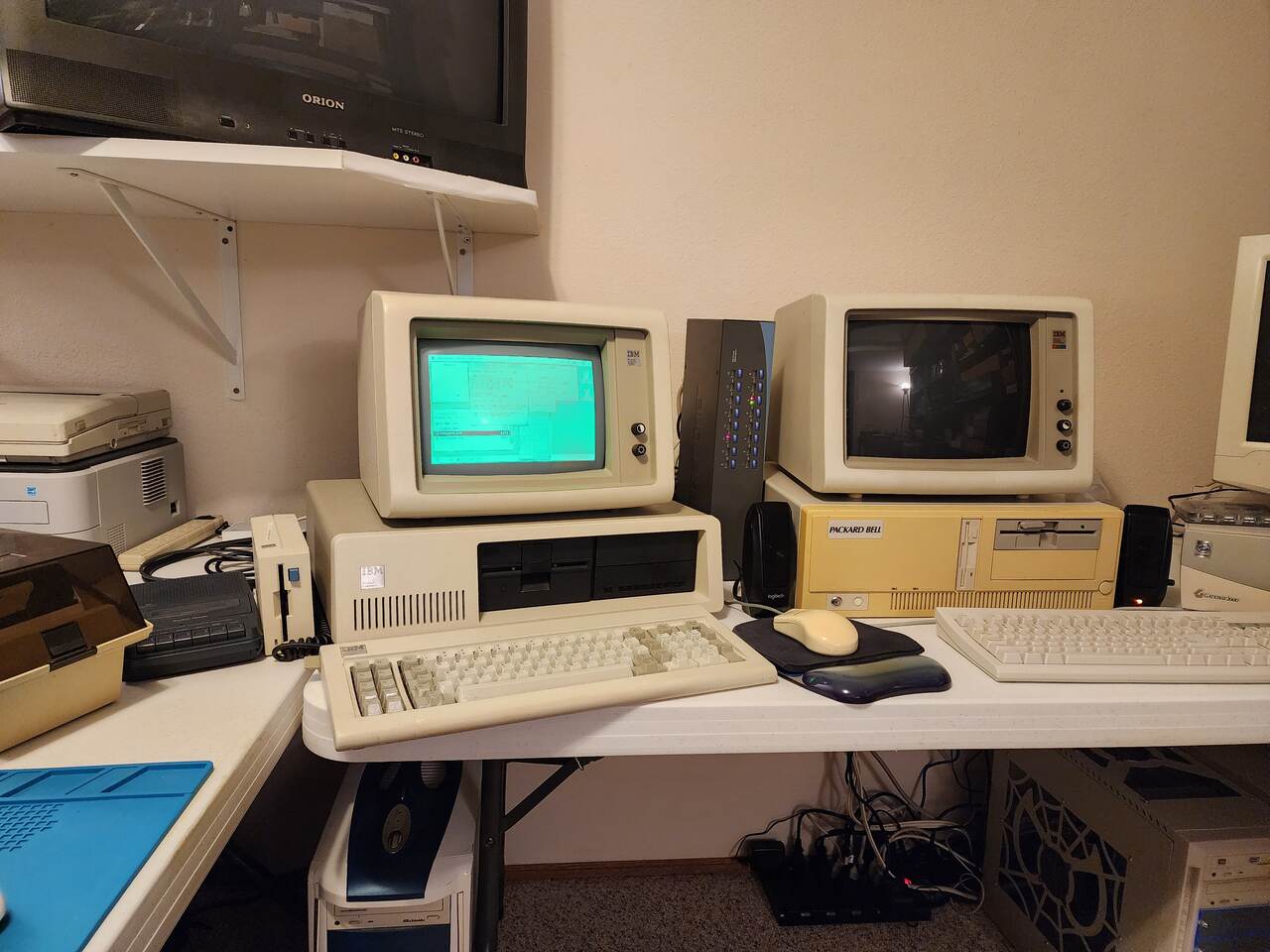
The 1981 IBM Personal Computer. This one boots os8088 from a 360K floppy onto a green IBM 5151, carries the desktop across to a second monitor in CGA, and plays video with its sound from the PC speaker.
os8088 on real hardware
See it running
View all photos & details- CPU
- 8088, 4.77MHz
- display cards
- Hercules GB101, CGA
- monitors
- IBM 5151, IBM 5153
- boot drive
- Tandon, 360K
- hard disk
- Seagate ST-225, 20MB
- sound
- PC speaker, 6500Hz
Manuals & resources
All sources & referencesRunning os8088?
Share photos of your setup with the community. Open a GitHub issue and attach your images.
Submit your photos on GitHubHistory, photos & source references
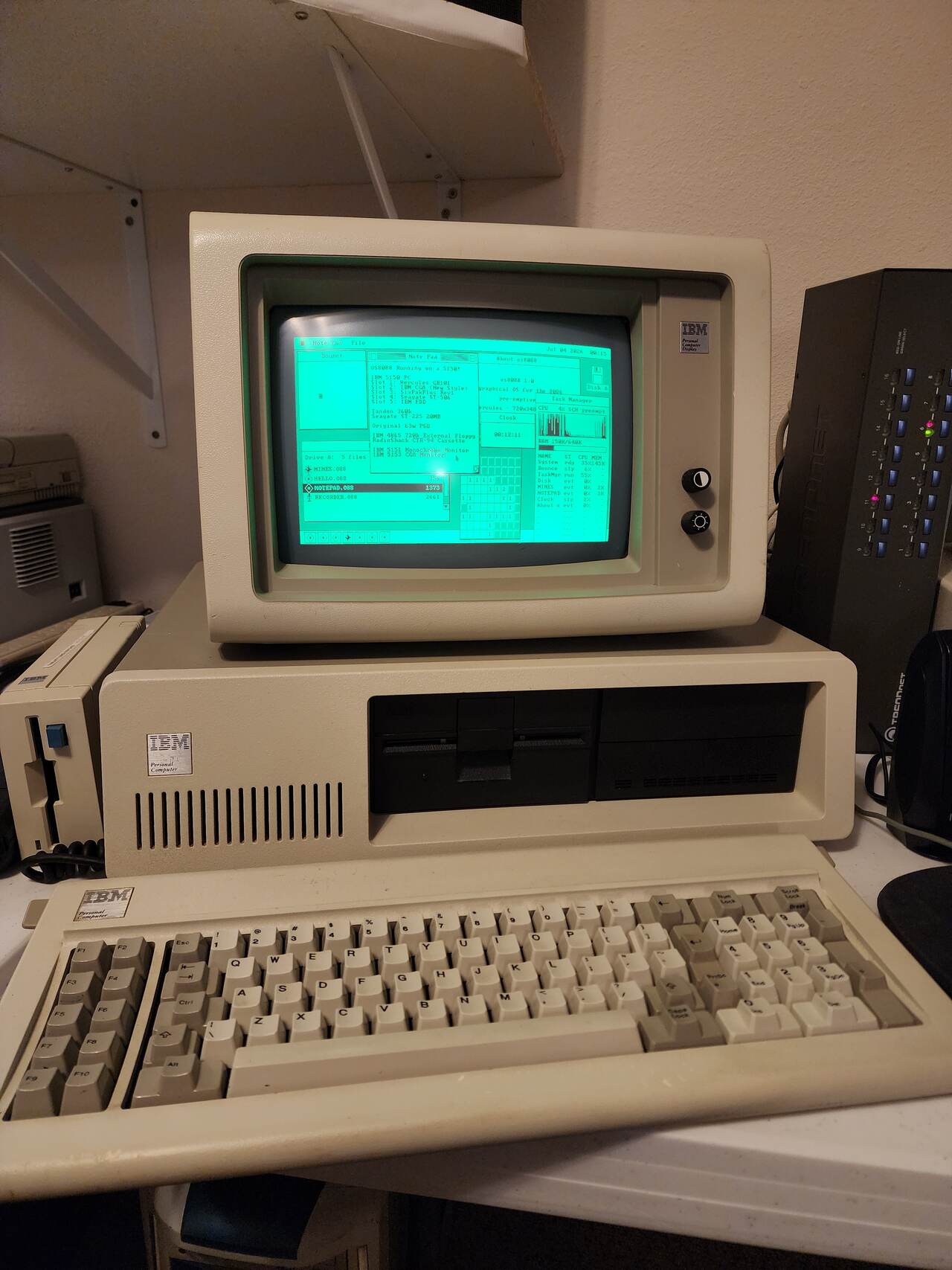
Two display cards, and os8088 takes the Hercules
720x348 on a green 5151, off one 360K floppy.
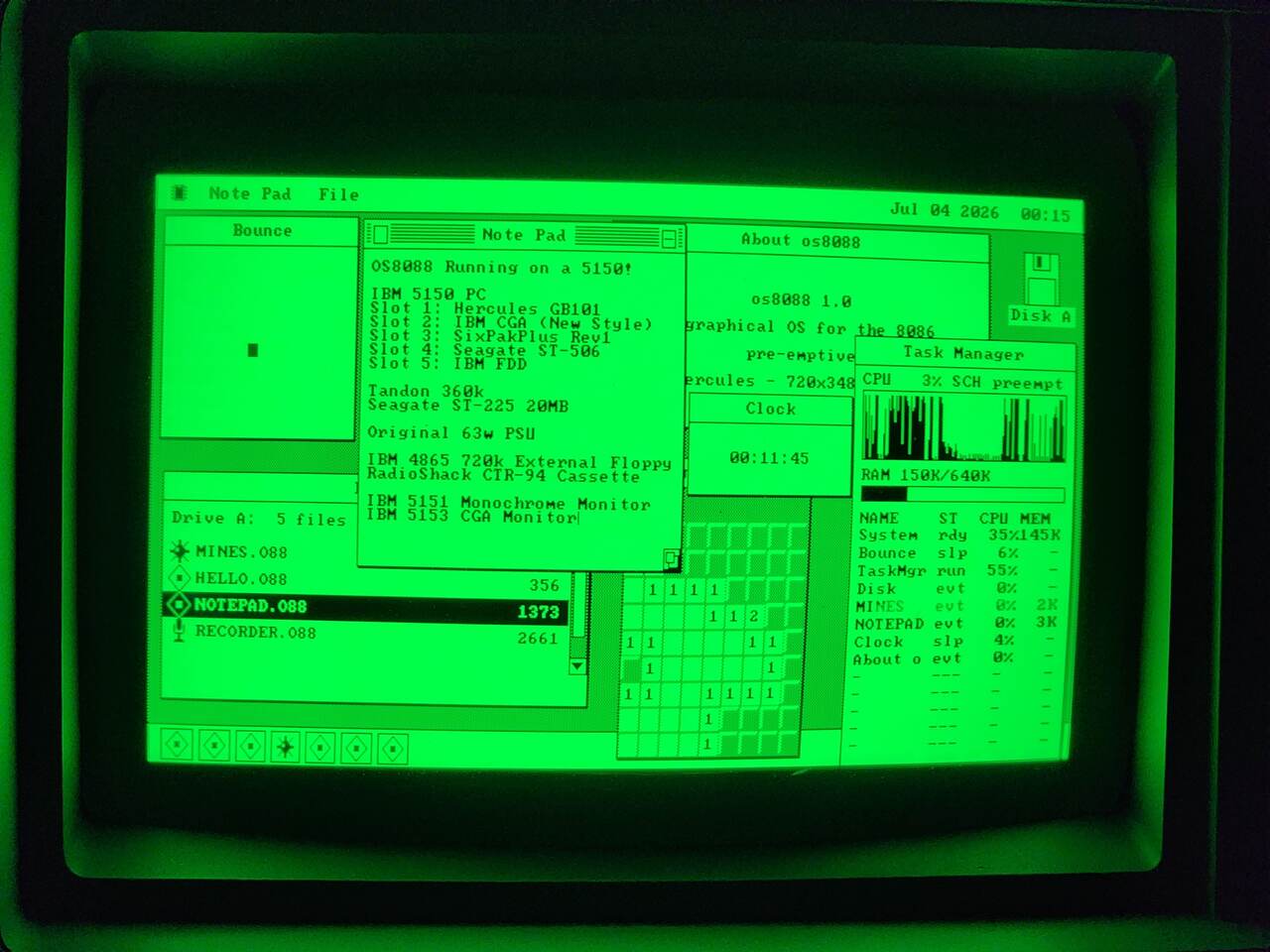
Hercules - 720x348, and the Task Manager reads 3% with six programs
open.
Both cards at once, and a soundtrack with no sound card
Hercules on the 5151, CGA on the 5153, one desktop.
Here both display cards are in use, joined into one desktop across the two monitors. There is no sound card. The Video Player plays the soundtrack through the PC speaker, switching it on and off faster than the cone can settle, and that alone takes about 70% of the processor. Drawing frames and reading ahead off the hard disk into 640K of RAM share the rest; a frame that is not finished in time is cut.
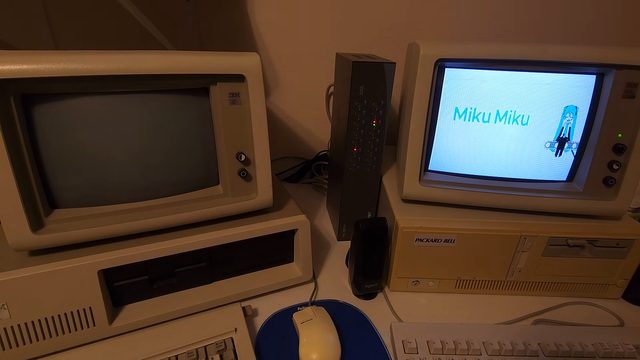
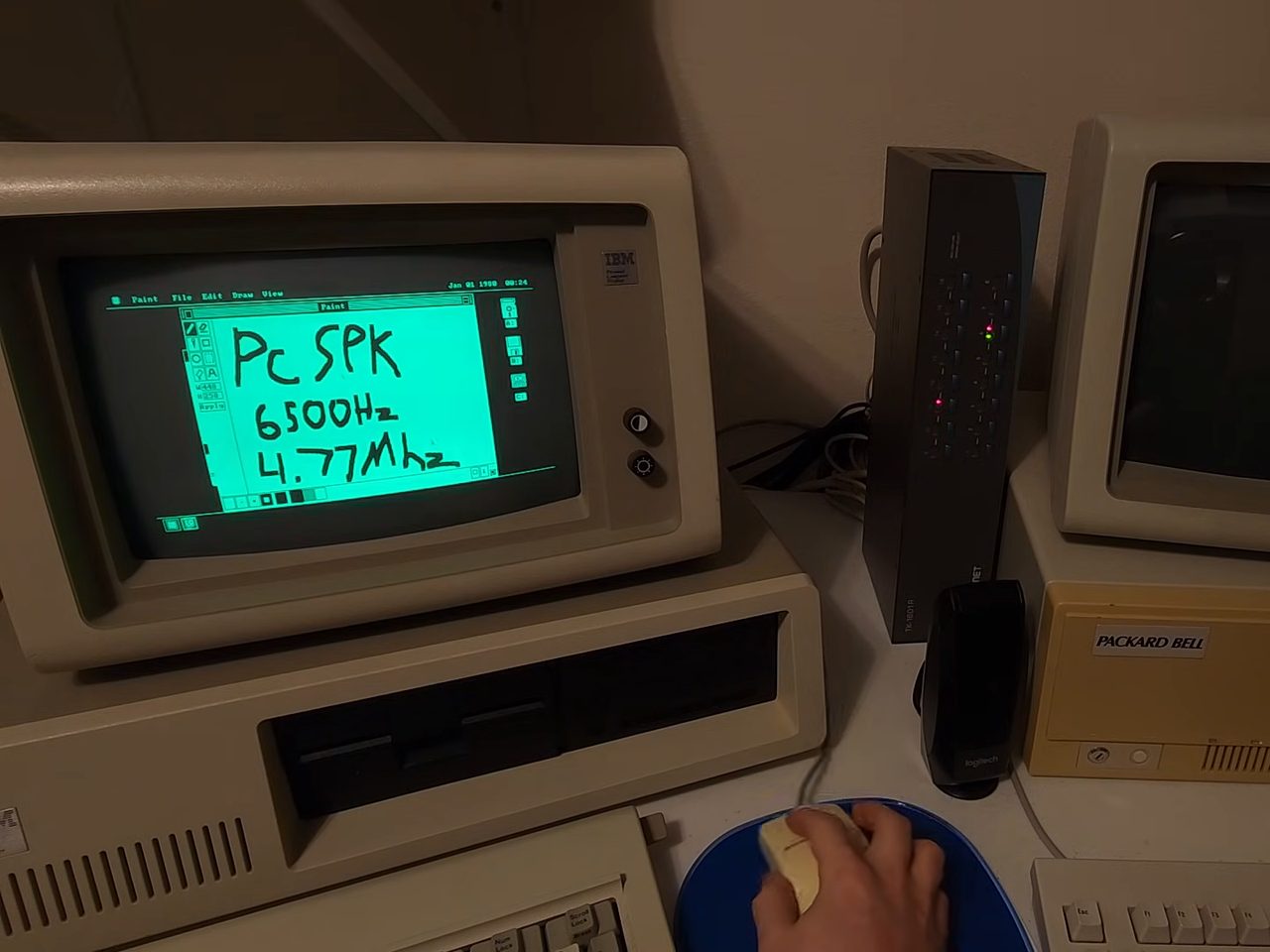
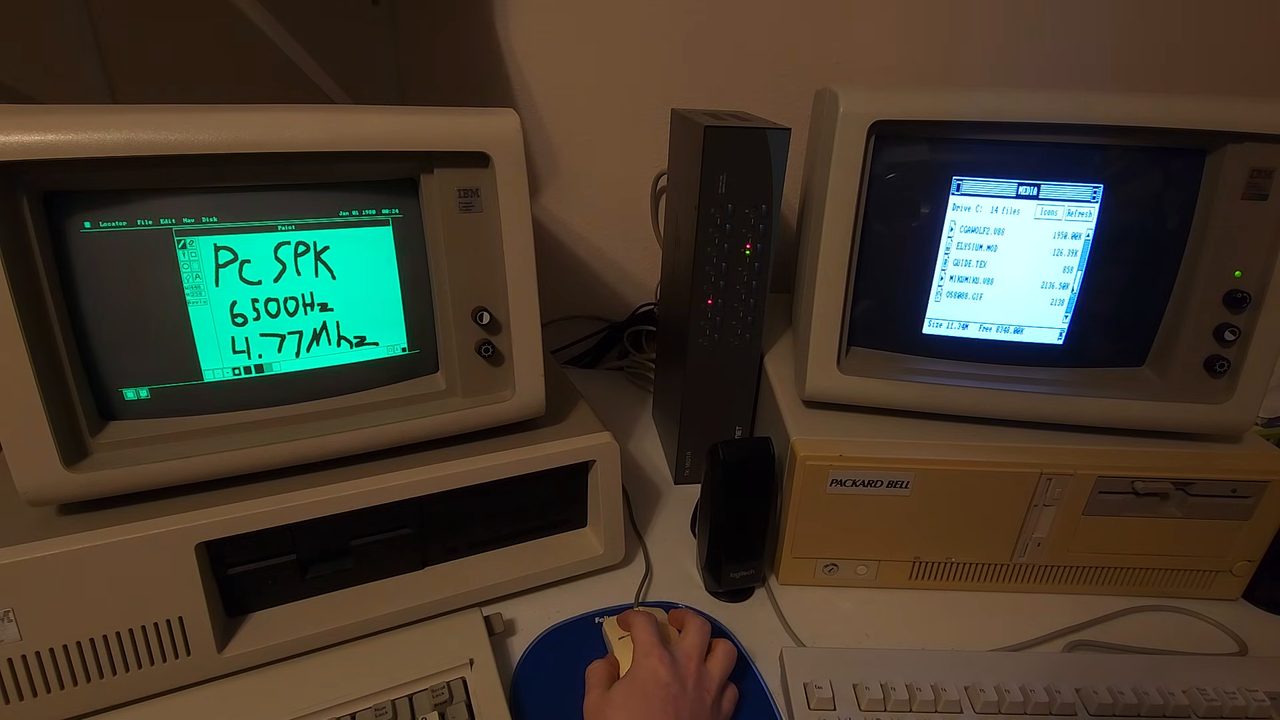
MIKUMIKU.V88 in it. Still from the video by AcornsN64.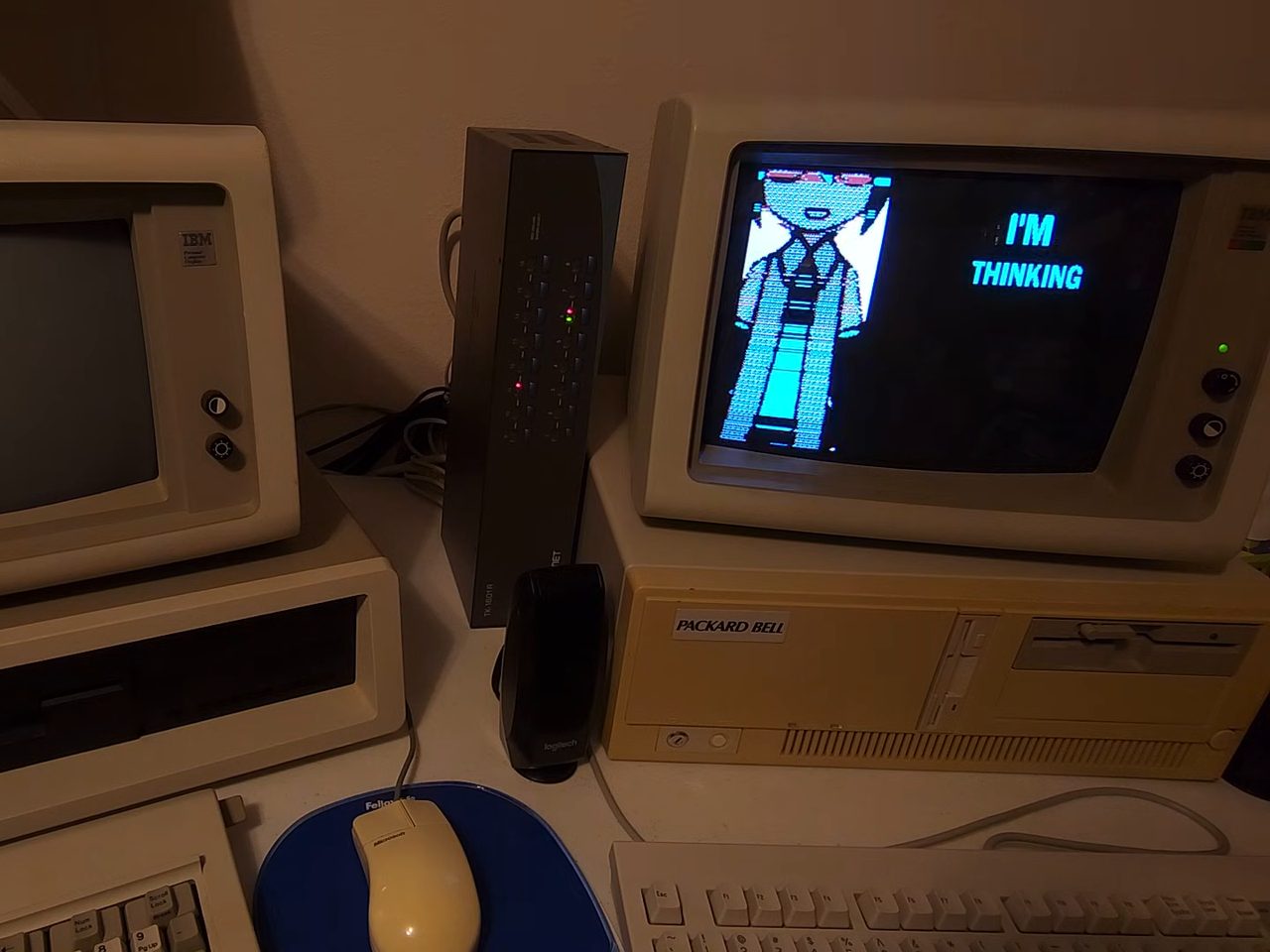
An IBM designed in a year, from parts off the shelf
The launch price bought no disk drive and no monitor.
Although the 5150 was not IBM's first microcomputer (the 5100 took that honor in 1975, at up to $20,000), it was the first IBM sold through retail stores, and it was assembled from other companies' parts: Intel's processor, Microsoft's BASIC and DOS, an Epson printer under an IBM label. IBM's own account gives 40 days for the motherboard design and four months to a working prototype. The business plan forecast 220,000 machines in three years. In 1983 alone IBM sold more than 750,000.
BYTE's review of January 1982 priced a usable machine -- 48K, the color adapter, one floppy drive and DOS -- at $2,575, against $2,175 for a comparable Apple II Plus and $1,995 for a TRS-80 Model III, and still called it "easily the best-designed microcomputer to date".
What IBM did not offer was a hard disk. The power supply could not start the drives of the day, DOS 1.0 and 1.1 had no support for one, and the first two BIOS revisions ignore the ROM on a controller card and count no more than 544KB of memory. The third, dated 10/27/82, lifts both limits. Neither of IBM's display cards gave everything either: the monochrome adapter drew sharp text and no graphics, the color adapter drew graphics at 200 lines. The Hercules card of 1982, which Van Suwannukul built to set Thai script for his doctoral thesis, put bit-mapped graphics on the monochrome display, and half a million had sold by 1985.
- introduced
- August 12, 1981
- price at launch
- $1,565
- RAM
- 16KB as shipped, 640KB with cards
- slots
- five, 8-bit
- floppy drives at launch
- up to two, 160KB each
- power supply
- 63.5W
Most of this one is newer than 1981
The parts in the photographs, and when each arrived.
| Part | What it is |
|---|---|
| IBM 5151 | The 11.5-inch green monitor for the monochrome adapter: 720 by 350 at 50Hz. It has no power switch and no mains lead of its own; it plugs into the back of the system unit and comes on with it. |
| IBM 5153 | IBM's 13-inch color monitor, announced in February 1983, about eighteen months after the color adapter it was built for. A circuit inside it turns dark yellow into brown, which is why CGA has a brown, and why EGA and VGA kept one. |
| Hercules GB101 | The 1983 revision of the Hercules card. It added a software switch that holds the card to the first of its two graphics pages until a program asks for the second, and that is what lets it share a PC with a color adapter. |
| Tandon TM100-2 | The double-sided 5.25-inch drive IBM fitted, 40 tracks a side at 300rpm. The 360K format arrived with DOS 2.0 in 1983; the 1981 machine had single-sided drives. |
| Seagate ST-225 | A half-height hard disk, first shipped in October 1984: 615 cylinders, four heads, 65ms average access. It can draw 2.2A from the 12V line as it starts, where the 5150's supply is rated for 2A, and the pairing is reported to work anyway. Its heads do not park themselves. |
| Keyboard | 83 keys on the Model F mechanism, a buckling spring over a capacitive board. BYTE, January 1982: "bar none, the best keyboard on any microcomputer", with one complaint about where the shift keys sit. |
Sources
- The IBM PC IBM Heritage. The announcement, the launch price, the 40-day motherboard.
- IBM Personal Computer Wikipedia. The 5100, the retail channel, slots, memory and sales figures.
- A Closer Look at the IBM Personal Computer Gregg Williams, BYTE, January 1982, page 36. The verdict, the keyboard and the price comparison.
- The IBM Personal Computer: First Impressions Phil Lemmons, BYTE, October 1981. The launch price list.
- IBM 5150 BIOS revisions minuszerodegrees.net. The three BIOS dates and what the first two cannot do; the same site's pages on the power supply and hard disks.
- Hercules Graphics Card GB101 Owner's Manual Hercules Computer Technology, 1984. The two graphics pages and the software switch.
- Hercules Graphics Card Wikipedia. The Thai thesis, the revisions and the sales figure.
- IBM Monochrome Display IBM Hardware Reference Library. The 5151.
- IBM Color Display IBM Hardware Reference Library. The 5153.
- Color Graphics Adapter Wikipedia. The 5153's brown.
- TM100-1, TM100-2 Product Specification Tandon, 1984. The floppy drive.
- ST225 OEM Manual Seagate, October 1985. The hard disk's geometry, access time and power; its first shipment date is from the 1985 Disk/Trend Report.