Spotlight › FAT32
FAT32 and big hard disks
os8088's kernel for 286 and later processors now reads and writes FAT32, the format Windows 98 put on large hard disks, on volumes up to 2 terabytes. Every kernel, the 8088's included, now also finds the extra drives DOS puts inside an extended partition.
- Largest FAT32 volume
- 2TB
- Drives on one hard disk
- Up to 6
- IDE drives read past
- 504MB
01 / What it is
What it is
A filesystem is the way a disk keeps track of which files are on it and where their bytes are. DOS used one called FAT, for File Allocation Table. It splits a disk into equal pieces called clusters, and keeps a table with one entry per cluster. Each entry says which cluster comes next in a file, so a file is a chain of clusters that can be scattered across the disk.
The size of that entry is the whole story of FAT's limits. FAT12, on floppies, uses 12 bits an entry. FAT16, on hard disks from 1987, uses 16 bits, so it can count at most 65,524 clusters. With the largest cluster DOS allows, 32KB, that stops a drive at 2GB. As hard disks grew past that, a large disk had to be split into several drives, and the big clusters wasted space: a 100-byte file still took up 32KB.
FAT32 came with an update to Windows 95 in 1996 and was the format Windows 98 installed on. It widens each entry to 32 bits, of which 28 are used, so it can count about 268 million clusters. Volumes can be up to 2 terabytes, with small clusters. Almost every hard disk, memory card and USB stick formatted between 1996 and the 2010s used it, and many still do.
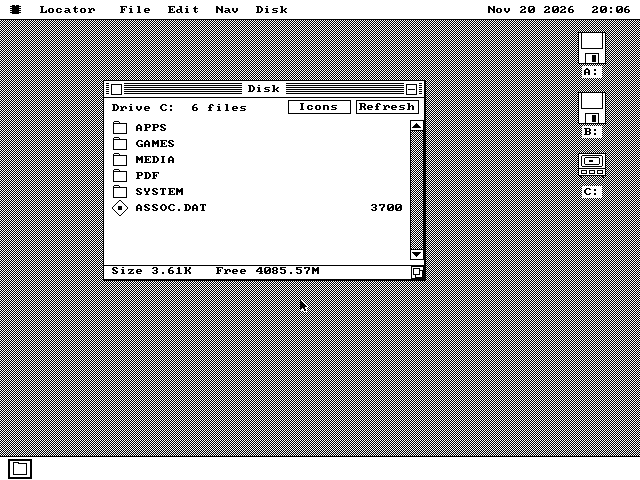
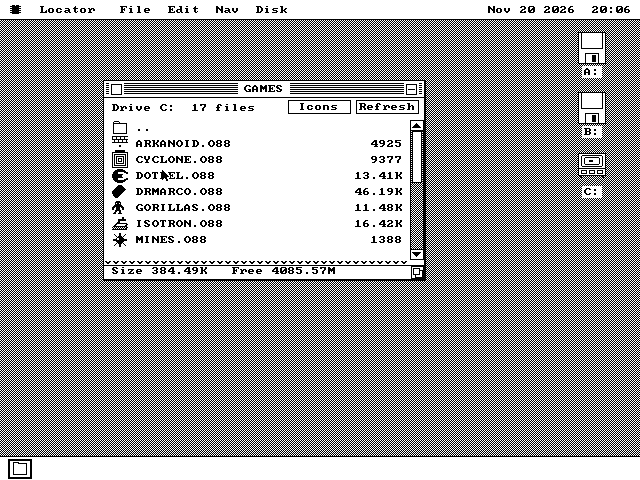
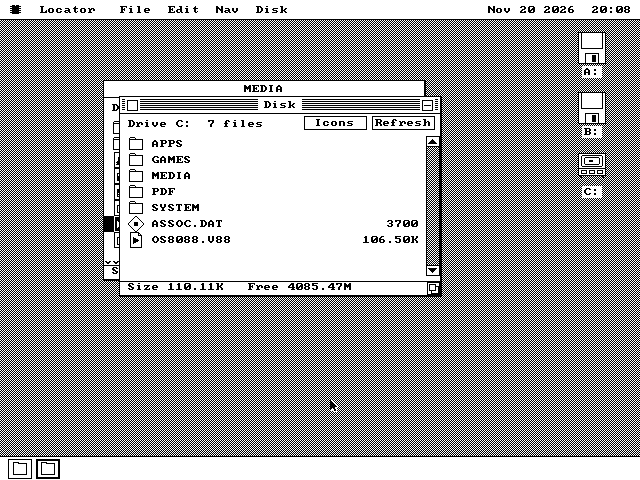
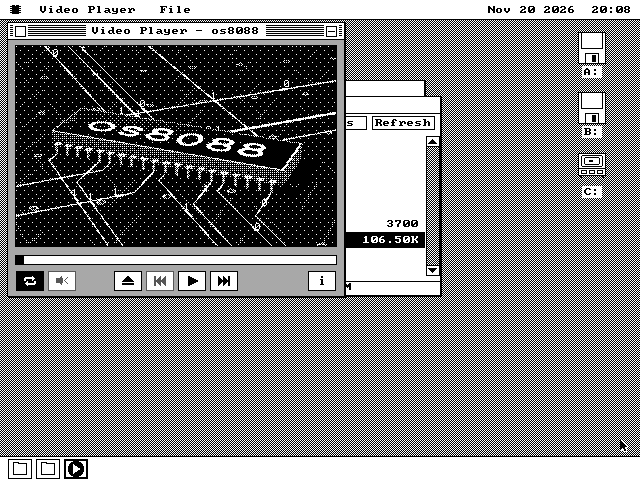
os8088's kernel for 286 and later processors now reads and writes it. A FAT32 partition on a hard disk shows up on the desktop as a drive, like any other. You can open its folders, start programs from it, open documents on it, and copy, paste, delete and make folders.
The same release changes how every kernel reads the hard disk itself. DOS's FDISK puts at most four partitions in a disk's table. To get more drives, one of the four can be an extended partition, which holds more drives inside it, called logical drives. os8088 used to see only the four, so a disk that showed C: and D: under DOS showed only C:. It now mounts the logical drives too, up to six hard disk drives in all. It also reads IDE drives larger than 504MB, which was as much of a disk as the original BIOS could address.
02 / On the screen
On the screen
03 / How it works
How it works
os8088 was written for the 8088, a 16-bit processor, and everywhere it handled a cluster number it used one 16-bit register. FAT32 needs 28 bits. On the 286-and-later kernel every cluster number now carries a second 16-bit word for its top half. A FAT16 or FAT12 disk keeps that word at zero and takes exactly the path it took before.
The root folder is different too. On FAT16 it is a fixed area at the front of the disk. On FAT32 it is an ordinary chain of clusters, so it can grow. Programs still call it folder 0, as they always have, and the kernel finds the real chain. A program that asks for a folder by its old 16-bit number gets a clear refusal for a folder it cannot name, never a different folder. Programs that want any folder have a new 32-bit way to ask.
Most of the new code sits above the first megabyte of memory, which only a 286 or later can reach, so it costs the programs below it very little room. That is also why the 8088 kernels do not get FAT32. There it would have to live in the 640KB every program shares, and it would slow every file operation on a 4.77 MHz machine. On an XT, a hard disk stays FAT16: up to six drives of up to 2GB each.
The hard disk driver finds the logical drives by following the extended partition's chain of small partition tables, one per drive. The chain is treated as untrusted. Each link must point further into the disk, the walk stops after 24 links, and each drive must fit inside the extended partition. A disk whose chain loops back on itself shows its real drives once, not over and over.
For IDE drives past 504MB the driver uses the drive's own block numbering (LBA) instead of cylinders, heads and sectors, when the drive says it supports it. On the 8088 kernels, a BIOS that offers the extended disk calls takes it past 8GB too. Many BIOSes describe a large disk to the system in a translated form, so the same disk can appear twice, once through the BIOS and once directly. The driver checks for this, so such a disk is mounted only once.
04 / What it does not do
What it does not do
The 8088 kernels do not read FAT32. They see the partition, check its first sector, and leave it off the desktop. Their drive letters are unchanged.
Some tools say no to a FAT32 drive, by name. The disk checker, hibernation and the installer refuse it, and so does mounting a disk image stored on it. The Format tool still makes FAT16 drives, which an XT can read too. DOS sessions do not see FAT32 drives at all, so a DOS program never misreads one.
Drive letters can move. On the 286-and-later kernel a FAT32 partition takes a letter in disk order, as DOS and Windows give it one. A drive after it on the same disk now gets the next letter, one later than in earlier builds. A desktop shortcut saved against the old letter reports that it cannot find its file. Drag it onto the desktop again.
It has not been tried on real hardware yet. FAT32 was checked in QEMU and in the Bochs emulator. Its tests read the disk back afterwards on the host with mtools and fsck.fat, which found nothing wrong. The logical drives were also checked on an emulated IBM XT with an XT-IDE card.
05 / Use a FAT32 disk
Use a FAT32 disk
You need a 286 or later PC with 1MB of memory, or an emulator, and a hard disk or CompactFlash card with a FAT32 partition on it. The disk must use the classic PC partition table (MBR) that DOS and Windows 98 made; the newer GPT kind is not read.
From the release zip, take the 286-and-later pair in
1440K/286-PLUS/(or1200K/286-PLUS/for a 5.25-inch drive). Boot the system disk and put the software disk in drive B.When os8088 finds a hard disk through the BIOS, it loads its hard disk driver on its own and puts a C: icon on the desktop. If it does not, open the Control Panel, choose Drivers and tick Hard Drive.
Double-click C: to open it. The status line shows the free space.