Spotlight › Network install
Install os8088 over the network
A PC with a network card can now put os8088 on its hard disk straight from os8088.com, with no floppies to write first. It can also check for a newer release each time it starts. The same driver that makes this work opens any web folder on the desktop as a read-only drive.
- copied from the network
- 115 files, 1,670 KB
- the startup check
- 1 request for 155 bytes
- the web drive's driver
- 3,658 bytes on disk
What it is
Installing an operating system used to mean a pile of floppy disks. Now it can mean one network card.
In the 1980s an operating system came on floppy disks. To put it on a hard disk you started the computer from the first disk, ran an installer, and fed it the rest one at a time when it asked. Before you could do even that, you needed the disks: someone had to write the downloaded disk images onto real floppies, on a drive the right size.
os8088 has worked the same way. Its installer, INSTALL, copies the system disk onto the hard disk, then asks for the apps disk and copies that.
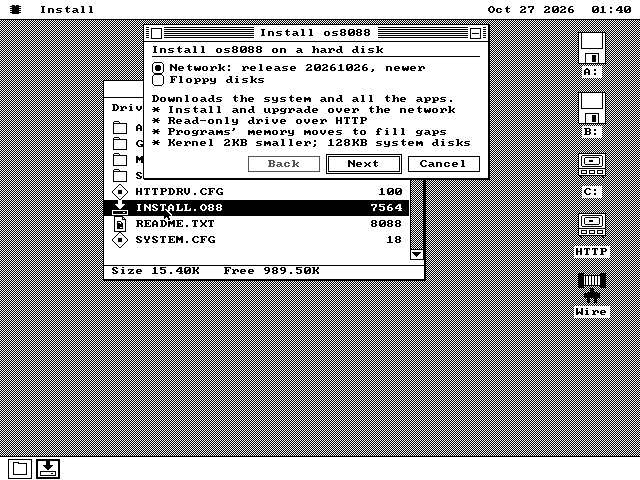
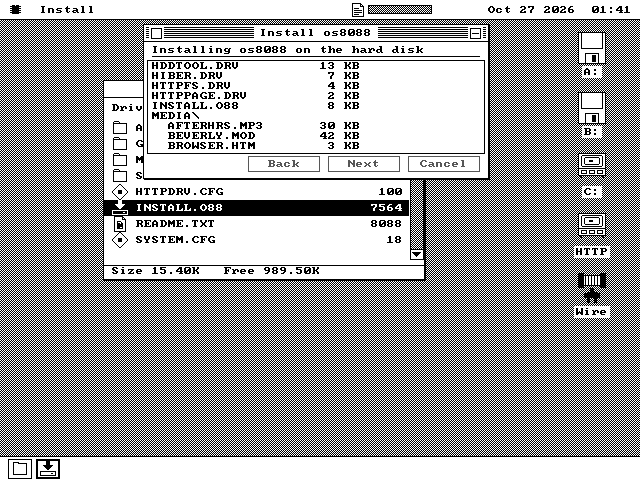
Now INSTALL can take everything from the network instead. Each release of os8088 is also published as a folder of files on os8088.com. INSTALL's first page asks that folder which release it holds and shows what is new in it. Pick Network, click through the same four pages as before, and the system and every program on the two 1.44MB disks arrive in one copy, with no disk to swap. The folder is made from the 1.44MB disks, so a PC whose drive takes only 360KB floppies gets the same set.
The files travel over HTTP, the protocol web pages travel over. It is plain http://, not the https:// almost every website now uses. A secure connection starts with public-key arithmetic on numbers 2,048 bits long, and the project's own estimate for one step of it is minutes on the 4.77 MHz Intel 8088 in the original IBM PC. So os8088 speaks plain HTTP, and os8088.com answers it on plain HTTP for this folder.
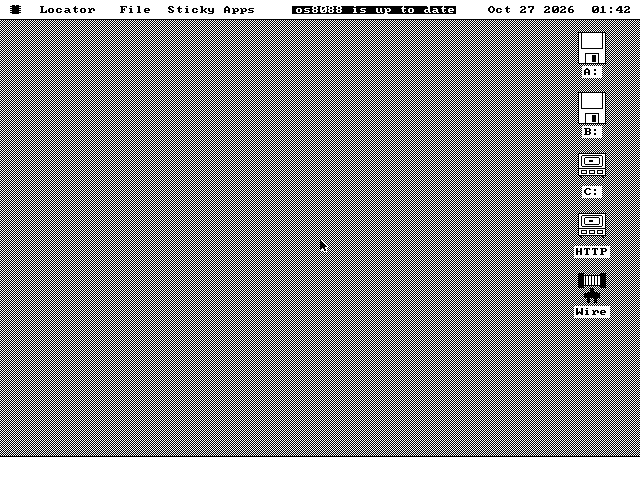
Once os8088 is on the hard disk, it can look for the next release by itself. The installer's last page offers to check every time the machine starts. When nothing is newer, a short message in the menu bar says so. When a newer release is out, INSTALL opens with it picked.
See an install
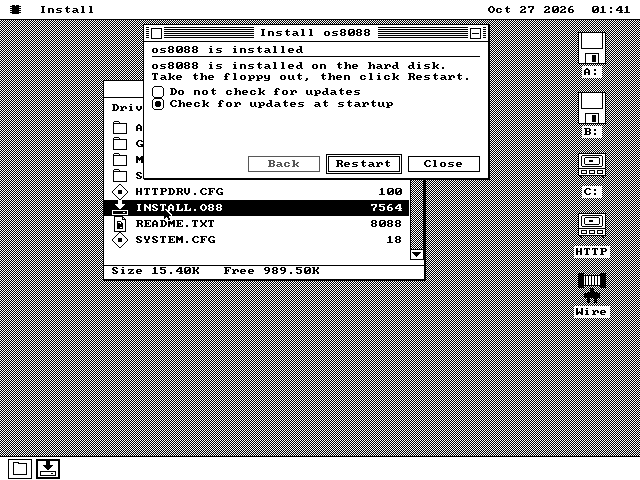
From the copy to the first startup check, on QEMU, a PC emulator, with an emulated network card and a 31 MB hard disk.
A web folder as a drive
The part that does the downloading is a drive of its own, and you can point it anywhere.
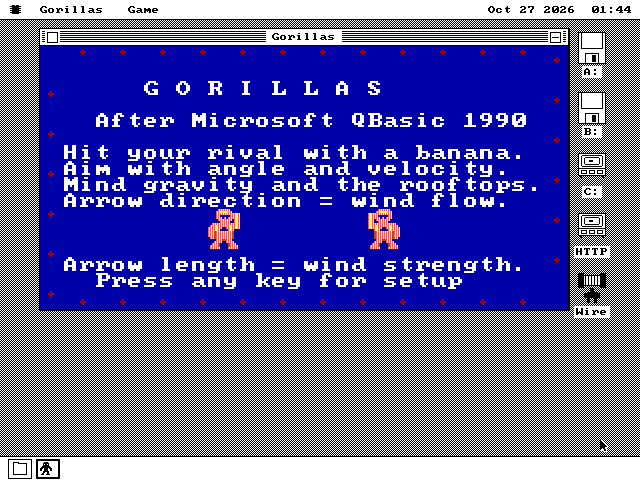
HTTPFS.DRV, the HTTP drive, puts a folder from a web server on the desktop with its own drive letter. You open it in a Disk window, walk its folders, start programs from it, open its documents and copy files off it, as with a floppy. It is read-only, so its free space always reads zero.
HTTP can fetch a file, but it has no way to list a folder. So the folder carries its own list: one file called OS88.IDX, with every file and folder's name and size, 18 bytes each. The drive reads that list once, when the drive is first opened. Every folder you open after that is answered from memory, and only the files you open or copy go over the network. The release folder INSTALL copies from holds 126 files and folders, and its list is 2,302 bytes.
A small program in the os8088 source writes the list for any folder, or for a floppy image, on a modern computer. Any web server that can send files can then serve it.
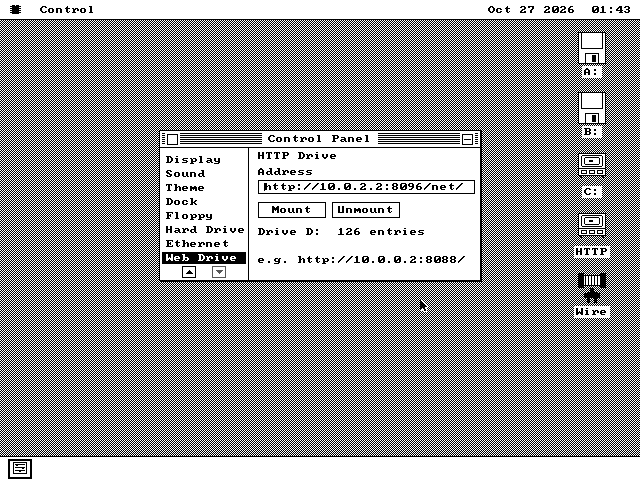
http:// and click Mount. The page reads the folder's list at once and says how many entries it holds. The address here is the computer running the emulator, serving this release's own folder. The drive came up as D:, because C: is the hard disk.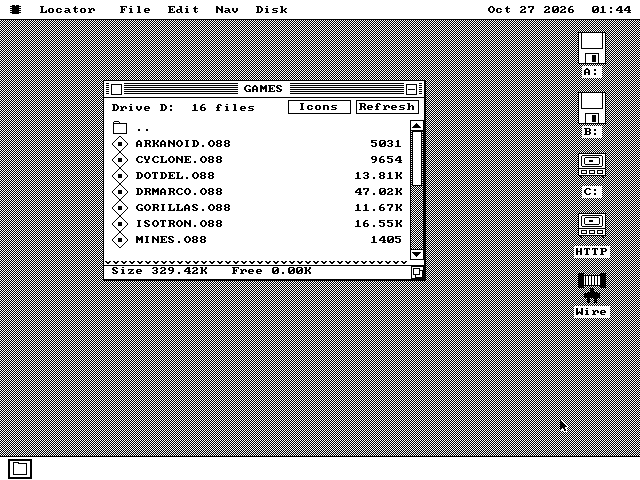
How it works
One drive, one list, and an installer that hardly had to change.
The release is a folder
Each release is published as the files of its 1.44MB system disk and its 1.44MB apps disk merged into one folder, plus a short text file with the release's date and up to four lines of what is new, and the OS88.IDX list. os8088 has more than one kind of kernel, and each kind has its own folder, so a machine upgrades to the kind it already runs.
The installer copies from a drive
A network install is the ordinary install with another source. When you click Next with Network picked, INSTALL mounts the release folder as an HTTP drive and hands that drive to the same copying code a floppy install uses. Because the folder already holds the programs, the copy does not ask for the apps disk, and does not copy one that happens to be in a drive.
The check is one small request
To learn what is on the server, INSTALL does not mount anything. It asks for one file, the 155-byte release note, and reads its first line: eight digits, the release date. Dates compare as text, so newer is a simple comparison. A reply that is not a plain success with a date in it counts as no answer, and the network row is greyed with that reason. INSTALL only asks when the network driver is already loaded.
A connection kept for the next request
Starting a program reads its first 512 bytes, then the whole file. Opening a new connection costs a round trip of its own, so the drive asks the server to keep the first one open and sends the second request on it. Every wait is bounded: ten seconds with nothing arriving is a timeout, which is the longest a dead server can hold the machine up.
What it does not do
Left out on purpose, or not done yet.
- No
https://. An address that starts with it is refused by name. A secure site can be reached only through the project's helper program on a modern computer, which fetches pages for os8088. - Nothing is encrypted, and nothing is signed. Plain HTTP can be read or changed by anything between the PC and the server. The drive checks that every file arrives at exactly the size its list says, which catches a mistake, not a deliberate change.
- No user names or passwords. The drive sends none, so it reads only folders anyone may read. Redirects are not followed either: the server must answer at the address given.
- Read-only. Saving, deleting, renaming and making folders on the drive are all refused as write-protected.
- One web drive at a time. Mounting a second address replaces the first.
- The screen waits while INSTALL asks. While it looks for a release, nothing else on the screen moves, for up to ten seconds if the server does not answer. On an IBM XT-class PC that wait includes looking up the name os8088.com and connecting.
- Not on the 128KB machine. The smallest os8088 loads no drivers, so it has neither the network nor the HTTP drive, and its system disks do not carry INSTALL.
- No choosing what to copy. A network install copies the whole system and every program from the two 1.44MB disks.
Run it
A PC with a hard disk and an NE1000 or NE2000 network card, real or emulated.
-
Start os8088 from any of the standard system disks. INSTALL is in the root of all four sizes, and the network driver and the HTTP drive are on every one of them.
-
Turn the network on. Open the Control Panel, choose Drivers and tick Ethernet. The driver finds the card and asks the network for an address. Close the Control Panel to keep it on at the next start. In QEMU, give the machine a card with
-netdev user,id=n0 -device ne2k_isa,netdev=n0,iobase=0x300,irq=3. -
Double-click INSTALL.O88 in the root of the system disk. Wait for the Network line to name a release, pick it if it is not picked already, and click Next through the hard disk, the partition and keep-or-erase pages. Click Install on the last one. Nothing is written to the hard disk before that.
-
On the last page, choose whether to check for updates, take the floppy out and click Restart. The machine starts from its hard disk.
To open a web folder as a drive, tick HTTP Drive on the same Drivers page, then choose Web Drive near the bottom of the Control Panel's list. Type the folder's address and click Mount. The address and the mount are saved when the Control Panel closes, and the drive comes back at the next start without reading anything until it is opened.
To publish a folder of your own, write its list with the tool in the os8088 source, on any computer with Python 3:
python3 tools/os88httpdrv.py export MYFOLDER OUT
python3 tools/os88httpdrv.py serve OUT
The second line serves the result at port 8088, so the address on the os8088 machine is http:// followed by that computer's address and :8088/. Any other web server can serve the OUT folder too. One that can send part of a file is faster for large files, but it is not required.