Spotlight › EGA
The fourth graphics card
An EGA is the IBM graphics card from 1984, between CGA and VGA. os8088 mistook every one of them for a VGA and drew a desktop a third taller than the monitor could show. It now recognises an EGA and gives it a screen that fits.
- screen
- 640 x 350
- colours
- 16
- found by
- an IBM 5160 owner
What was wrong
A real machine, a real bug report.
Someone with an IBM 5160 and a genuine IBM EGA card booted os8088 on it and found the bottom of the desktop missing.
The cause: os8088 asks the graphics card what it is, and an EGA answers that question enough like a VGA that the answer was taken as a VGA. So the system set up a screen 640 pixels wide by 480 tall and drew the desktop into it. An EGA monitor displays 350 of those lines. The other 130, including part of the dock, were off the tube.
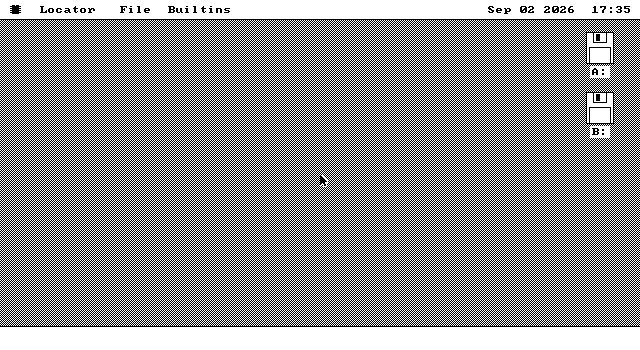
You could get a working machine by making it use the CGA driver instead. That worked, and it wasted the card: 640 by 200 in black and white, from hardware that can do 640 by 350 in sixteen colours.
What changed
A fourth kind of card, not a fourth way of drawing.
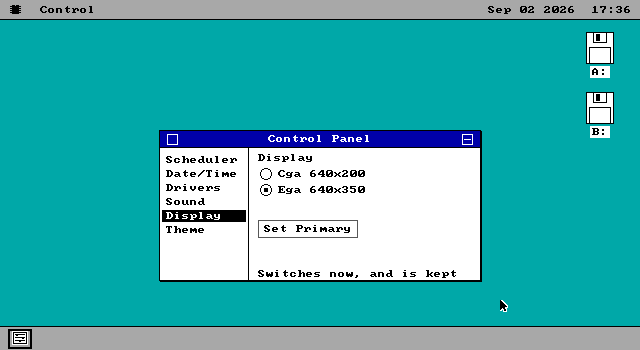
The EGA mode os8088 now uses is laid out the same way the VGA one is. Same address in memory, same four colour planes, same 80 bytes per row -- the only difference is that there are 350 rows instead of 480.
That is why this was a small change rather than a new graphics driver. Every drawing routine the VGA uses is reused exactly as it stands. What was added is the recognition step, the mode setting, and the handful of places that had to be told a screen can be 350 tall.
Anything that positions itself against the edge of the screen already read the live screen size rather than assuming, so windows, the dock and the disk icons landed in the right places on the first try.
The colour theme
Which was switched off here for a reason that turned out to be wrong.
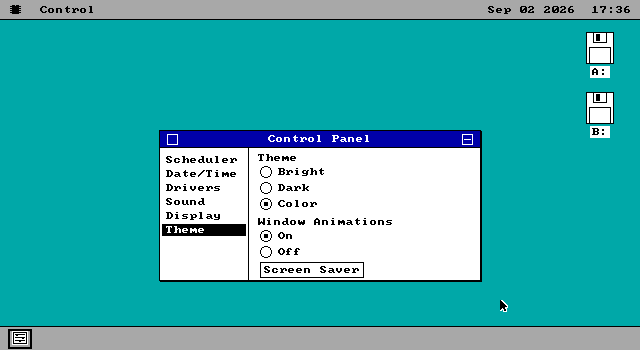
os8088 has three desktop themes, and one of them uses colour. When EGA support first landed, the colour theme was greyed out on an EGA, on the grounds that it would need palette work the card handles differently.
That reasoning was wrong, and the person who reported the original bug is exactly the person who would have noticed. The colour theme does no palette work at all. It is six entries from the standard sixteen colours, and an EGA has the same sixteen a VGA does.
The check behind it was asking the wrong question -- "is this a VGA?" instead of "does this card do colour?" -- which was the same question while VGA was the only colour card os8088 knew about. It asks the right one now, and the answer costs nothing: the two forms compile to the same number of bytes, so the change is measured at zero.
See it yourself
An EGA is a period card, so this needs an emulator that has one.
86Box emulates an IBM EGA. The source tree carries a ready-made machine for it -- an XT
with an EGA card and a 350-line monitor -- built by make xt-ega.
If you are building from source and want to see it under QEMU instead, a kernel can be told which card to assume rather than probing for one:
make VIDEO=ega- Boot it headless with
make test VIDEO=egaand take a screenshot over the emulator's control socket. The screen is 640 by 350, so anything driving the mouse has to be told that size.
On a machine with both an EGA and a VGA, os8088 uses the VGA. An EGA cannot be the main card of a two-monitor desktop, and choosing it collapses the desktop back to one screen.